
1. Summary
🎉 Welcome to Meetical for Confluence! 🎉
Meetical automates and simplifies the workflow from creating a meeting in your calendar, to concise notes in Confluence, to structured follow-up on actions and decisions. And it keeps the context for recurring meetings to keep your team aligned and deliver results not AI-slop.
Meetical is built around three main pillars:
-
Meetical's Calendar Integration lets you create Confluence pages straight from calendar events in Outlook or Google Calendar. Automation creates structured pages at the right time and links them to the calendar for everyone, so teams stop rebuilding and relinking the same agenda and notes pages every week.
-
Meetical AI captures your online meetings. The AI meeting assistant joins the call, transcribes it, and turns the conversation into structured Confluence notes: summary, decisions, and action items with assignees and due dates. We use a human-in-the-loop approach so when Agendas and Notes are AI generated, they go through a quality gate the right people own.
-
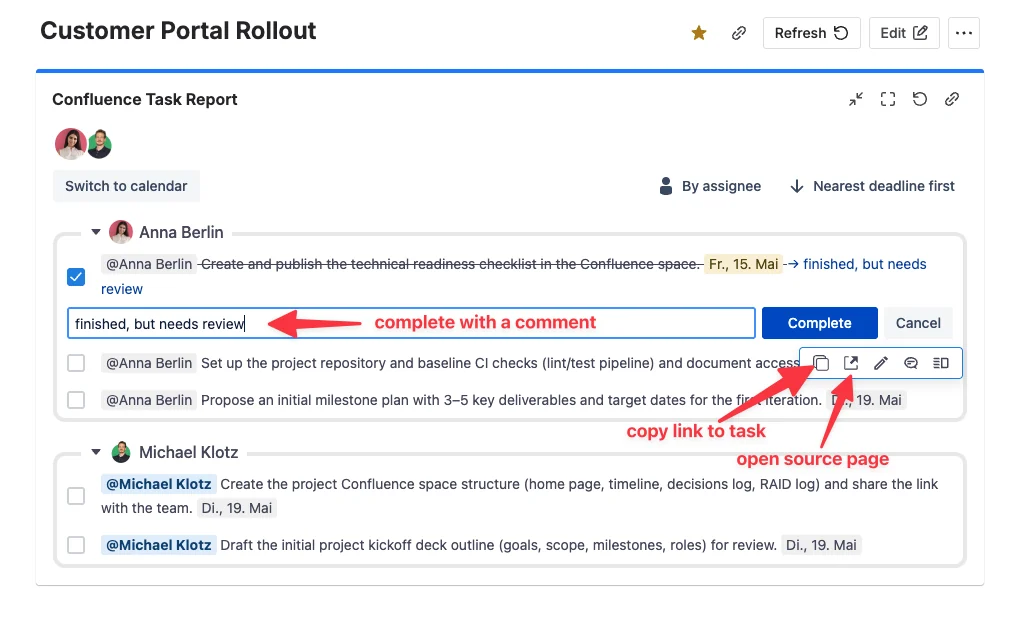
Task Reports keep follow-up work visible across Confluence and Jira. It’s a better version of Confluence’s native reports and tasks. Teams can see what's still open, who owns it, inline edit and comment, and confirm that action items from meetings actually get done.
In short: Meetical automates admin work around meetings, saves time before, during, and after meetings, and helps teams move from discussion to clear documentation and follow-up.
2. Problems with traditional Confluence meeting notes
Meetical Meetings solves three main problems related to meeting notes in Confluence:
-
Creating meeting notes in Confluence is a manual process. It is time-consuming, gets forgotten, and creating a page just-in-time before or during a meeting takes too much time.
-
Manual meeting notes are often not organized well. There is no consistent naming, pages get outdated, and notes can become hard to find or abandoned.
-
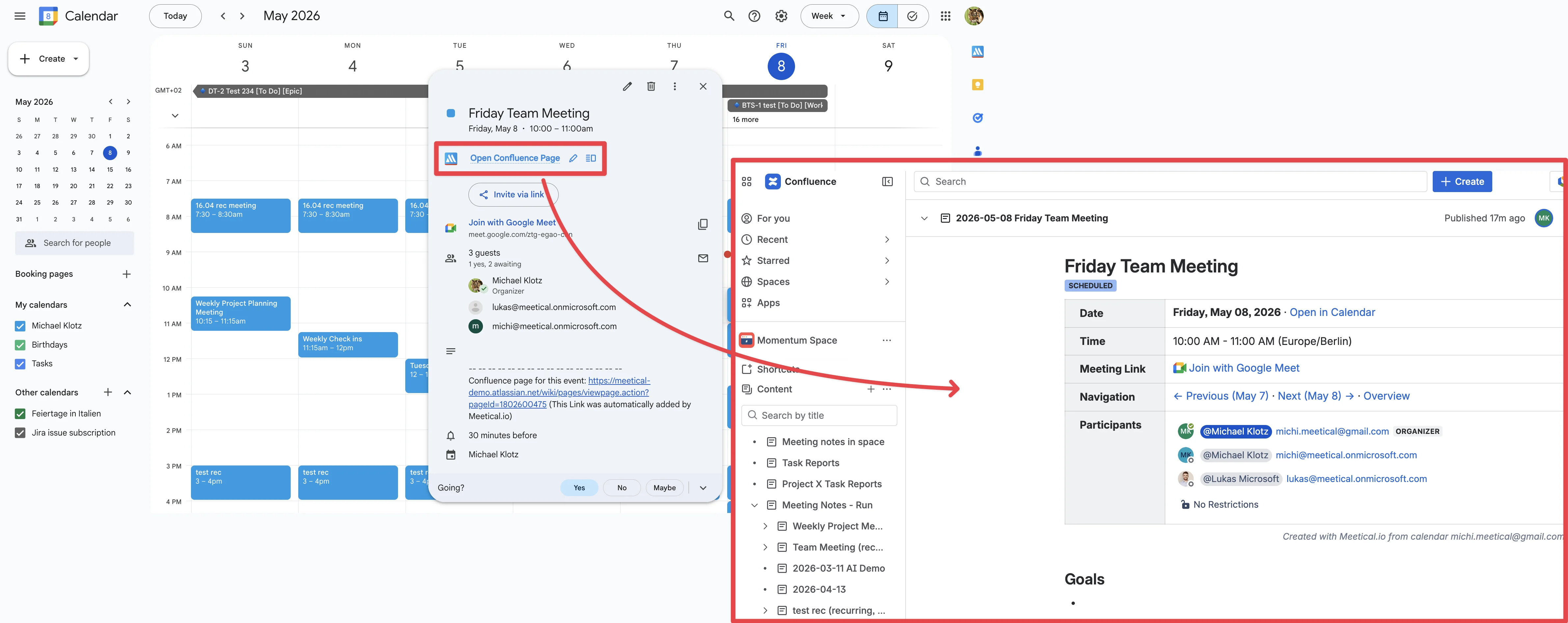
Meeting notes are often not linked to the calendar event, or must be linked manually. That makes them hard to find, especially for people who do not use Confluence every day.
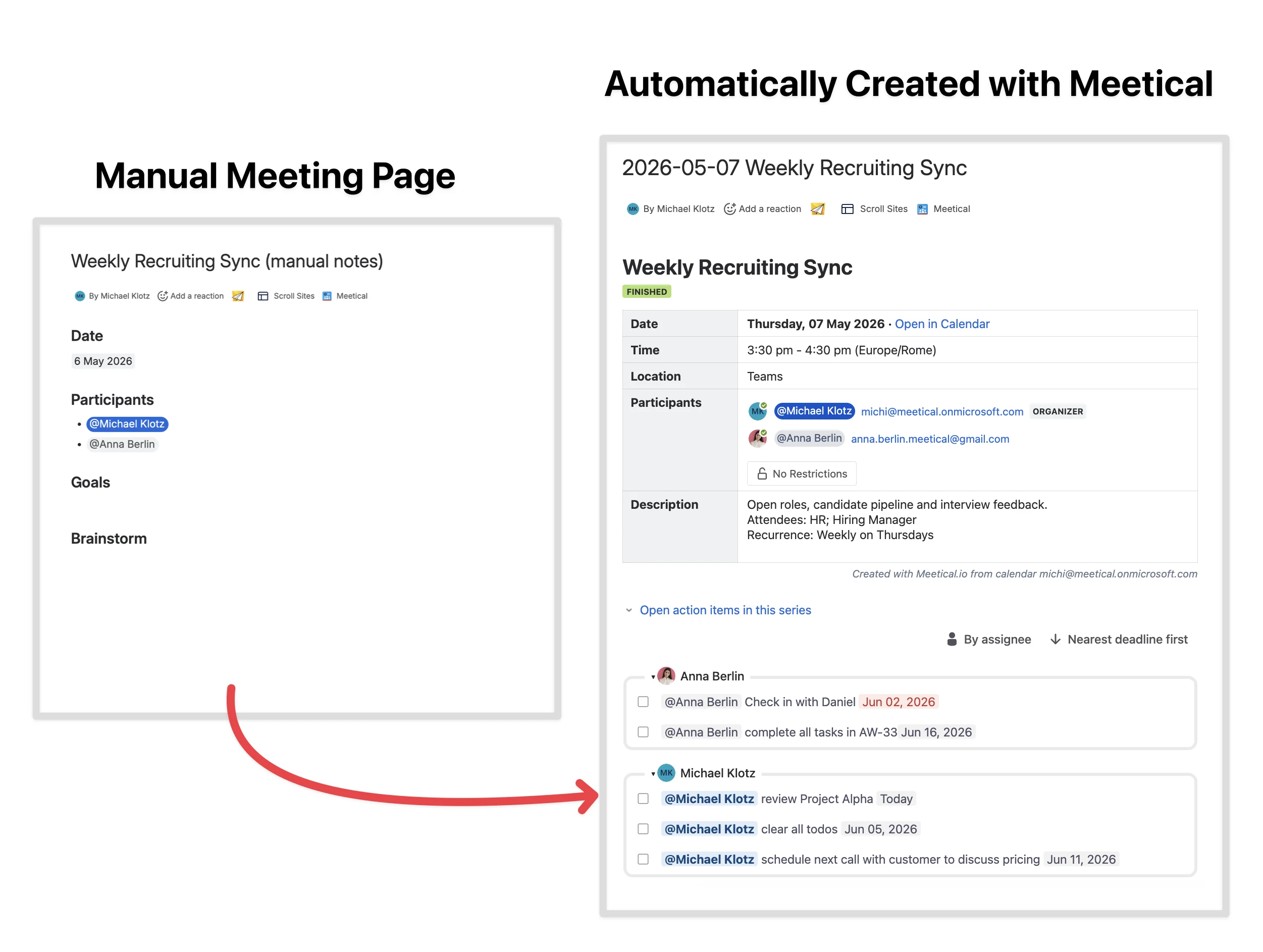
Creating and managing meeting pages manually is time-consuming and requires discipline. While Confluence includes a meeting notes blueprint and other meeting notes templates, manually creating pages does not scale well when teams are busy.
3. Faster and better meeting notes with Meetical
The Meetical Meetings app for Atlassian Confluence helps you find, create, and share meeting notes in Confluence faster and easier.
Meeting pages created and managed with Meetical are:
-
Easy to find
-
Easy to create
-
Automatically structured and organized well
Meetical pages are also more reliable and more professional: pages are linked and kept up-to-date with your calendar events. Meeting notes are complete, great-looking, and ready to share or export.
The basic concept is that every key meeting gets a dedicated Confluence page you can use before, during, and after the meeting. As best practice, these pages get linked to your calendar invites so everyone can find the page quickly.
4. Create meeting pages from your calendar
You have several options to find and create meeting notes in Confluence with Meetical Meetings.
Google Calendar and the Chrome extension
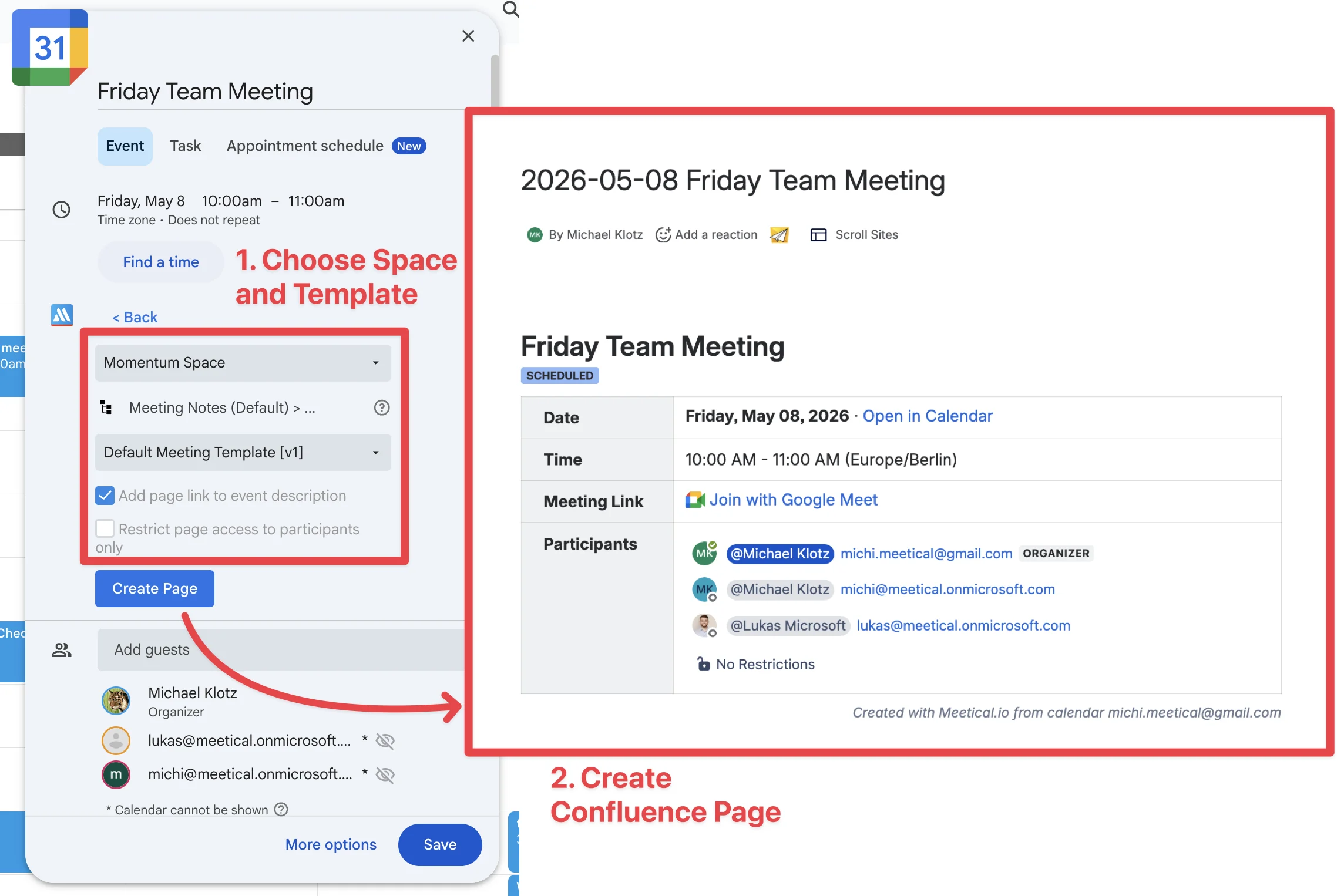
The Meetical Chrome Extension allows you to create Confluence meeting notes directly from Google Calendar in Chrome. The browser extension supports Chrome only.
Microsoft 365 and Outlook
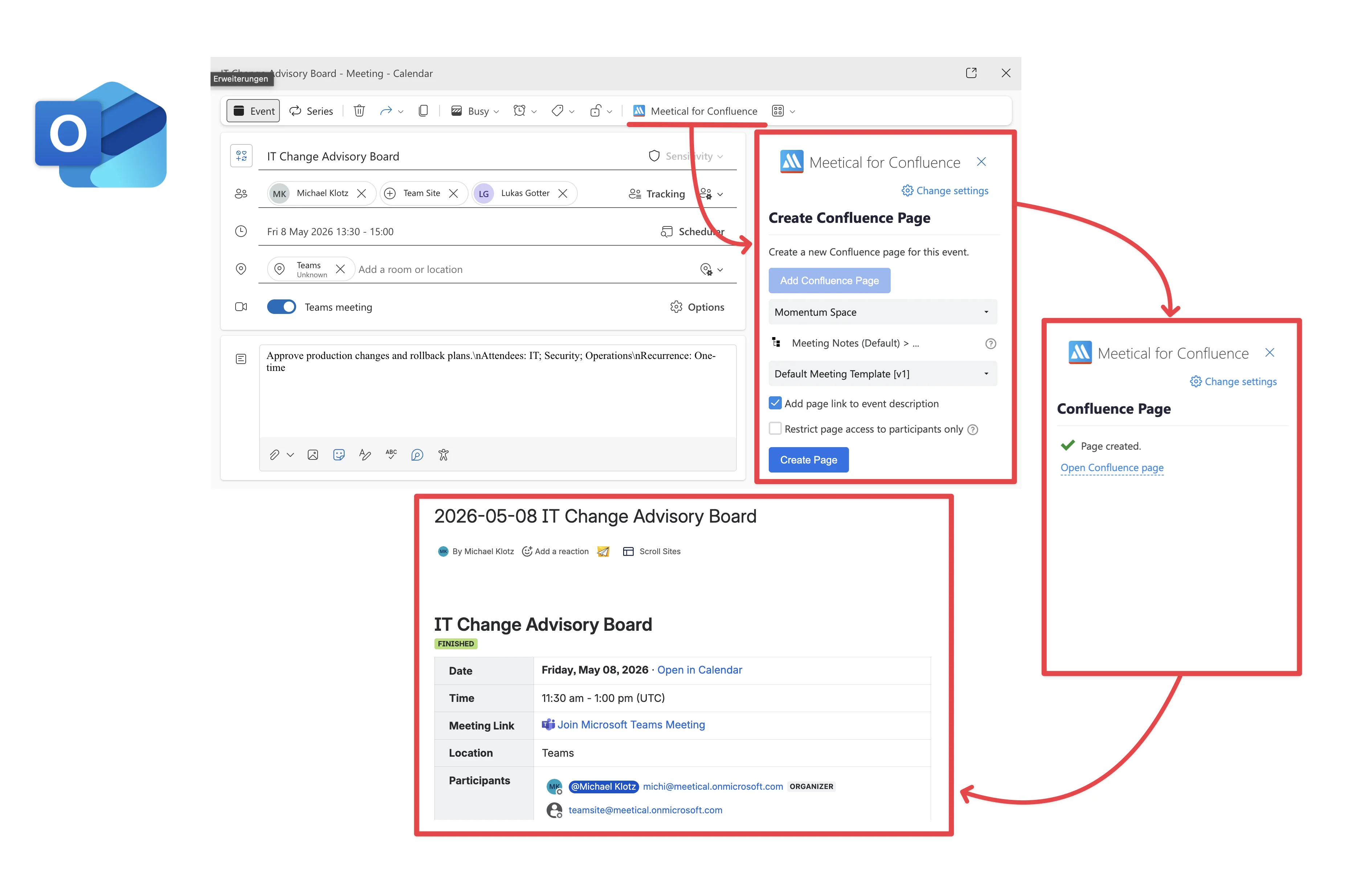
The Outlook Add-in for Confluence lets you create, link, and find meeting pages directly from Outlook.
Meetical Calendar in Confluence
In addition to the calendar extensions, Meetical includes an integrated Confluence calendar. The calendar is connected to your Google Calendar, Outlook Calendar, or Microsoft 365 calendar.
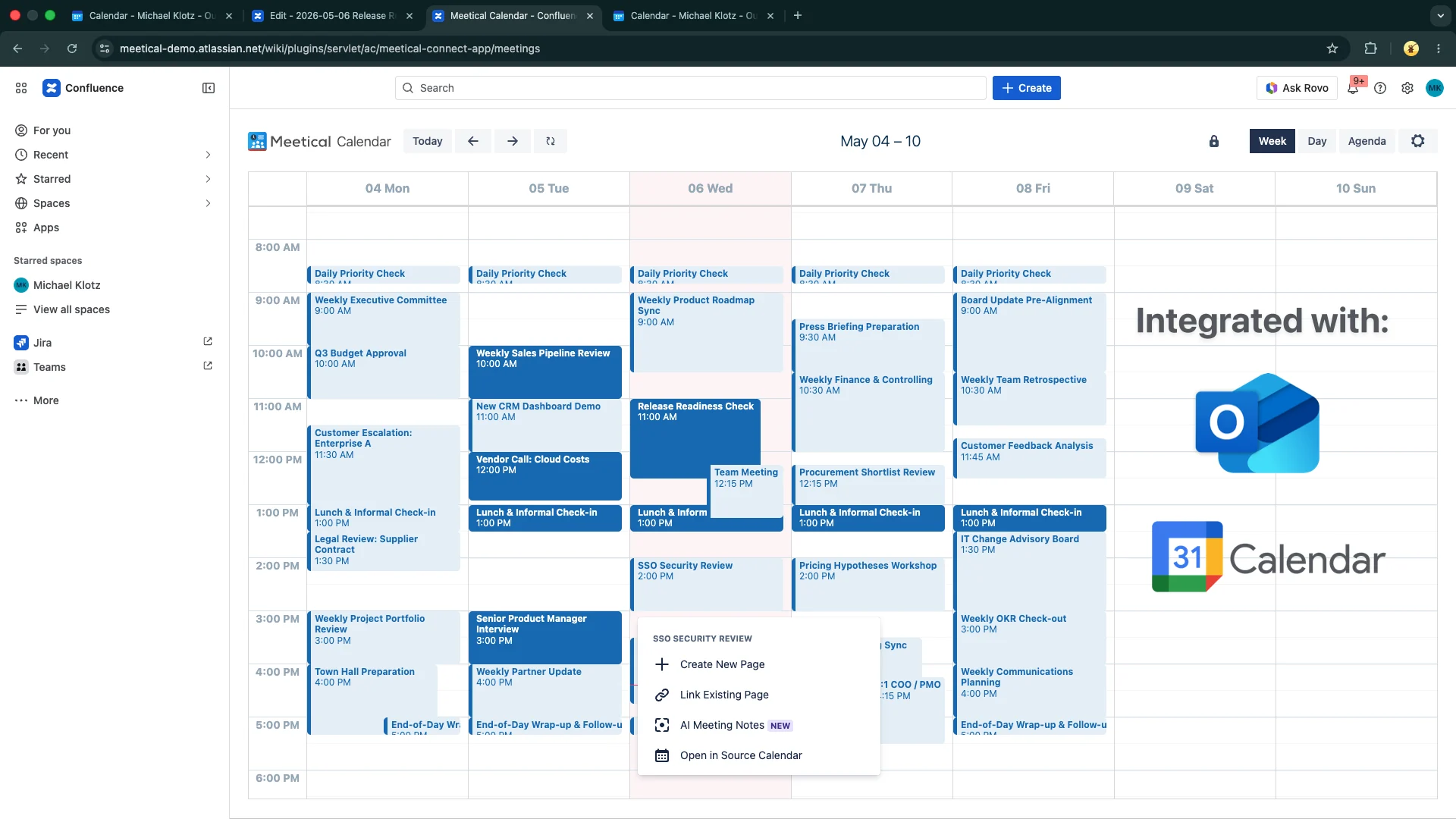
When you create a meeting page, you can choose the Confluence space and template. You can use one of the included meeting templates or create your own templates.
All pages automatically get populated with essential meeting information such as date, time, location, event description, attendees, and RSVP status.
5. Automations, meeting templates, and recurring meetings
The Meetical Meetings app can add a link to the meeting page in the calendar invite. This is optional, but it helps everyone find the agenda and notes directly from the meeting event.
For recurring meetings, Meetical remembers the space and template you selected. You can create the next page with a single click, or completely automate the process for recurring meetings.
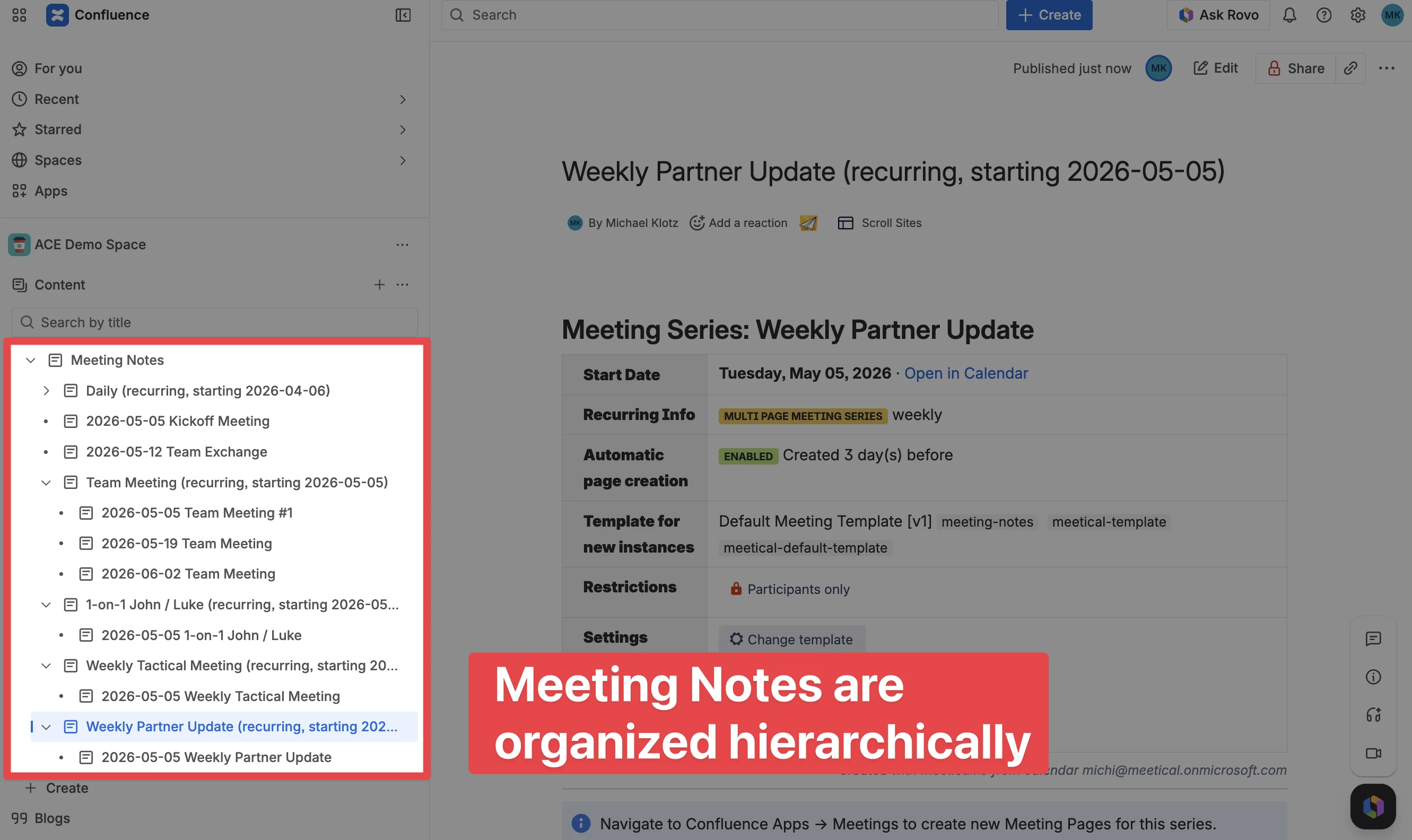
Like the Confluence meeting notes blueprint, Meetical creates additional pages to structure meetings and keep them organized:
-
The app creates a default Meeting Notes index page if none exists.
-
Recurring meetings get grouped automatically under a meeting series parent page.
-
Meeting notes are created under a common parent, which can be customized.
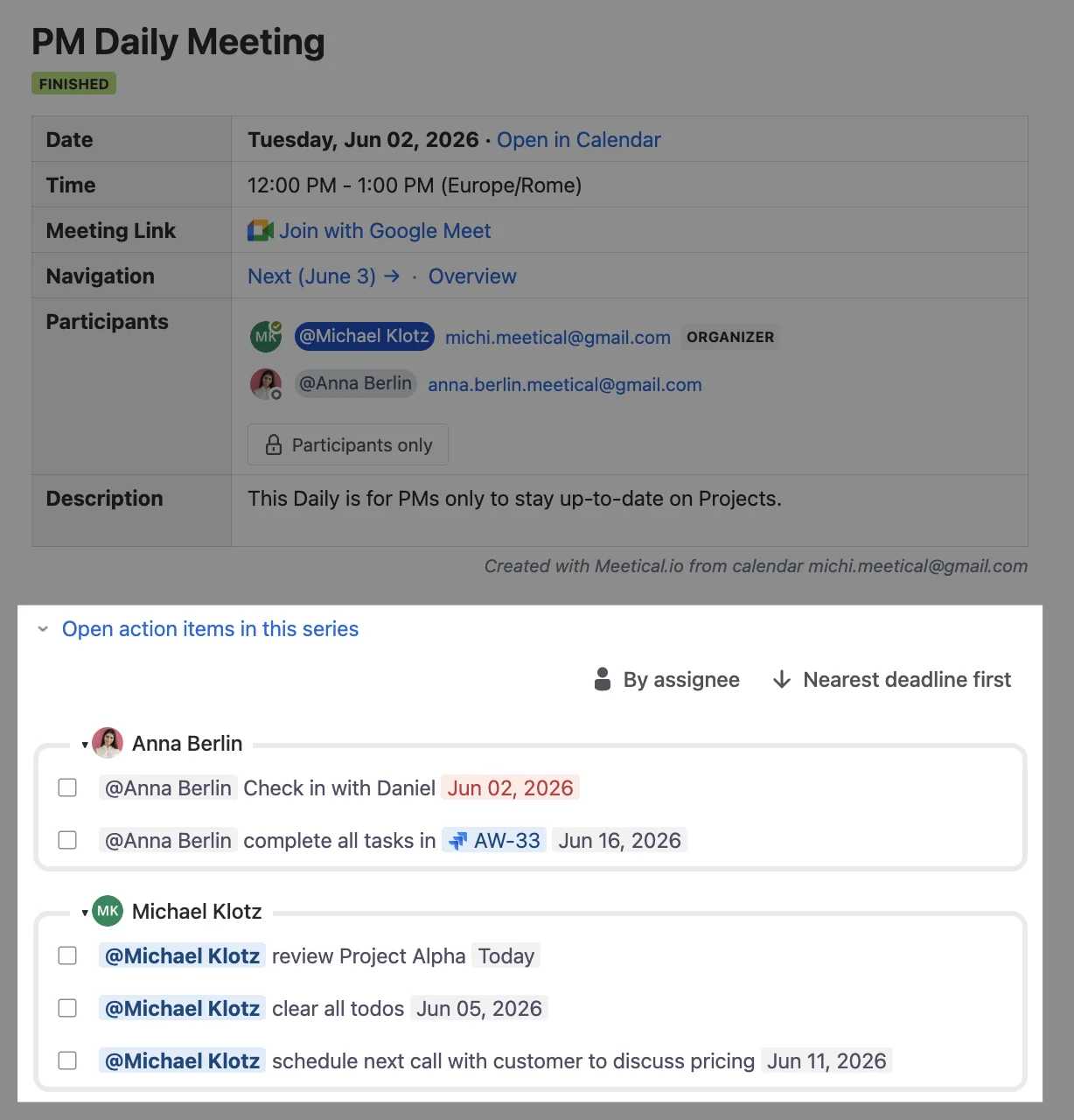
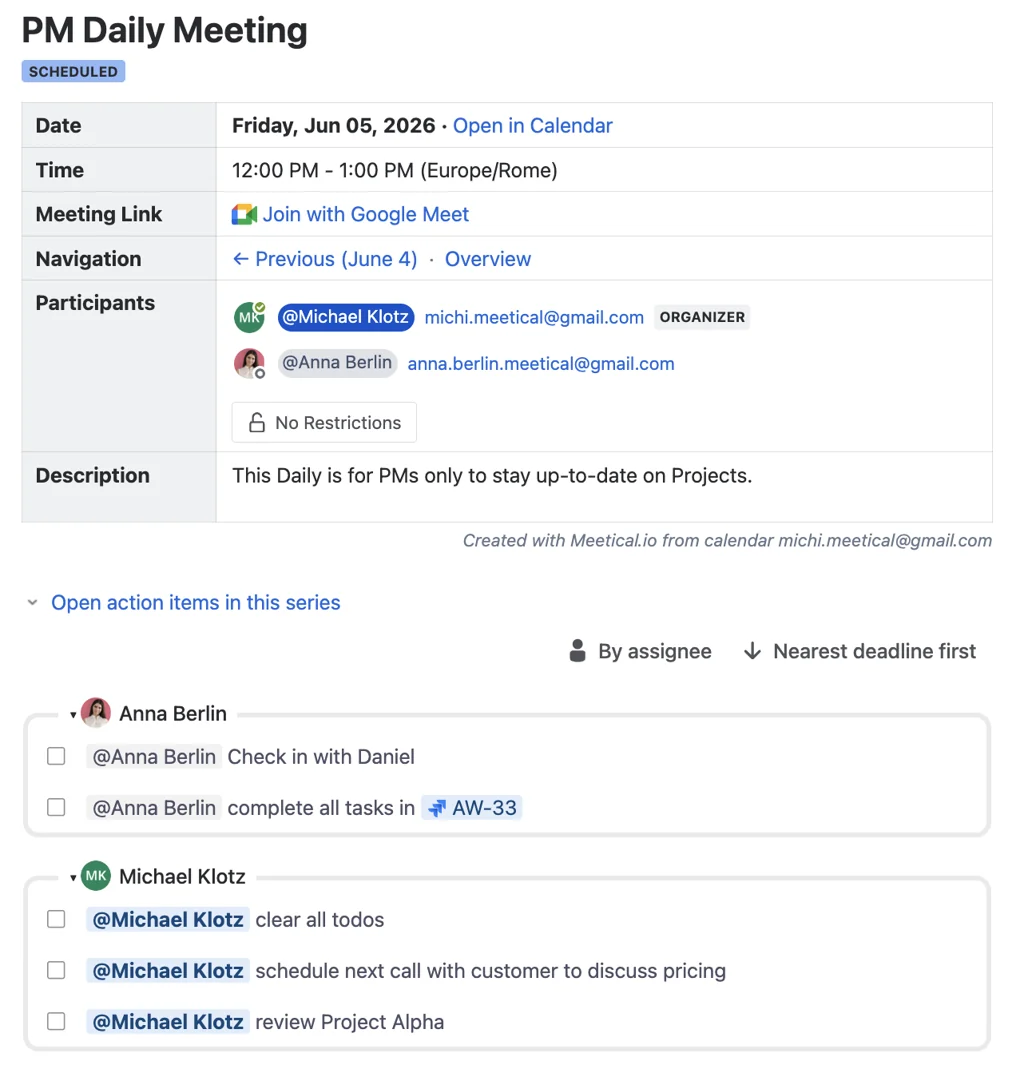
Meetical also includes meeting macros for Atlassian Confluence. The meeting overview macro can show the meeting status, date, time, attendees, and RSVP status, and it stays up-to-date when the calendar event changes.
For recurring meetings, you can see all open tasks in the series directly below the overview macro.
6. Meetical AI: turn meetings into structured notes
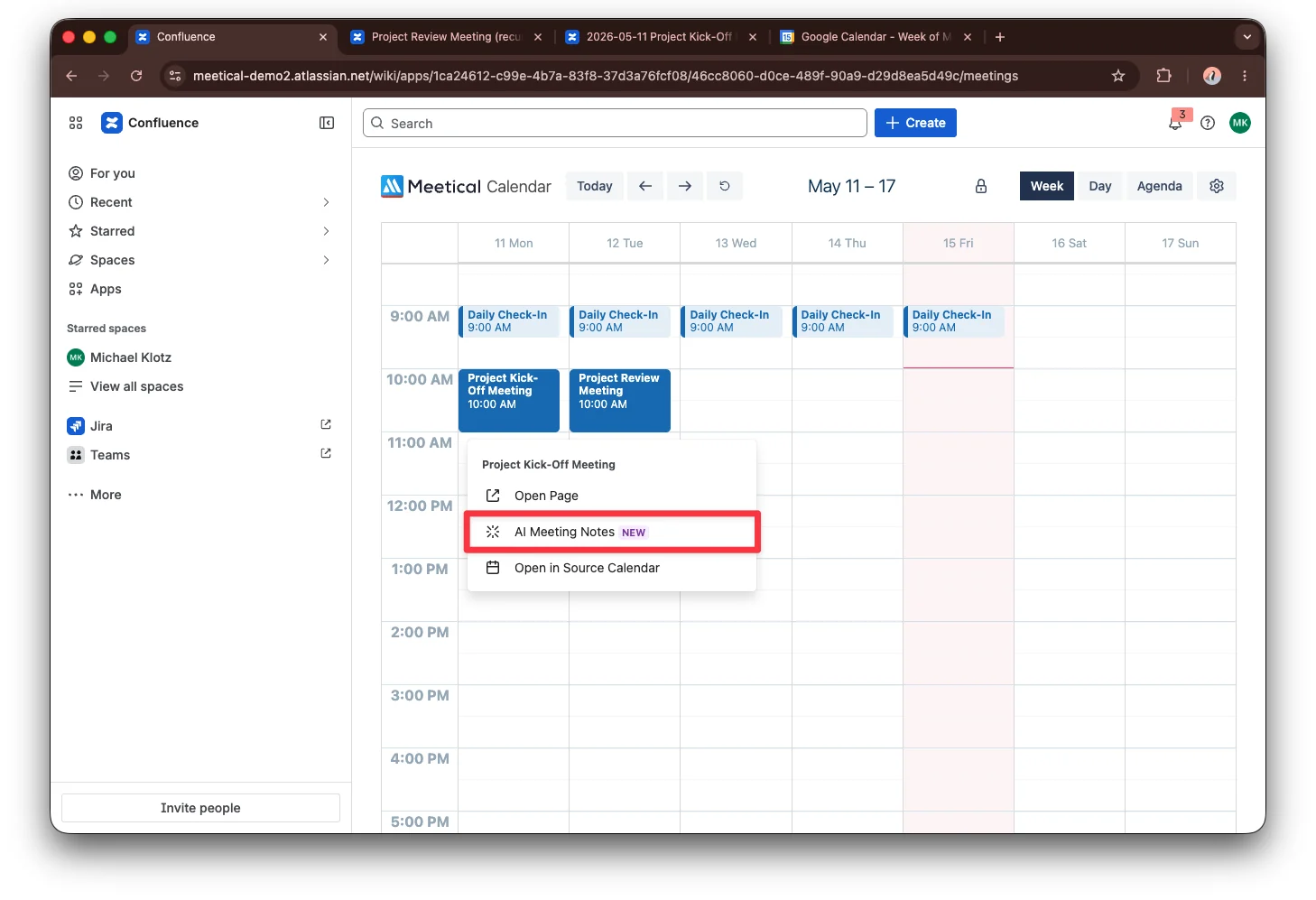
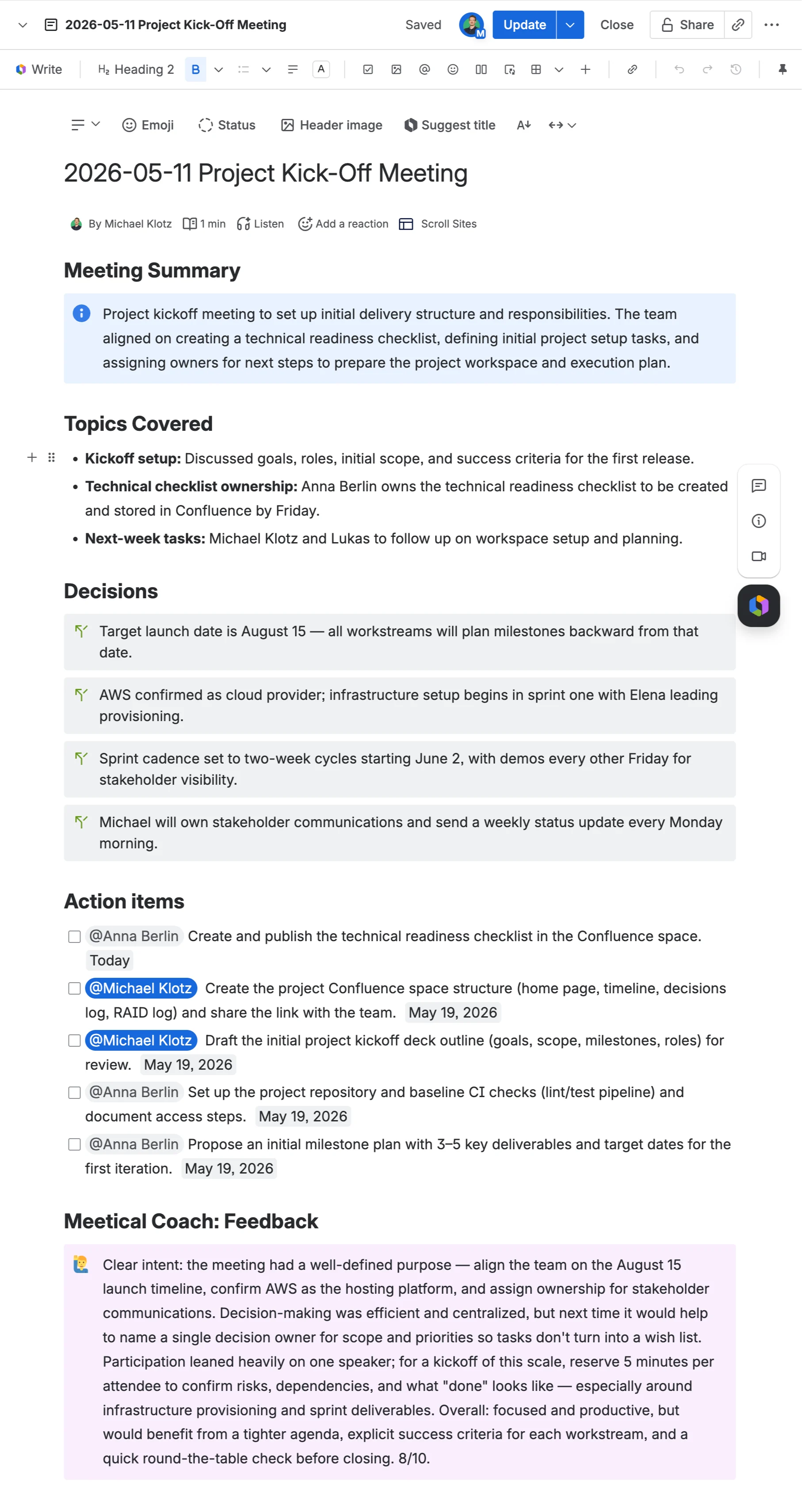
Meetical AI helps teams turn live meetings into structured Confluence notes. It can capture the conversation and create a clear summary, decisions, and action items directly on the connected meeting page.
Use it when you want the meeting page to become the source of truth after the call, without starting from a blank page. Learn more in Generate Notes with Meetical AI.
7. Keep action items visible with Task Reports
Task Reports help teams follow up on Confluence action items from meeting notes. You can show open tasks on Jira dashboards or inside Confluence, so owners, due dates, and follow-ups stay visible after the meeting.
For recurring meetings, the Open tasks in this series report shows incomplete tasks from the current meeting series in one place. This makes carry-over action items easy to review without opening every meeting page.
Get Started
→ Create your first Meetical Page