
Here are the Release Notes for the Meetical Meetings App. It also contains update for Meetical for Jira.
More release notes from our other apps: Task Reports, Easy Calendar.
2. October 2026 – "Security hardening"
-
🔒 Security: we closed several issues found through our bug bounty program and our own review. Signing in from the Outlook add-in and the Chrome extension is better protected, and email addresses are only looked up for people involved in your meeting. All Meetical admin settings and diagnostics are now checked on our servers. No customer data was affected.
-
🔧 Improvements:
-
Calendar sync is more forgiving. A few temporary errors spread over months no longer pause your sync.
-
If your sync is paused, Meetical keeps retrying for a week before it asks you to reconnect your calendar (it used to give up after about a day).
-
The Advanced Task Report shows the tasks due soonest first when you limit the number of tasks.
-
-
🐛 Bugfixes:
-
Linking an Outlook event to a page no longer shows an error when the link actually worked.
-
If you use Meetical in several Confluence sites, admin settings now always apply to the site you are in.
-
Calendar notifications from Microsoft that have no content are rejected cleanly, and error pages display correctly again.
-
-
🦾 For Confluence admins:
All users of the Outlook Add-in need to sign in again.
25. September 2026 – “One Notetaker per meeting and show status”
-
🚀 New: seeing a notetaker a colleague invited, and only one notetaker per meeting.
-
🔧 Improvements: the notetaker status appears faster (only to those who have AI enabled); the Advanced Task Report copes with large series and says when tasks can't be loaded.
-
🐛 Bugfixes: auto-create after an email address changes case or domain; meetings with the same participant twice no longer block page restrictions; meetings you don't organise and a meeting that's gone from your calendar now says so.
-
🦾 For Confluence admins: nothing to do, just some third-party library updates.
21. September 2026 – “Org-wide settings and improved linking“
🚀 New
-
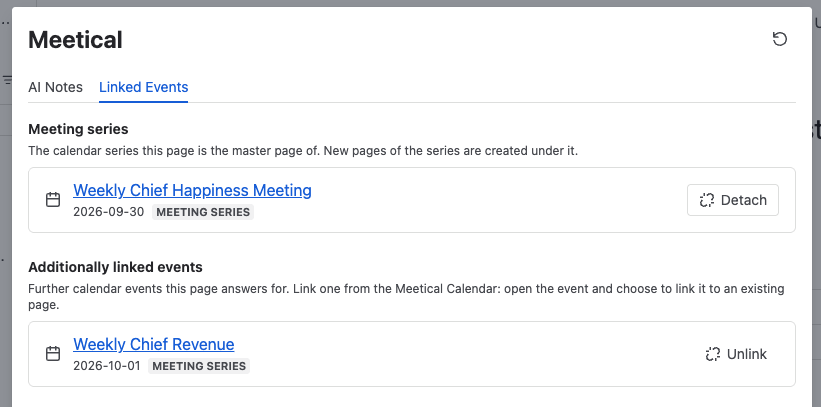
Linked Events in the Meetical byline. A new Linked Events tab shows which calendar events a page is linked to. On a series page you can detach and re-attach the series, and you can unlink extra events. On occurrence pages the tab is read-only. The ••• menu action "Unlink Events from Page" and the separate detach and unlink dialogs are gone, and the detach macro is renamed "Linked Events" and now points to the byline.
-
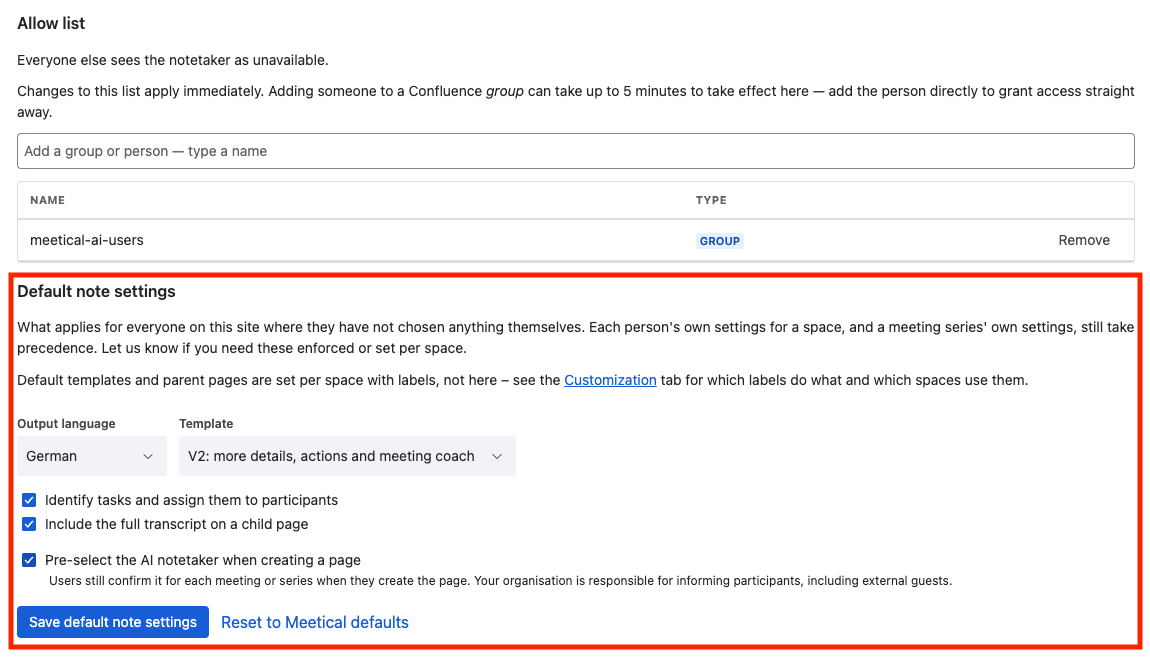
Organisation-wide AI notes defaults. On the AI Settings tab, Confluence admins can set site-wide defaults:
-
notes promptlet, output language, transcript and action item settings
-
whether the AI notetaker starts ticked
-
Each user's own space settings still take priority. The tab also shows who last saved the defaults.
-
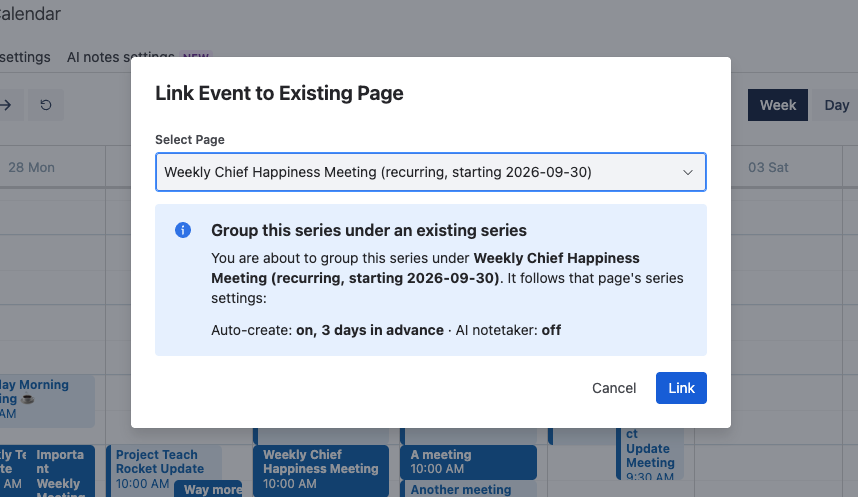
Linking a page explains itself first. The link-to-page dialog now says what the link will do before you press Link: group the series under a series page, share one page, or not allowed at all, with the reason shown in place. You can also invite the AI notetaker from the dialog. A series grouped under a series page follows its notetaker setting.
-
Notetaker status wherever you look. The page byline, the notes panel and the Meeting Overview macro now show where the notetaker is: scheduled, waiting room, recording, writing notes, done, or off. The status updates on its own while the meeting is running.
-
Meeting links that change. If a meeting's conference link changes, the scheduled notetaker moves to the new link. If the change comes too late, the status says "Link changed" and asks you to reset. You can also override the detected conference link from the notes panel.
-
Series Settings save in one step: automation, agenda template and note settings together.
🔧 Improvements
-
Notes are finished even when a completion notice from the meeting provider goes missing. Before, those notetakers stayed stuck.
-
Errors show a reference ID you can send to support.
🔒 Changed
-
Series permissions: only series participants and Confluence admins can detach, re-attach or unlink events on a series page.
🗑️ Removed
-
Change Sub Page Template macro and Recurring Automation macro. Both are replaced by Series Settings in Meetical Calendar. If you placed either macro on a master page, remove it. ADMIN ACTION
16. September, 2026 – “Robustness & Centralized Settings”
🚀 Improvements
-
Choose the agenda template per recurring series. The series settings dialog now lets you change the agenda template used to automatically create pages. (moved from the Masterpage Macro)
-
Know what labels are on the template before you use it. The create-page dialog and the agenda template tab now show each template's page labels and space, with a link to edit the template.
-
More Zoom and Teams links recognised. The AI notetaker and the Meeting Overview macro now detect Zoom webinar links, personal meeting rooms and Zoom X links, as well as Microsoft Teams launcher links. Before, the notetaker could not be invited to these meetings, and pasting such a link as the conference URL was rejected.
-
Restrictions for large recurring series. Setting restrictions on a series is no longer limited to 50 pages. The occurrence pages are updated in the background, and if Confluence cannot return all of them, you get an error instead of a series where some pages were silently skipped. The restrictions dialog now stays open with a confirmation, and the page refreshes when you close it.
-
New pages are found right away. Meetical now remembers which page belongs to which meeting as soon as the page is created, so the calendar and automations find it immediately instead of waiting for Confluence search to catch up. No more “wait until the page is indexed”.
-
Automated page creation runs when it is needed. Meetical now creates pages when the next occurrence of an automated series is coming up within minutes instead of hours.
🔒 Changed
-
Confluence administrators can change the restrictions of a recurring series. Restrictions on a series apply to every occurrence page, so only participants of the series are allowed to change restrictions. Now also your Confluence admin can jump in.
🐛 Bugfixes
-
Restricted pages are linked to the calendar event only once they are published. If publishing fails, the event no longer links to an unpublished draft.
-
Busy Confluence sites: when Confluence limits the rate of requests, Meetical now reports a temporary error with a retry time instead of a generic server error.
8. September, 2026 – “Cloudadmins”
🦾 A release for Confluence Cloud Admins
This release is all about you as Confluence Admin: to get more visibility and control on Meetical.
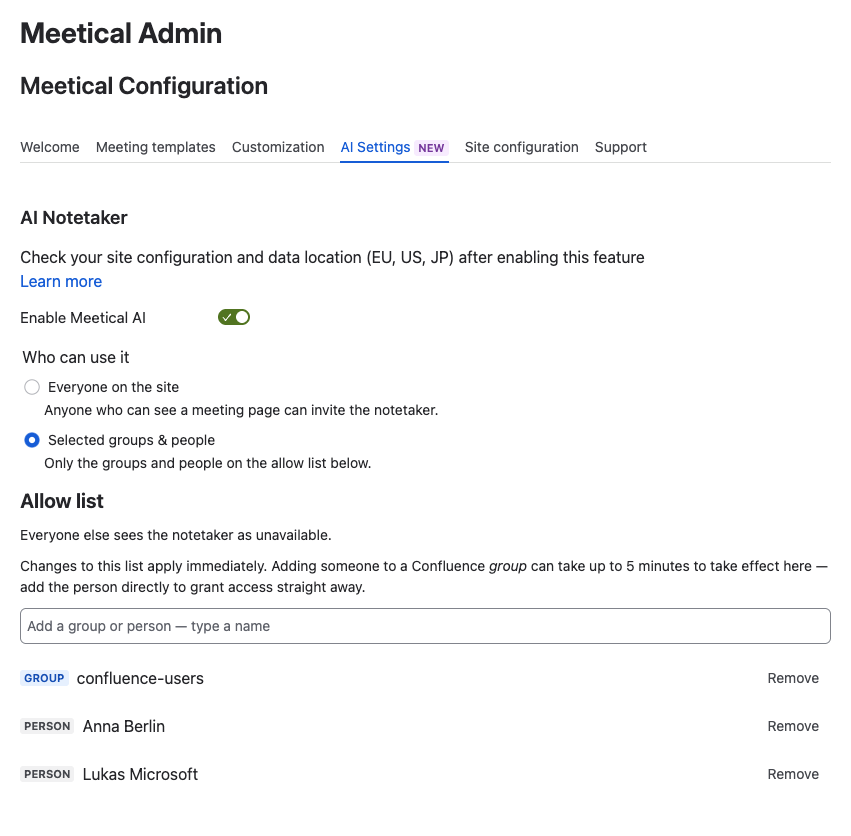
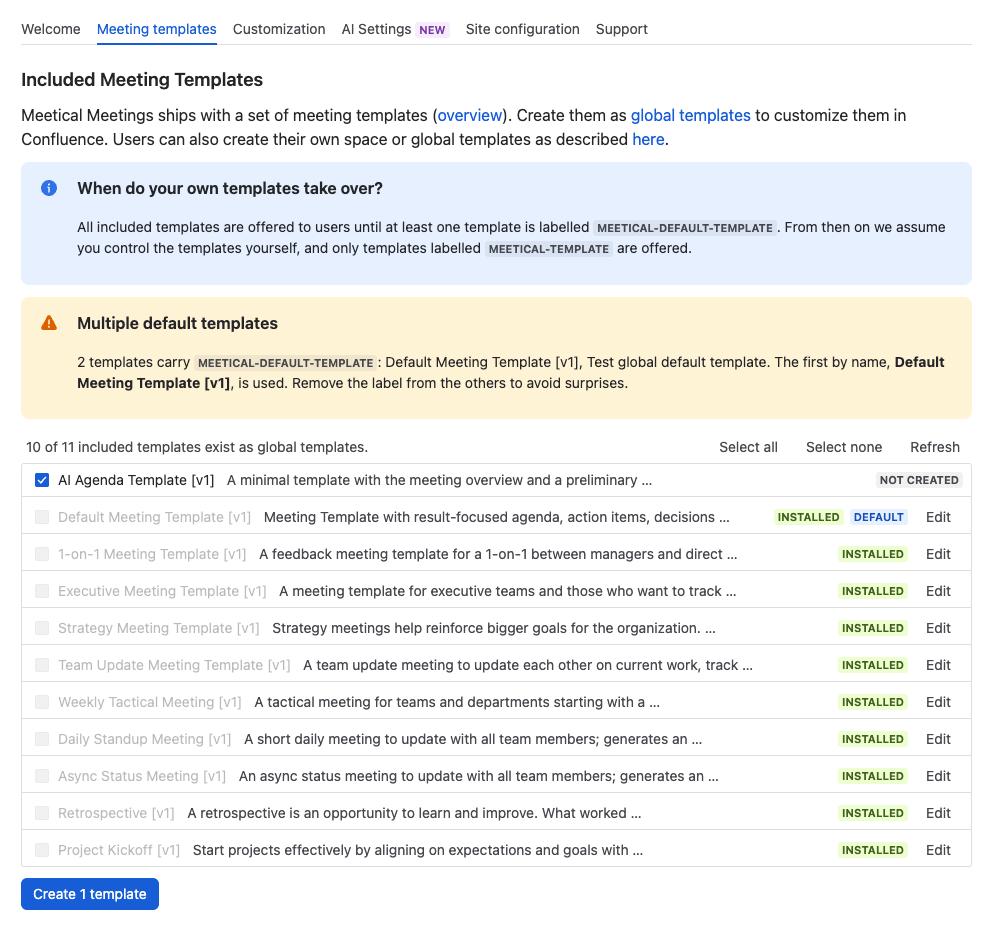
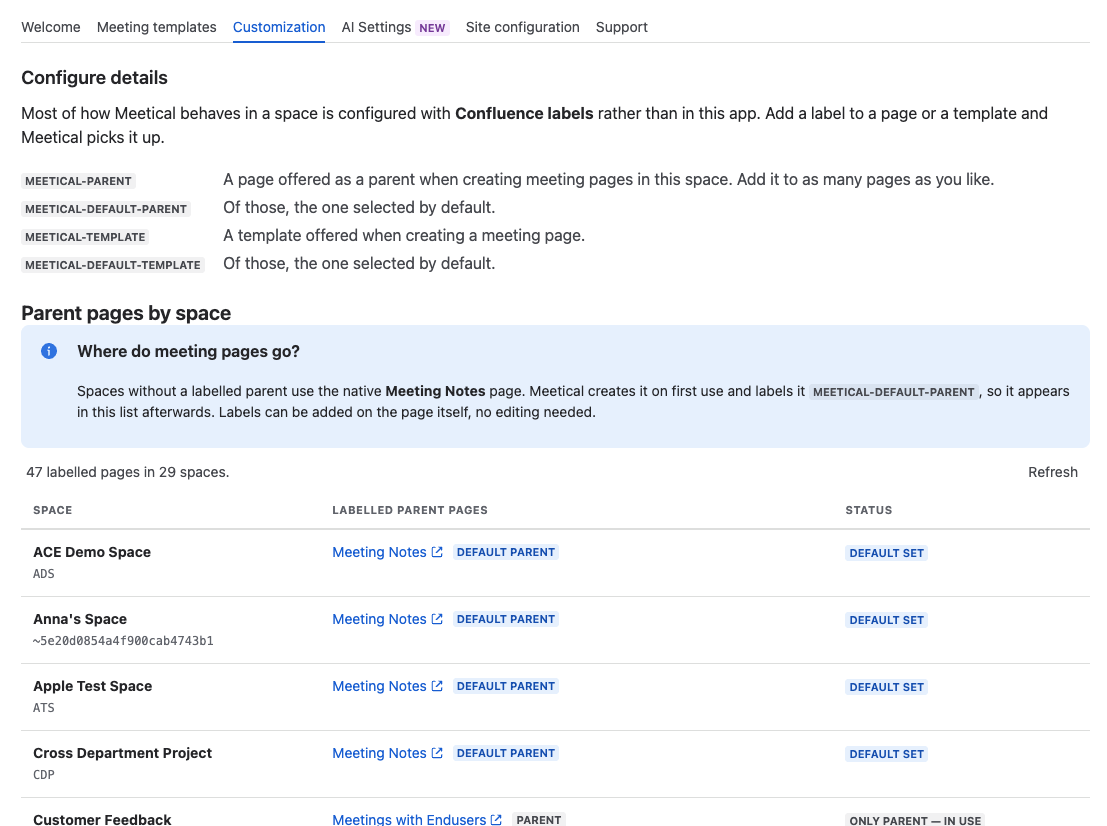
The new admin features in detail:
-
Control who can use Meetical AI. Site administrators now choose between everyone on the site, or selected Confluence groups and people. The per-user "Join Public Beta" opt-in is gone. Everyone who already had access keeps it.
-
New AI Agenda Template. A minimal template with the meeting overview and a preliminary agenda. Collect topics and owners before the meeting; AI meeting notes fill in the rest. ADMIN ACTION REQUIRED → Install the new template and review what templates you really need on your instance.
-
Stay tuned for updates for both Agenda templates and AI notes templates, as we work towards full customisation of both. Feedback welcome.
-
-
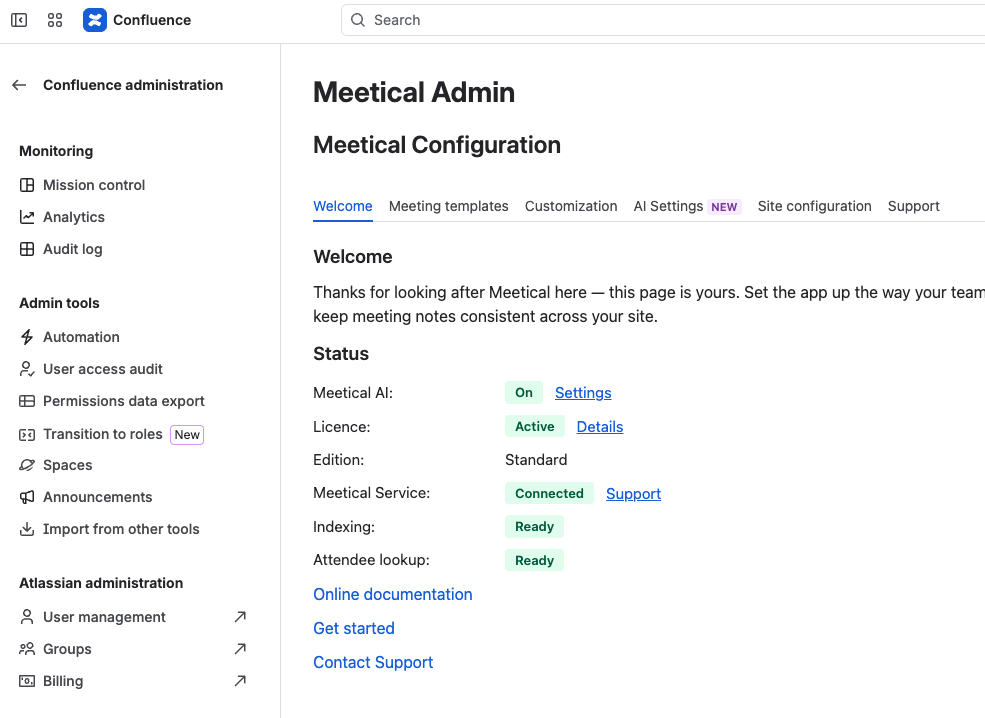
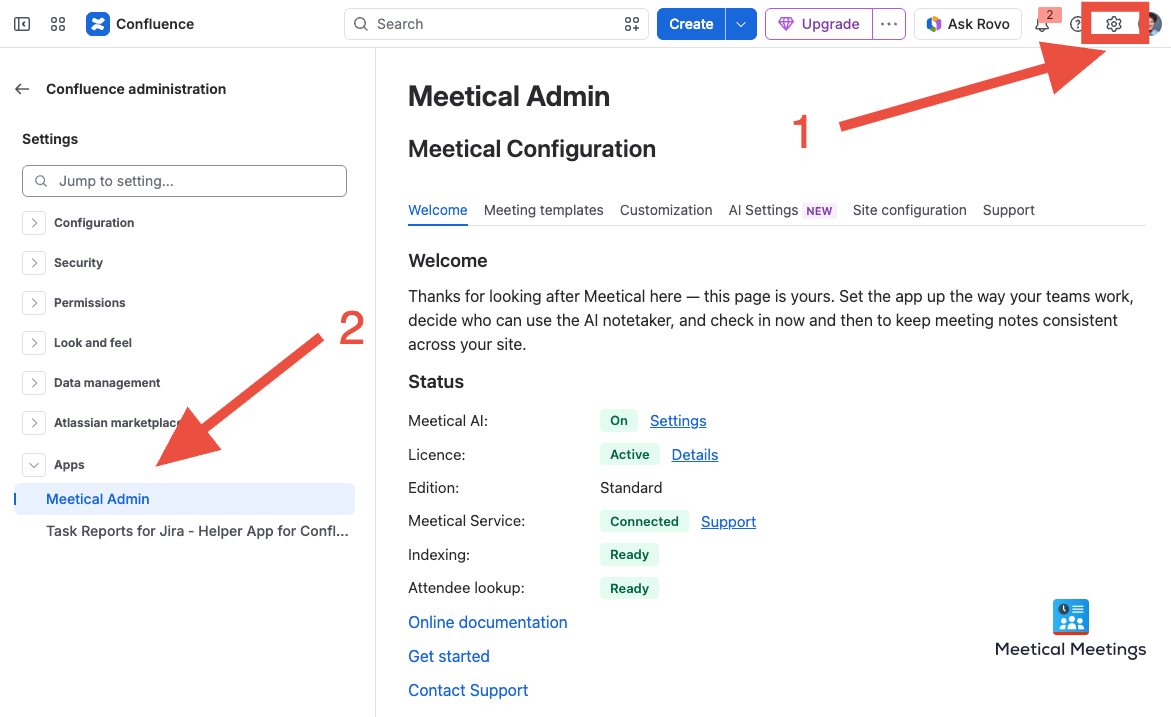
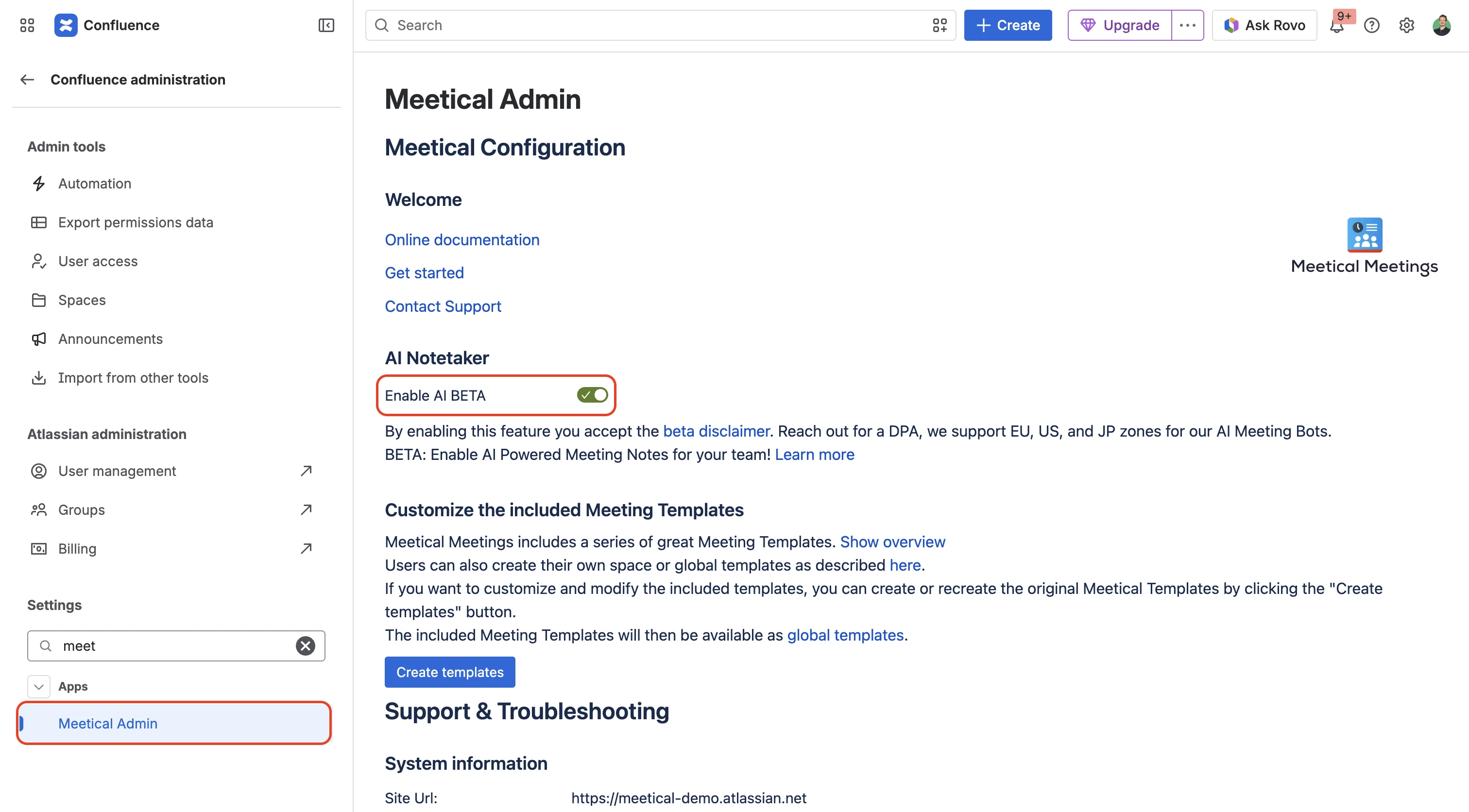
A new Meetical admin page. A status overview, AI settings, site configuration, and a Support tab with diagnostics you can copy straight into a support request. Confluence → Settings → Apps → Meetical.
-
Site settings are admin-only. Changing site-wide Meetical settings now requires Confluence site administrator rights.
-
Renaming your site no longer resets it. Sites are identified by their Atlassian cloud ID, so a rename keeps your configuration and your notetaker minutes.
-
Time zones come from your Atlassian profile. Meeting times follow your profile rather than being guessed from the browser.
How to find the Meetical Admin Section: Confluence Administration → At the bottom of the left Navigation “Apps” → Meetical Admin.
22. August, 2026 - Cloud Release Notes
🚀 New Features
-
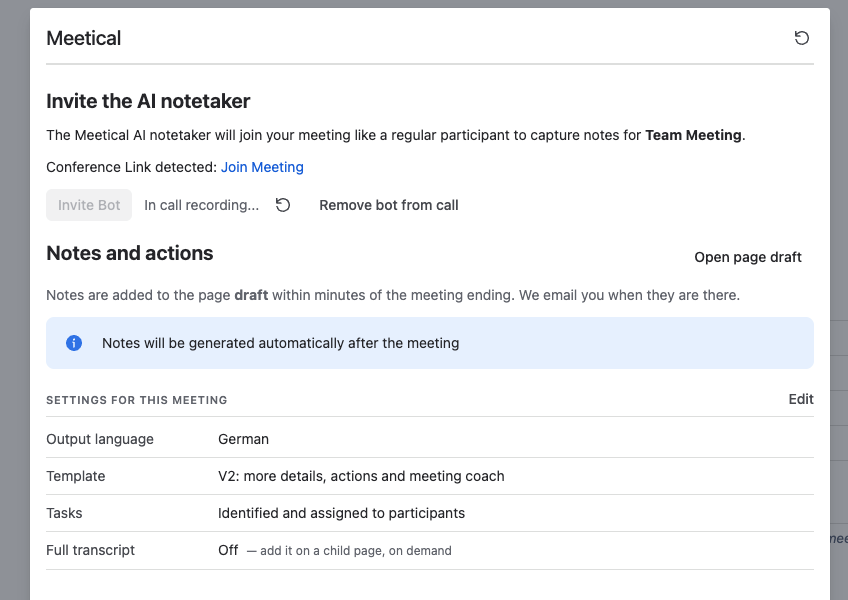
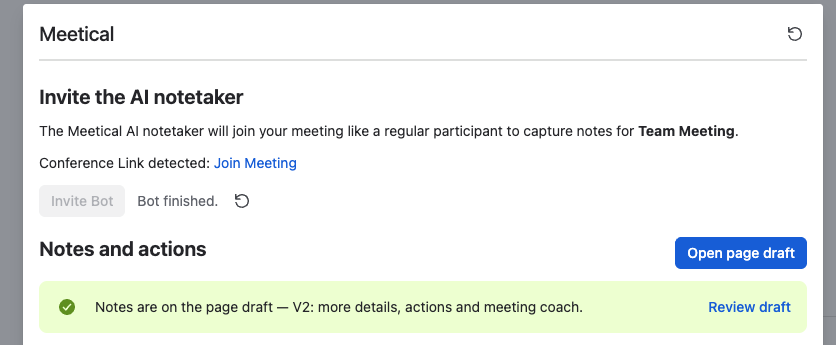
The whole AI notes workflow now runs by itself. When a meeting with the notetaker ends, the notes are written and added to the page draft as soon as the transcript is available — usually within a minute or two. Nobody has to press Generate. But you can still re-generate notes with different notes templates and language settings at any time.
-
You will get an email with a link to the draft page, as soon as your notes are ready for review. Check Spam and add notifications@meetical.io to your email whitelist.
-
-
Users now have Space Defaults for both page create and auto-create. Let us know your needs for org-wide settings.
-
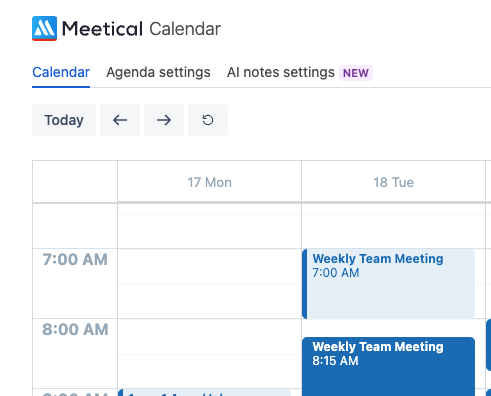
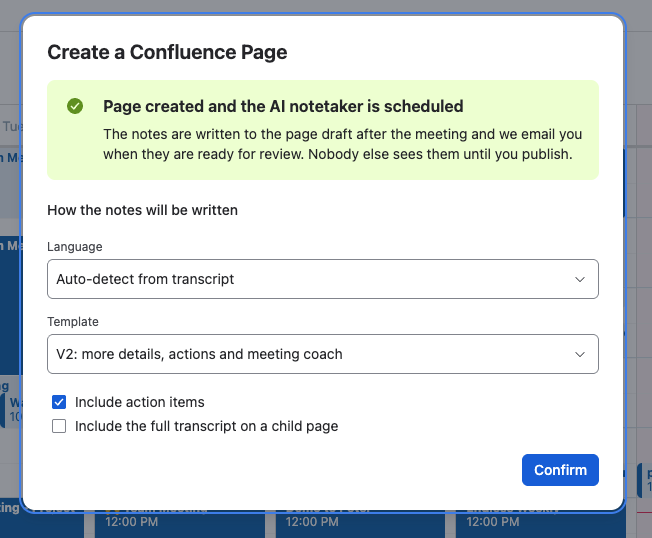
A new AI notes settings tab on the Calendar page, and per-space defaults for both page creation (template, parent page, restrictions, automation), and ai notes (promptlet, language, add transcript, include actions).
-
You can set note settings while creating a page, in the same step as inviting the notetaker.
-
Meetical App now also available from the Space apps menu. Where it defaults to using that space.
-
Improve the UI and UX of the AI Meeting Notes Panel, accessible on top of every Confluence page.
Keep in mind all AI features stay off until a Confluence admin enables them.
👋 Important for existing early access customers for Meetical AI
-
We removed the ability to invite a bot directly from the internal calendar without any page for now. → For quick invite simply create a page with “Invite Notetaker” option checked. Or create a new blank page and click “Invite Bot” (you can link the page to a meeting event later to improve context).
-
We removed the on-panel preview – please simply generate the Notes and review/edit them on the page directly if you test or experiment. Feedback welcome.
-
Recurring series created before this release need note settings chosen once before auto-process is activated for that series. You will see an info when you open the Meetical Panel on top of any occurrence of your series and set them. You can still regenerate the notes manually at any point.
🐛 Bugfixes
-
A critical bug caused bots to leave early during calls → fixed now; bots will never leave an active call again if not explicitly requested by the user.
-
Improved robustness of bot join mechanics
Related Screenshots
7. August, 2026 - Cloud
-
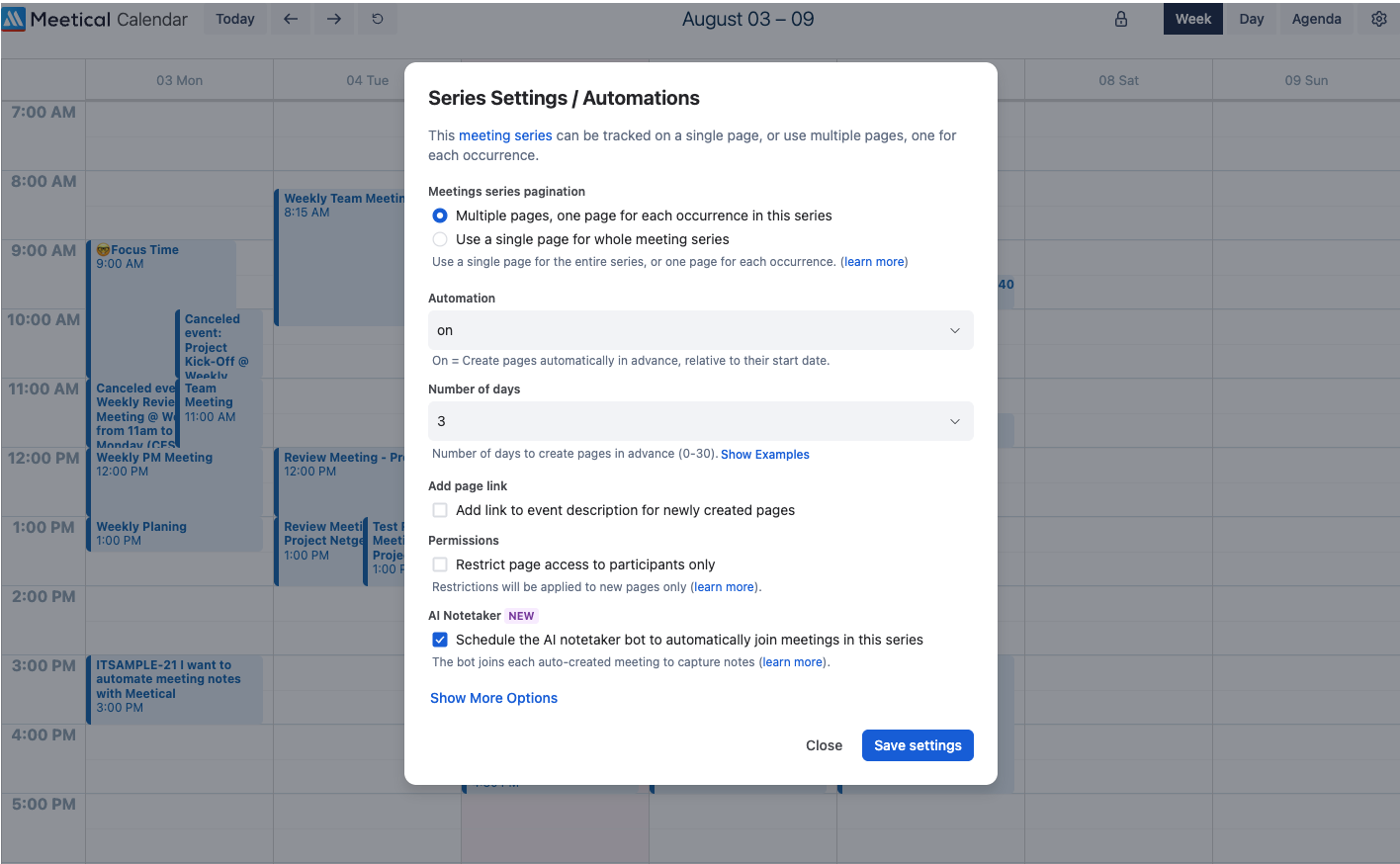
Schedule the AI notetaker bot automatically for recurring meetings
-
Schedule the AI notetaker bot automatically when creating a new page
-
Improve robustness of automated page updates → these updates also reschedule the bot if a meeting moves.
Learn more in How to configure the automation settings
3. August, 2026 - Cloud
Version:v3.27.0
-
Schedule Join for AI notetaker! Invite the AI bot ahead of time from the AI Meeting Notes dialog—it joins automatically when the meeting starts. Works for both single and recurring meetings! And if the meeting gets rescheduled, the bot moves with it. Read more
-
Remaining credits are now shown below the invite-bot button. The AI Meeting Notes dialog warns you when you don't have many meeting bot credits left. Pricing for AI features is in the making. Reach out to us for early access offers!
10. June, 2026 - Cloud
Version: v3.12.2
-
Dark mode is now available in the Outlook add-in.
-
The Meetical AI Bot now shares the Confluence page link in the meeting chat. This works in Microsoft Teams, Zoom, and Google Meet.
-
You can now manually remove the Meetical AI Bot from a meeting. Use the “Remove the bot” button in the Meetical AI modal.
4. June, 2026 - Cloud
Version: v3.12.1
-
Fixed special characters in meeting transcripts. Umlauts and other special characters (ä, ö, ü, etc.) are now displayed correctly in AI-generated meeting transcripts.
-
Fixed event context when generating notes from a page. When using the Start AI Meeting Notes from Any Page, the calendar event context is now correctly included in the generated notes.
-
Fixed page permissions for mixed-case email addresses. Page restrictions are now applied correctly regardless of letter casing in attendee email addresses.
-
Fixed editor compatibility for generated content. Resolved an issue where some AI-generated content could not be edited in the Confluence editor.
21. May, 2026 - Cloud
Version: v3.12.0
-
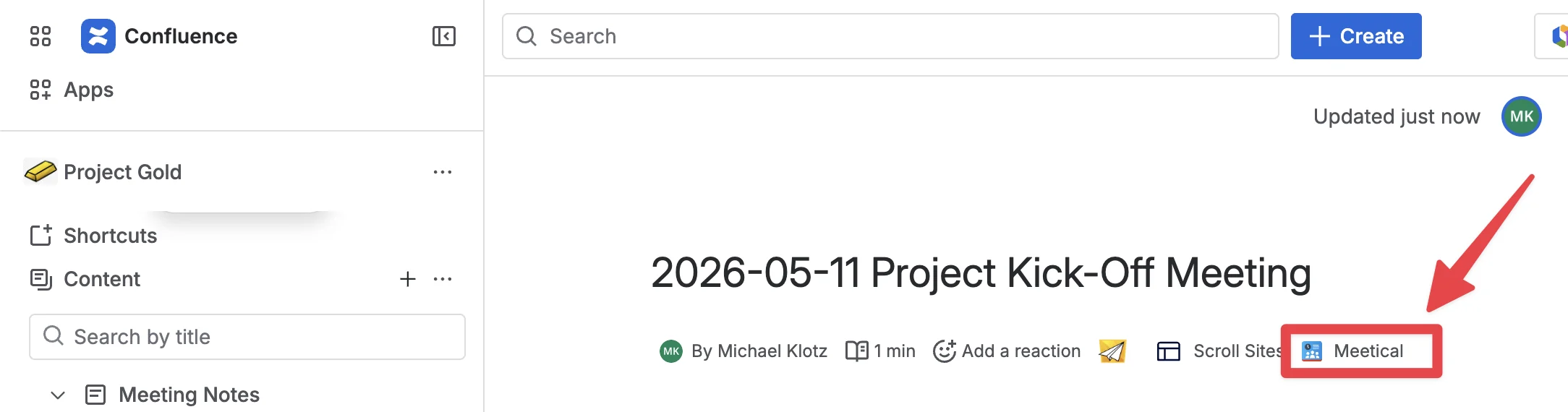
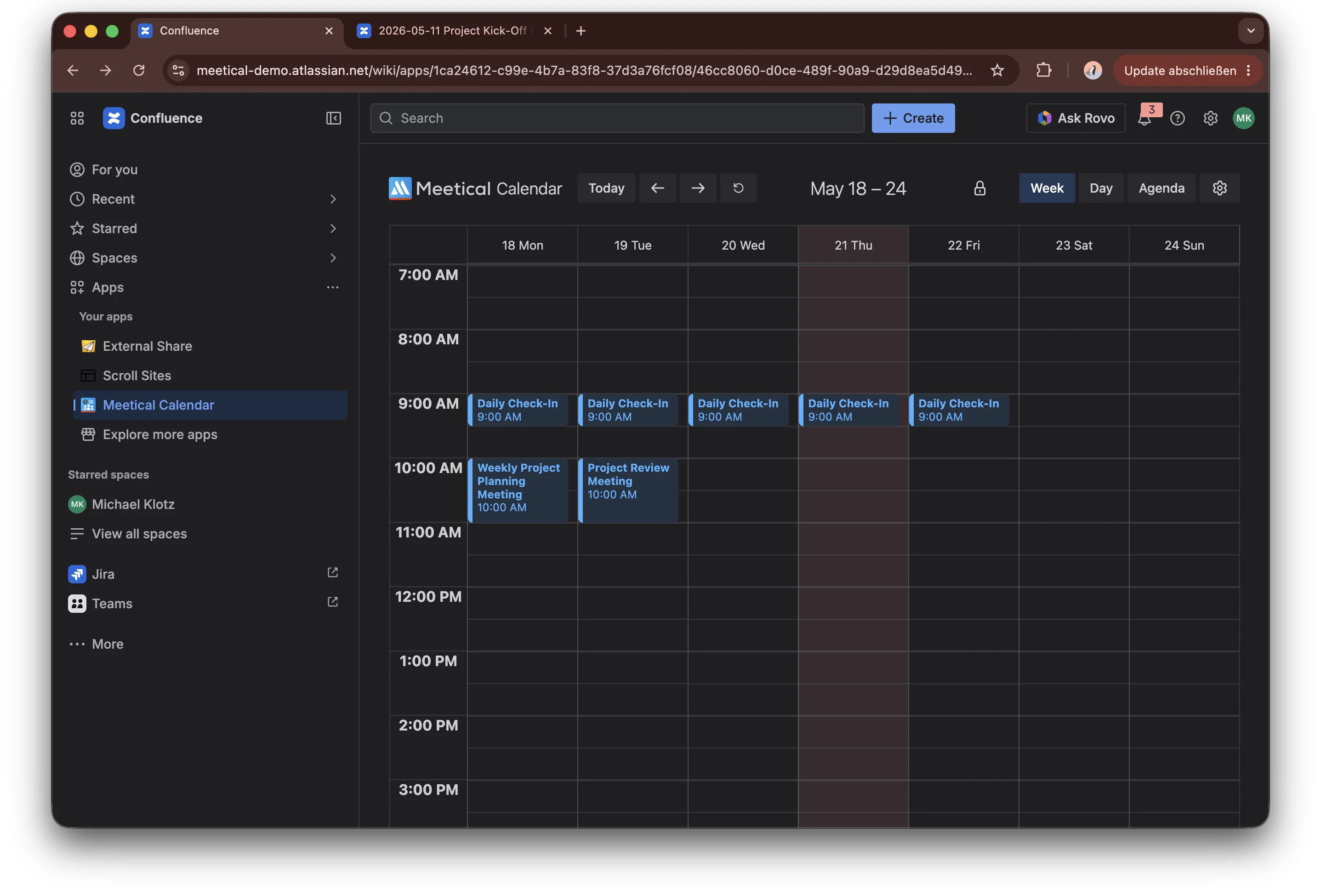
A menu item is available on every page to invite the Meetical AI Bot. Below the page title, a byline item lets users invite the Meetical Bot and generate notes directly from any page, even without a calendar event.
-
Advanced Task Report macro, bringing Task Report functionality directly into Confluence as a macro.
-
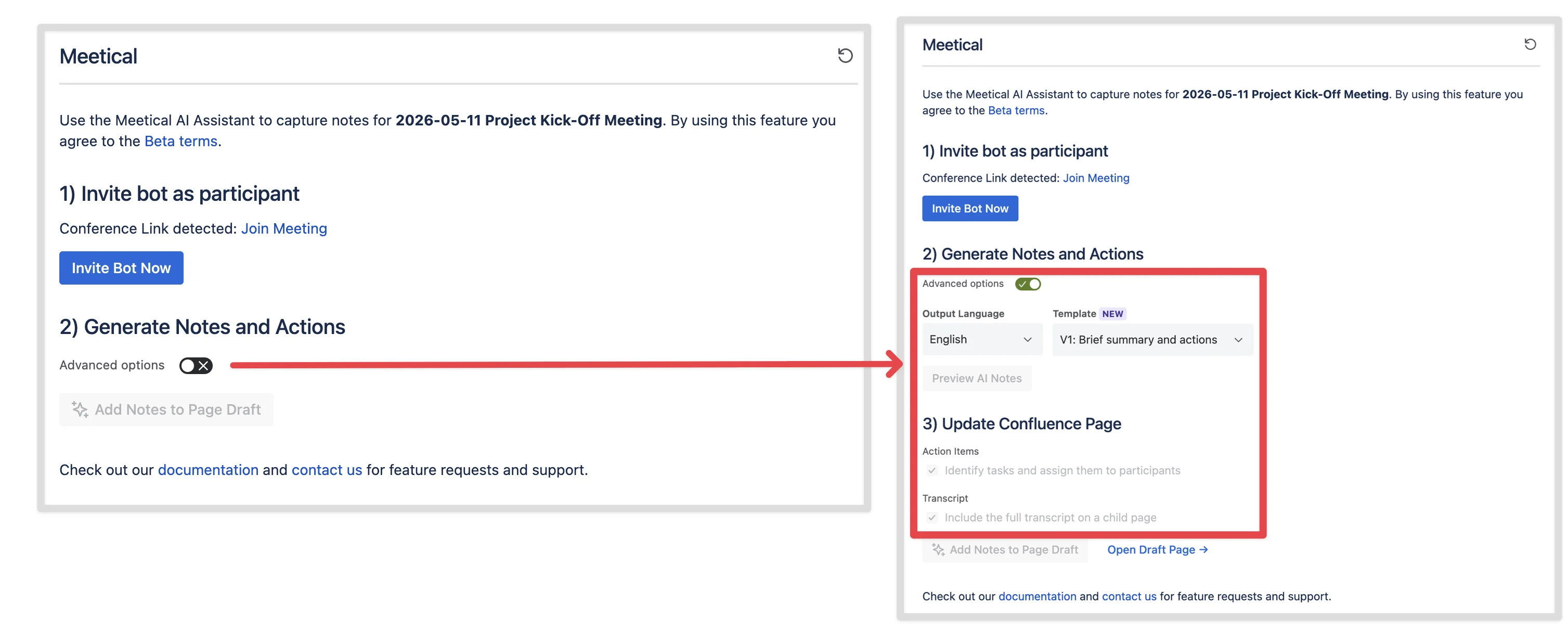
Simplified UI for AI Meeting Notes modal by hiding advanced options initially
-
Option to disable Action Item generation via a checkbox
-
Dark mode in Meetical Calendar and for the AI Meeting Notes Modal
-
New Admin option to enable/disable Meetical AI for the instance.
5. May, 2026 - Cloud
Version: v3.11.0
-
Meetical AI Public Beta is available for STANDARD customers. Users can open Meetical Calendar in Confluence, accept the beta terms, and start generating AI-powered meeting notes directly from their calendar workflow. Read more
17. April, 2026 - Cloud
Version: v3.0.0
-
Meetical Calendar and Meetical AI migrated to Atlassian Forge. The migration improves platform security, future-readiness, and the native Atlassian product experience. Meetical reports up to 5× faster macro loading after the update. Read more
16. April, 2026 - Cloud
Version: v2.1.0
-
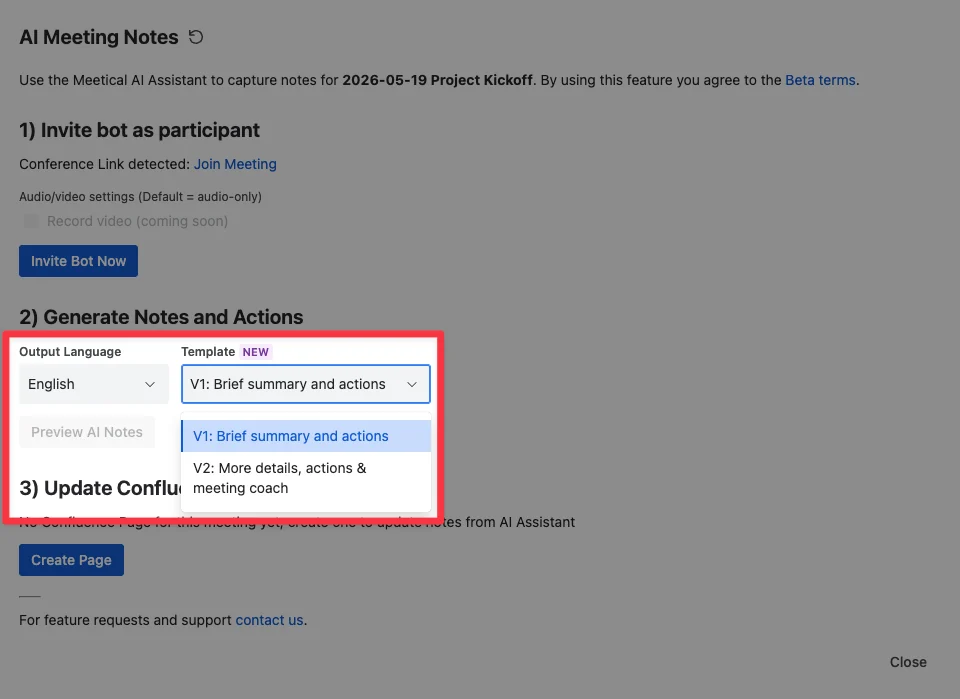
New AI note templates. Meetical AI includes two template styles: a compact, action-oriented meeting notes template and a more detailed chronological summary with a meeting coach section. Both use native Confluence macros. Read more
-
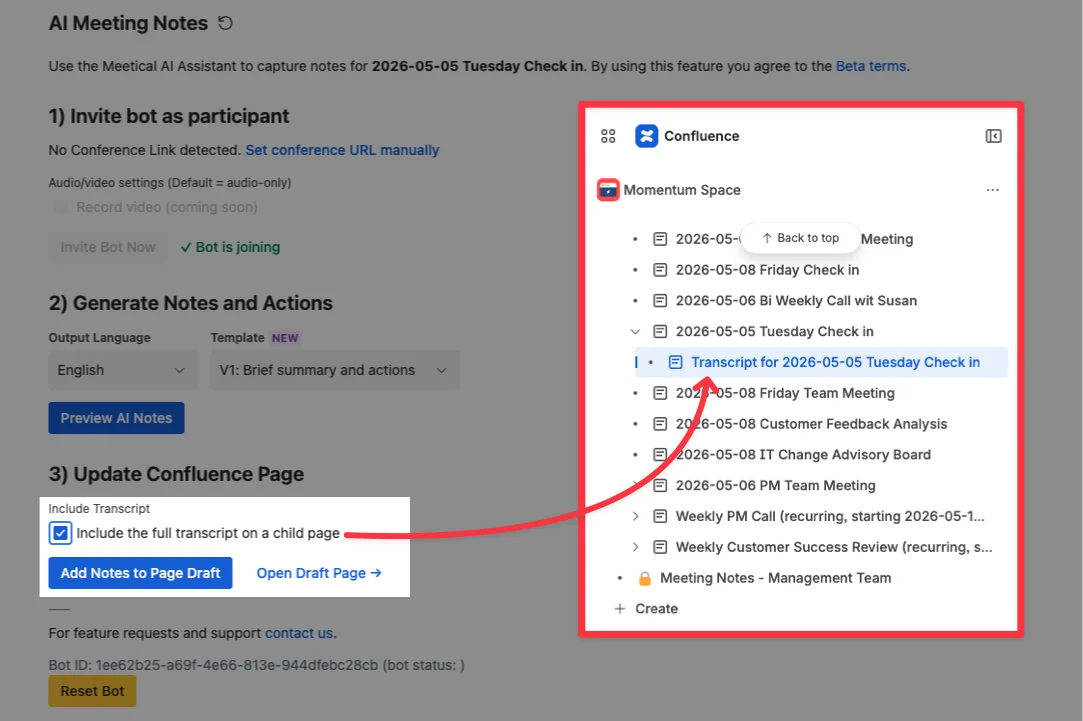
Transcript support for follow-up workflows. Users can add the full meeting transcript to the Confluence page and post-process it with tools such as Rovo or other workflows, for example to prepare follow-up emails or extract customer feedback. Read more
1. November, 2025 - Cloud
Version: v1.3.32
-
AI Meeting Bot for Confluence meeting notes. The Meetical AI bot can join online meetings, transcribe conversations, and generate structured Confluence pages with summaries, decisions, and action items. The bot supports common meeting platforms including Zoom, Microsoft Teams, Google Meet, and Webex. Read more
-
AI Meeting Notes can be started directly from Meetical Calendar. Users select a meeting in the Confluence Meetical Calendar, open the AI Meeting Notes dialog, and invite the bot to the meeting. If a conference link is available in the calendar event, Meetical AI can detect it automatically. Read more
-
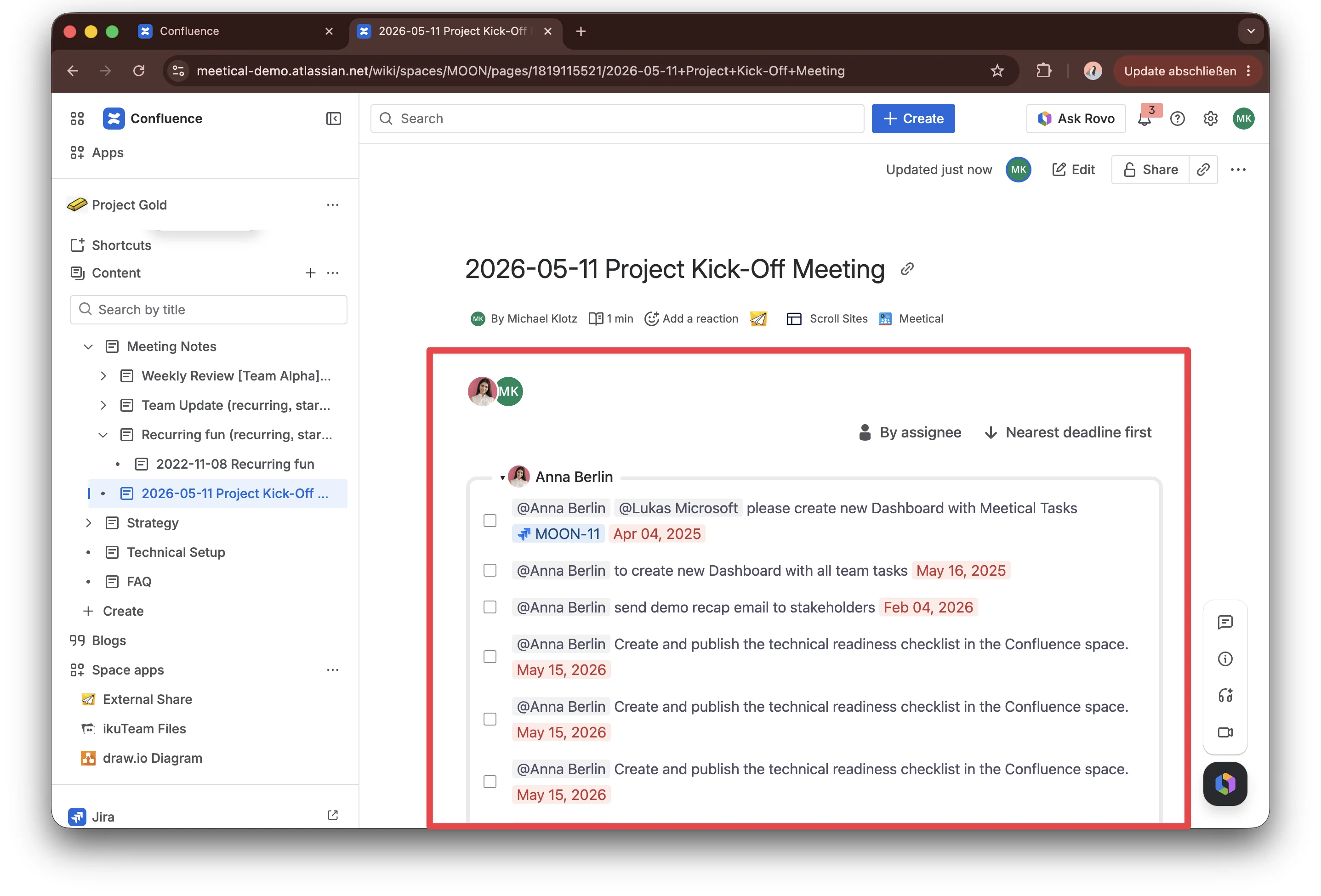
Structured AI-generated meeting outcomes. Meetical AI now creates meeting summaries, identifies key decisions, extracts action items, and assigns them to the right people based on meeting context. Notes are added directly to the connected Confluence page for review, editing, and sharing. Read more