
Show all open action items from the current recurring meeting series in one place.
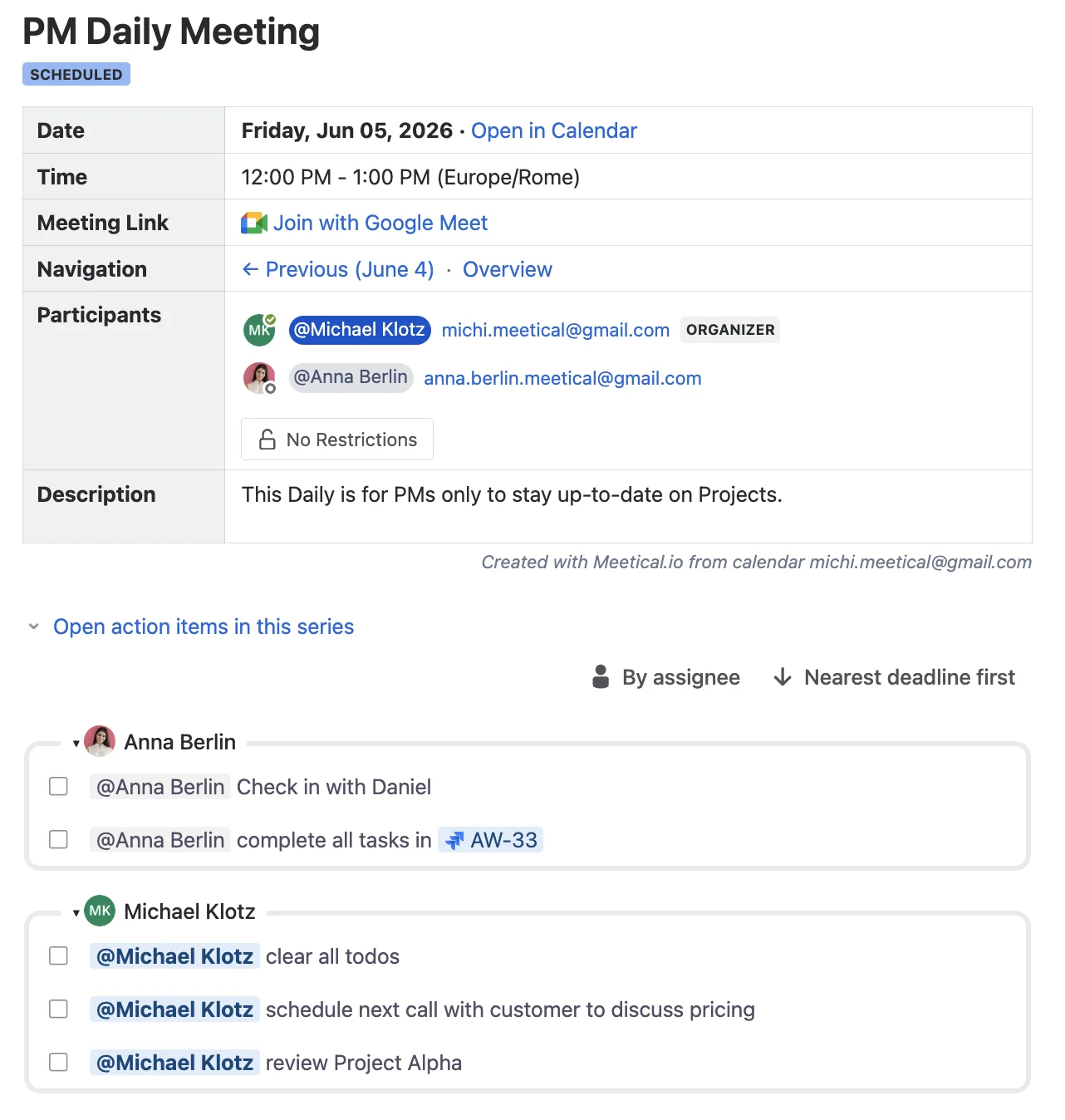
The Open tasks in this series report is an Advanced Task Report automatically included below the Overview macro. It lists incomplete tasks from the meeting pages in the series, so carry-over action items stay visible without opening every single occurrence page.
How it works
The task report is added automatically under the Meeting Overview Macro on every page of a meeting series.
You can:
-
Review open action items at the start or end of the meeting.
-
Give meeting owners a quick view of the task description, due date, assignee, and the page where the task appears.
-
Hover over the task to interact with the report:
-
Complete the task from the report with a comment. (the comment gets written back to the confluence page.)
-
Just comment on the task.
-
Open the task in the source page.
-
Copy the link to the source page.
-

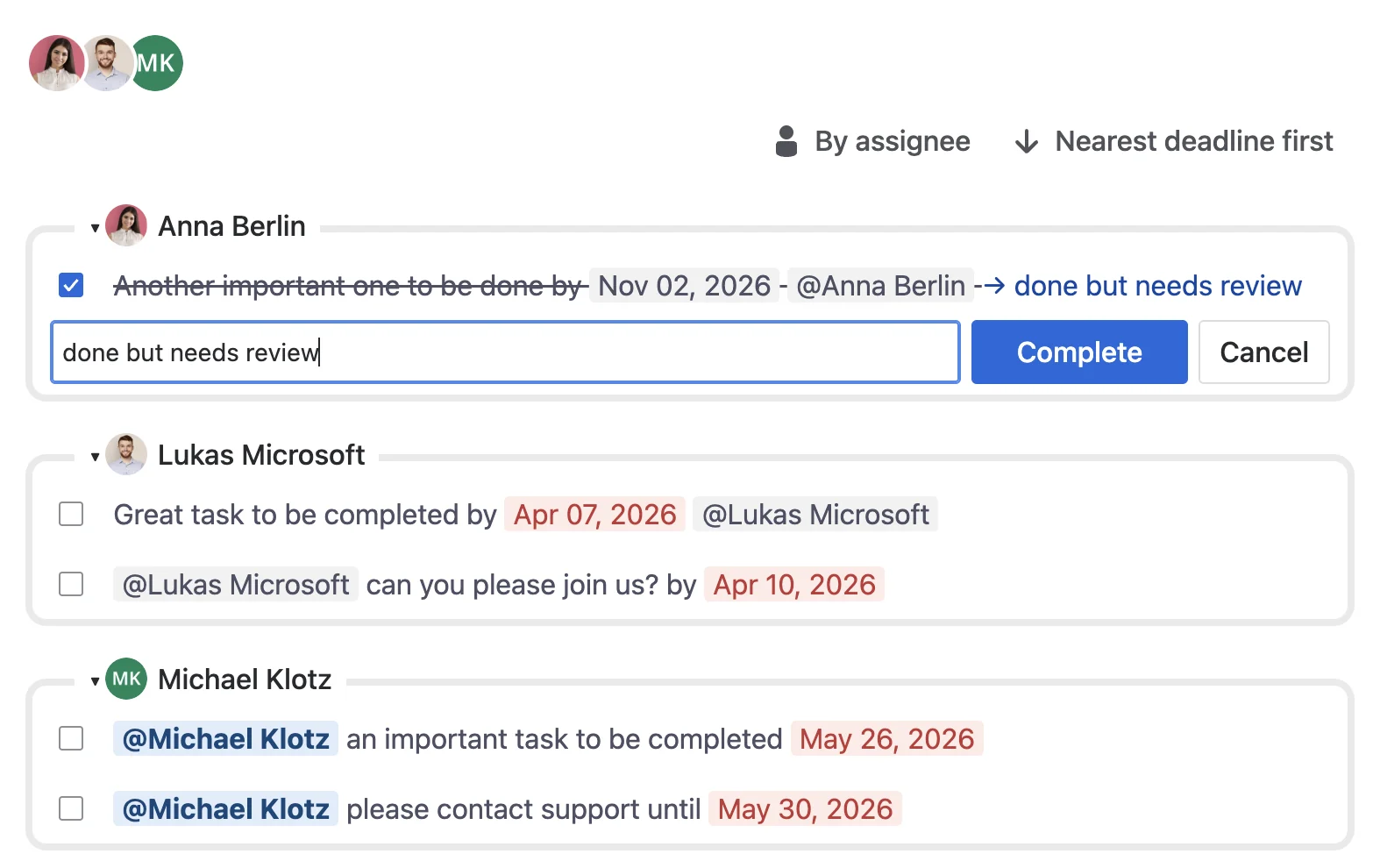
The Advanced Task Report is also available as a macro that you can add to any Confluence page. The Advanced Task Report macro gives you more flexibility, allowing you to customize which users, pages, or tasks are included in the report. Check out the guide on that here Advanced Task Report for Confluence.
Please feel free to reach out if you need more help.