To install the App, go to https://marketplace.atlassian.com/apps/1229490/task-reports-for-jira-confluence-gadgets-calendar-gadget?hosting=cloud&tab=overview
Task Report Installation
As all major limitations of Task Reports have been removed, we are making this app paid to ensure proper support.
✅ The app now supports restricted pages and impersonates users.
🔒 The app is now certified as Runs on Atlassian.
The app is available on the Atlassian Marketplace.
Long-term users are eligible for discounts up to 100% for the first year (please reach out).
Update App via Atlassian Admin (Connect Apps)
Here is how to update the app:
-
Open Jira, click on the top-right settings gear → Marketplace Apps
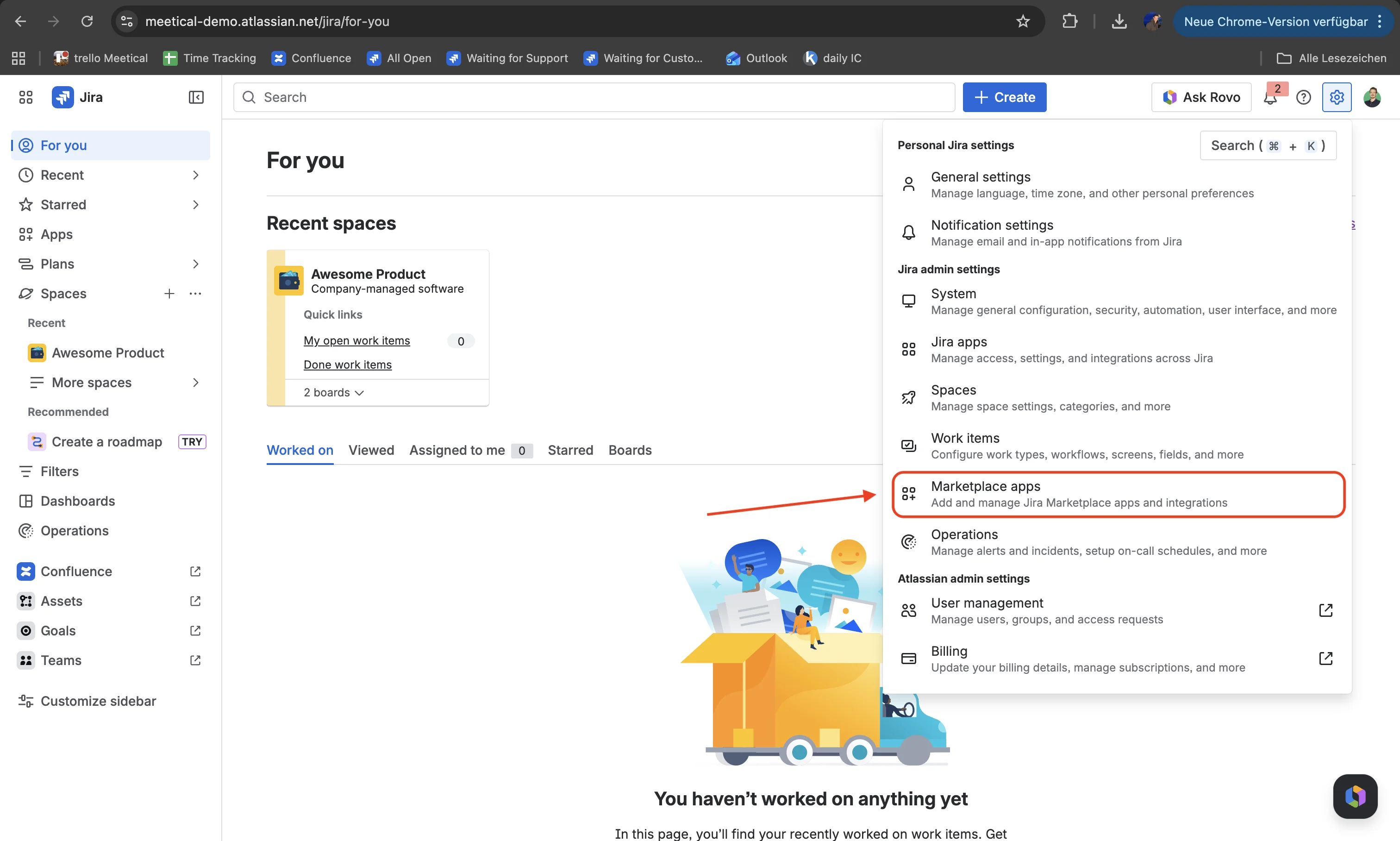
Alternatively navigate to your site URL followed by /plugins/servlet/upm
-
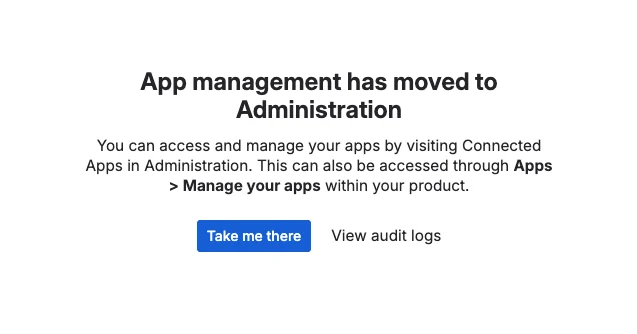
Next to your site, click “Take me there”
-
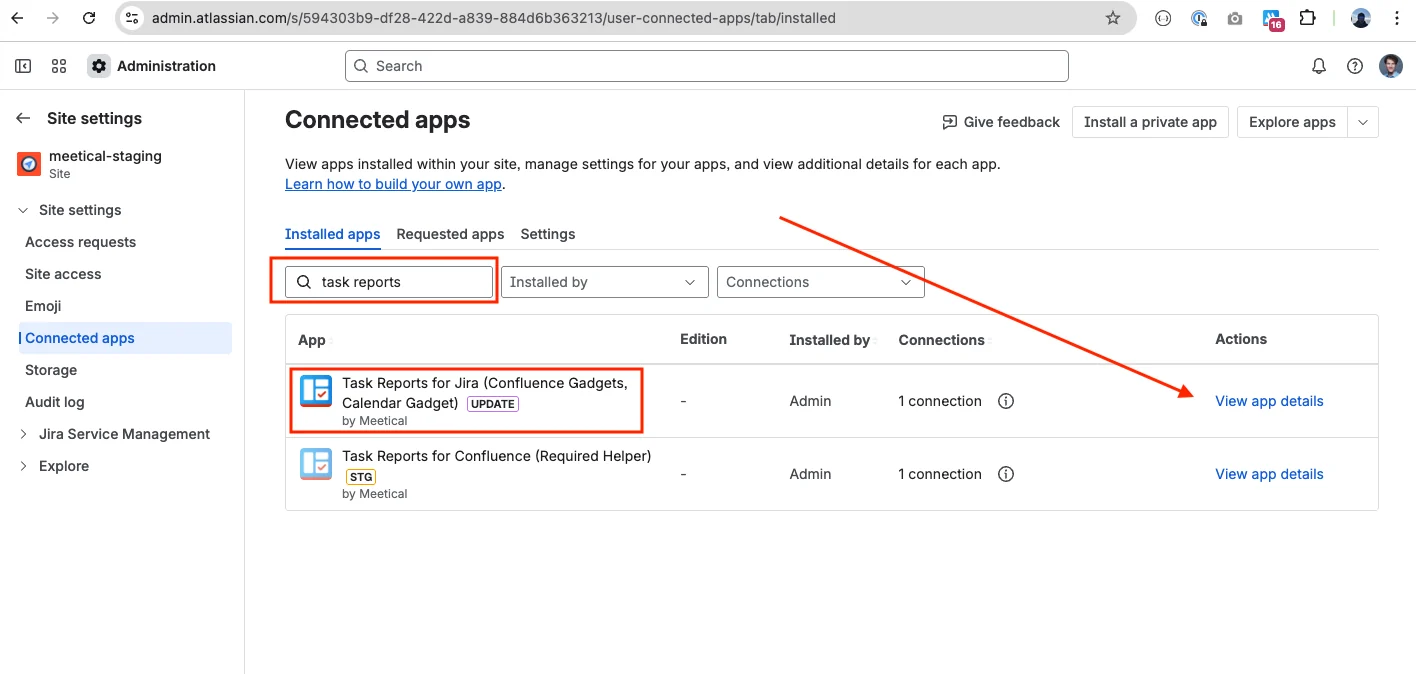
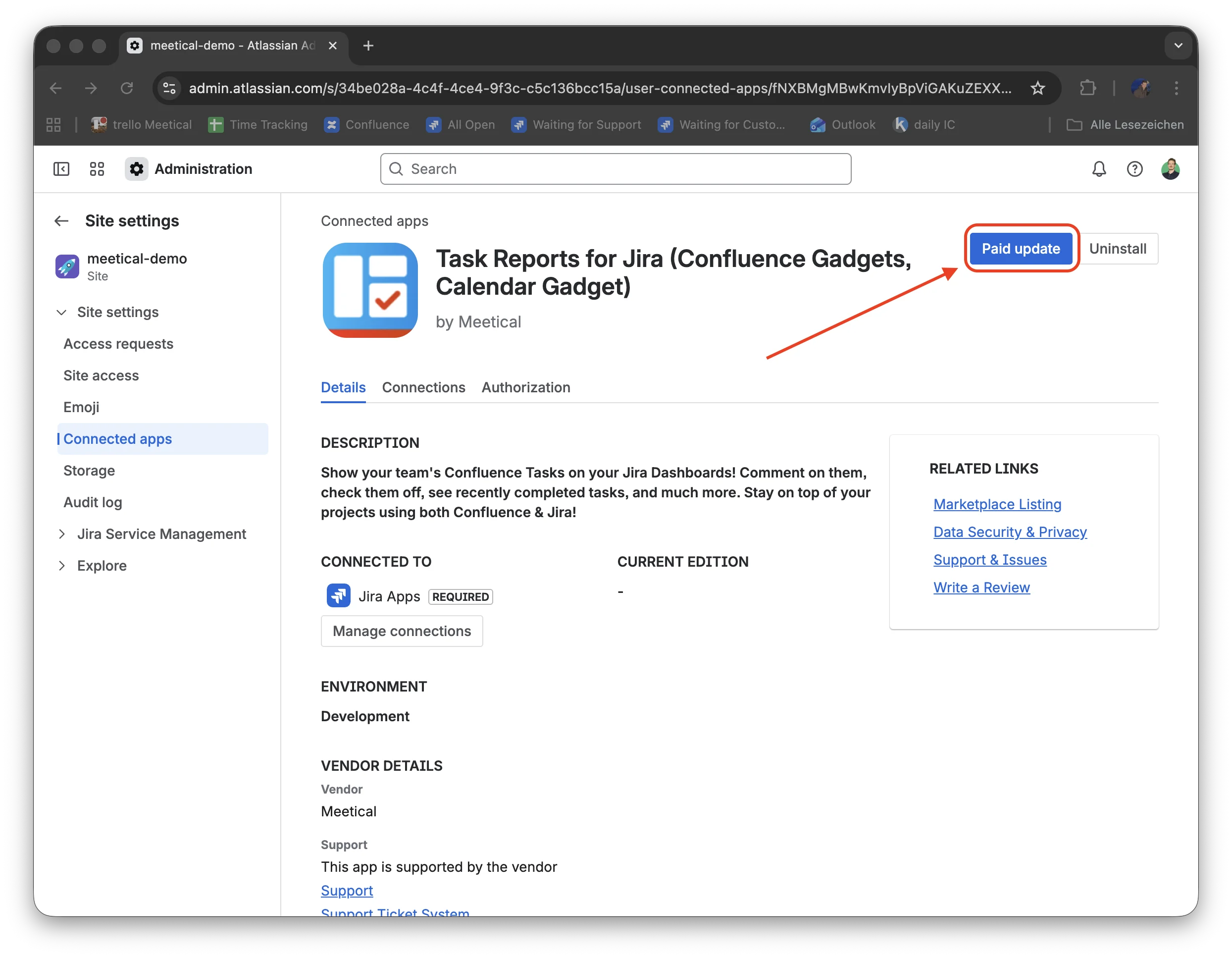
Navigate to “Connected apps” in the left menu
-
Update the app “Task Reports for Jira”, click on “Paid update”
-
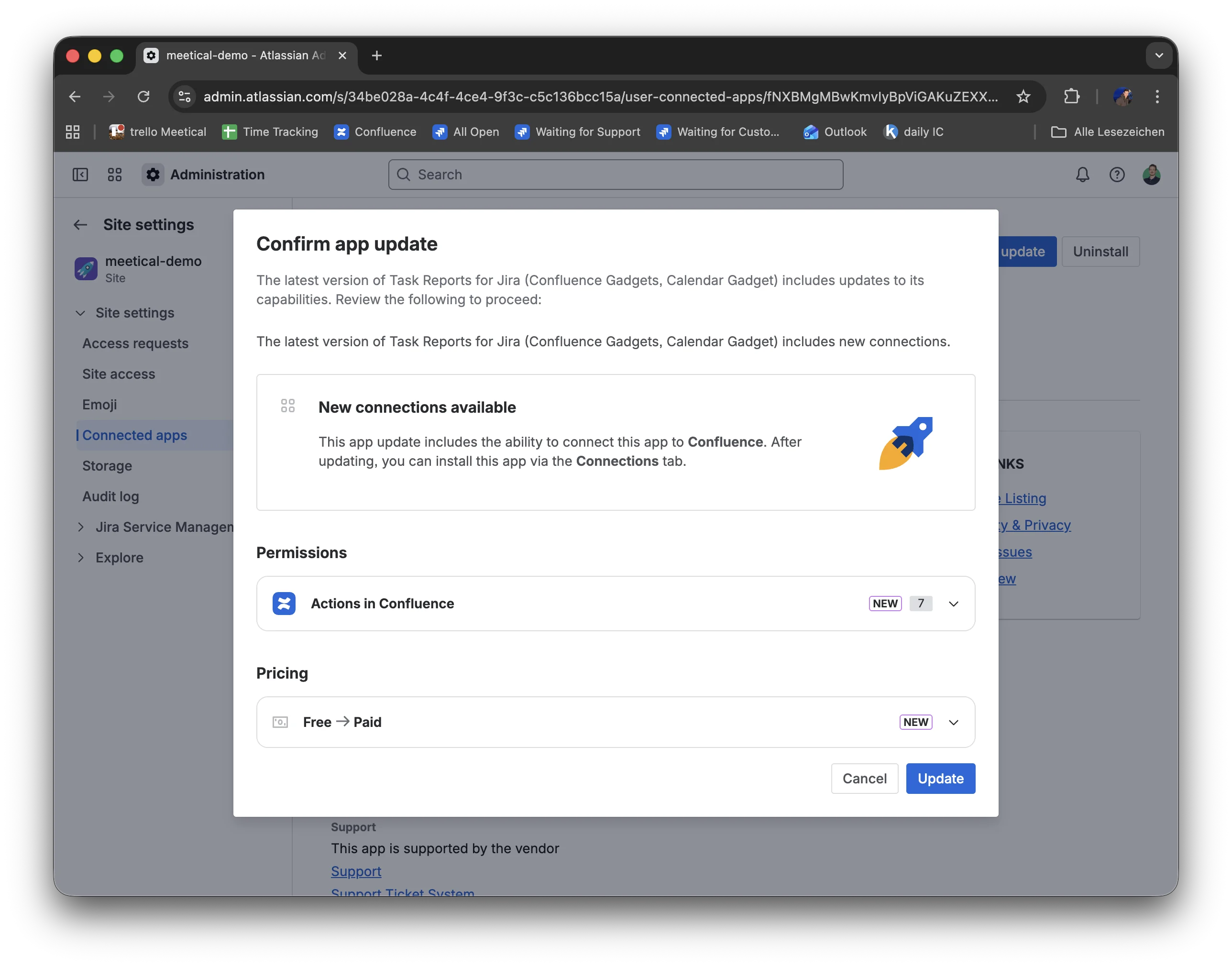
Confirm the app update
-
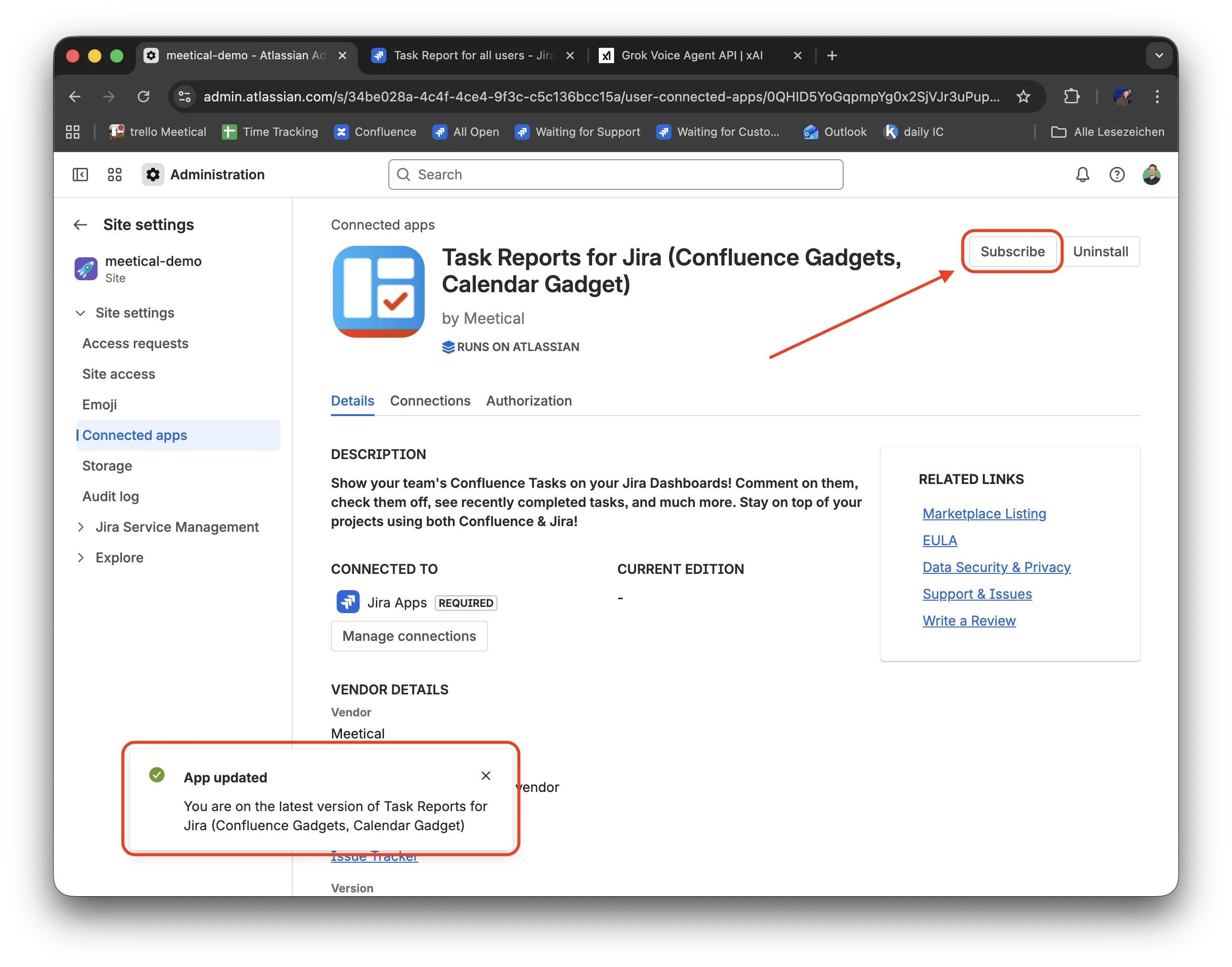
A notification appears in the bottom left corner when the app is updated successfully.
Start a new subscription by clicking “Subscribe”
-
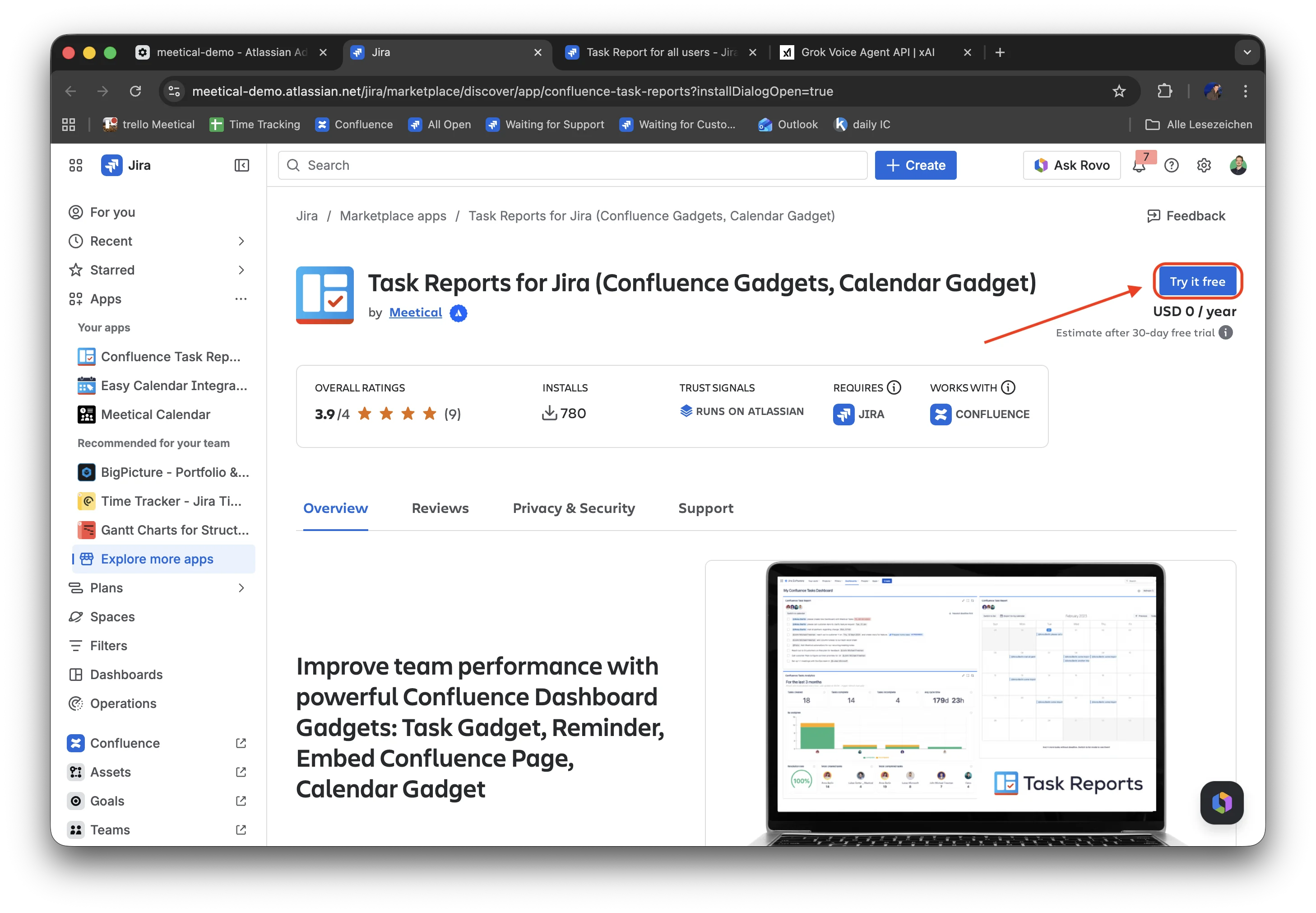
Click on “Try it free” and follow the standard process to start a new free trial
-
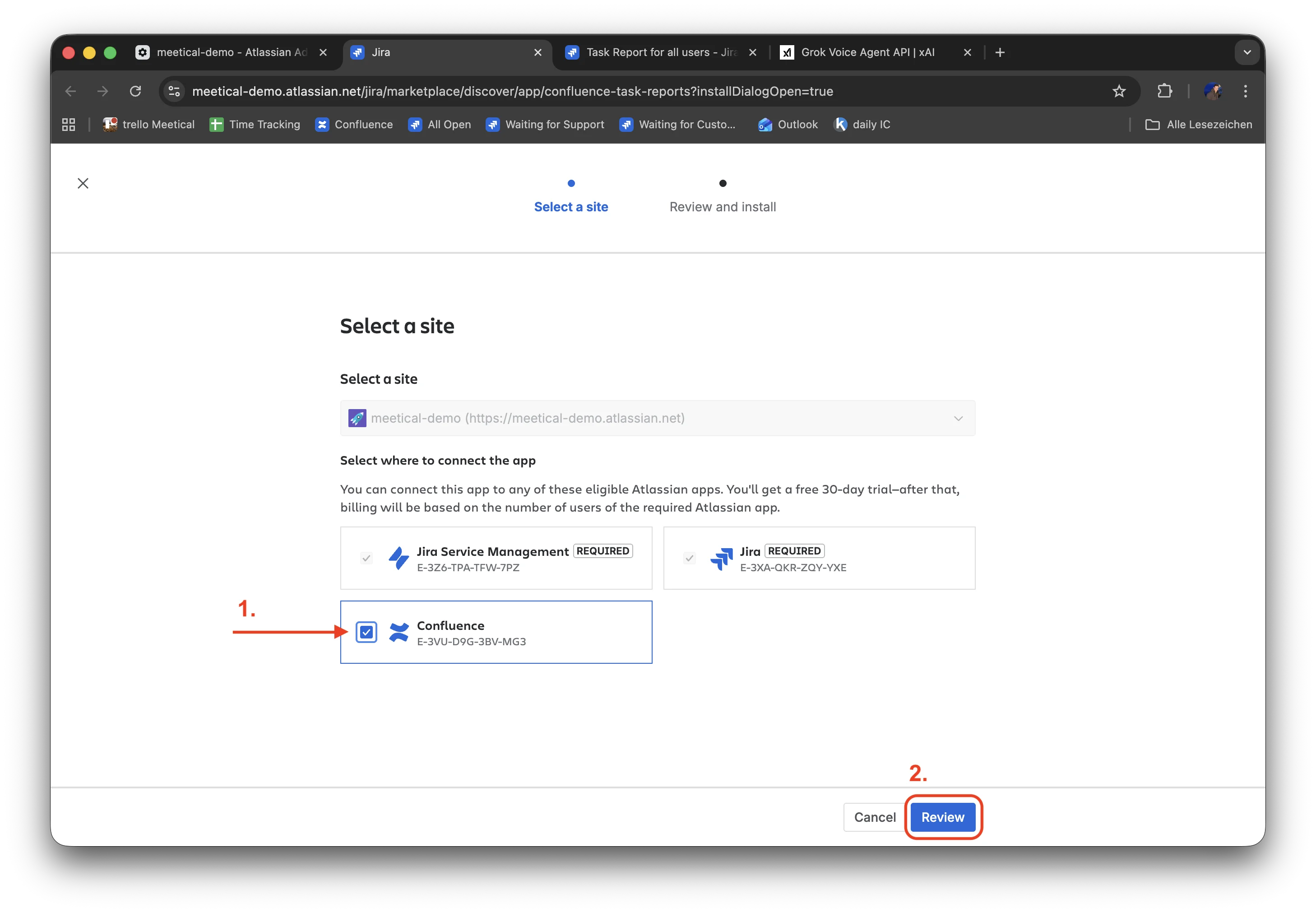
Select a site and make sure to connect Confluence (1) to the app, then proceed with Review (2)
-
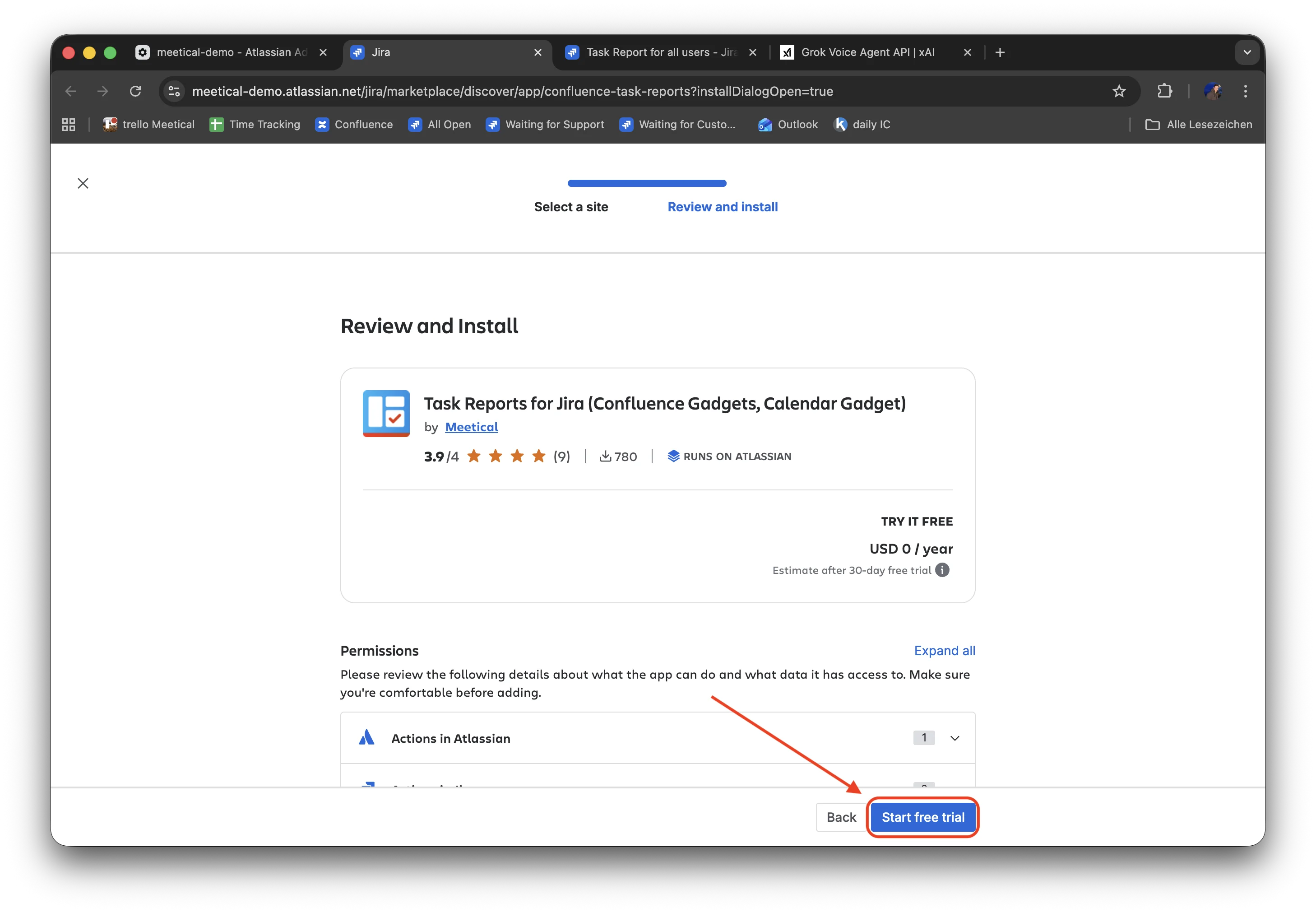
Click on “Start free trial”
-
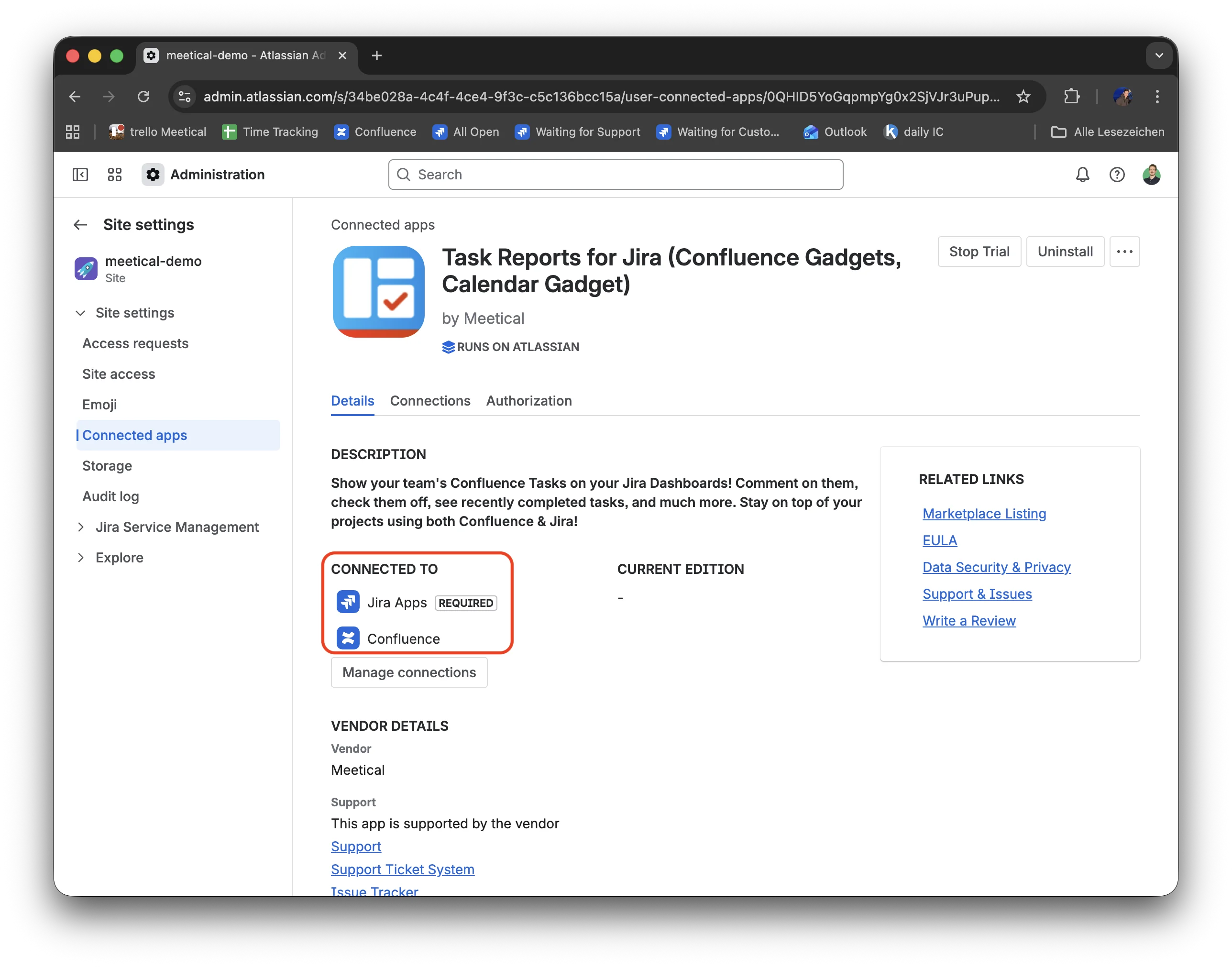
Your app is now on the new version, make sure you see connected to Jira Apps and Confluence
-
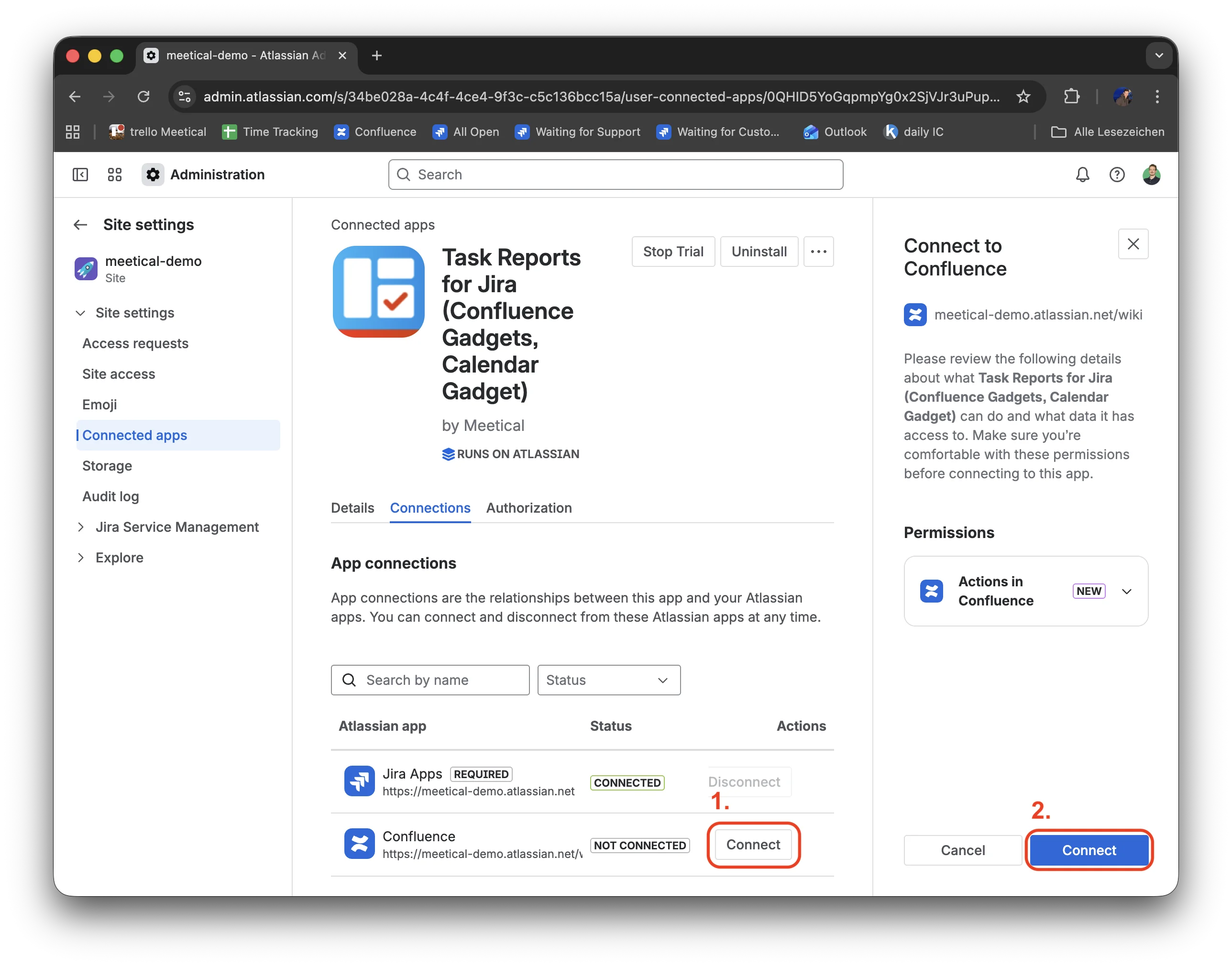
If you forgot to connect Confluence to the app, click “Manage connections” and connect Confluence
-
Recommended: Uninstall the Helper App from Confluence
-
In the same section under connected apps, find “Task Reports for Confluence (required Helper)” and delete the app