
Series Pagination lets you store recurring meeting notes in Confluence either on a single rolling page or as a new page per occurrence.
Single Page Option
Use case for which a single page is a good option:
-
1-on-1 meeting minutes: You can keep one page for each year, for example.
-
Short Status Meetings: If you do not want to report extensively on the page, then only highlights can be recorded on a single page
-
Daily: Even if daily standups are primarily for developers to exchange in real life, sometimes you may want to track an additional action item or question arising during a daily.
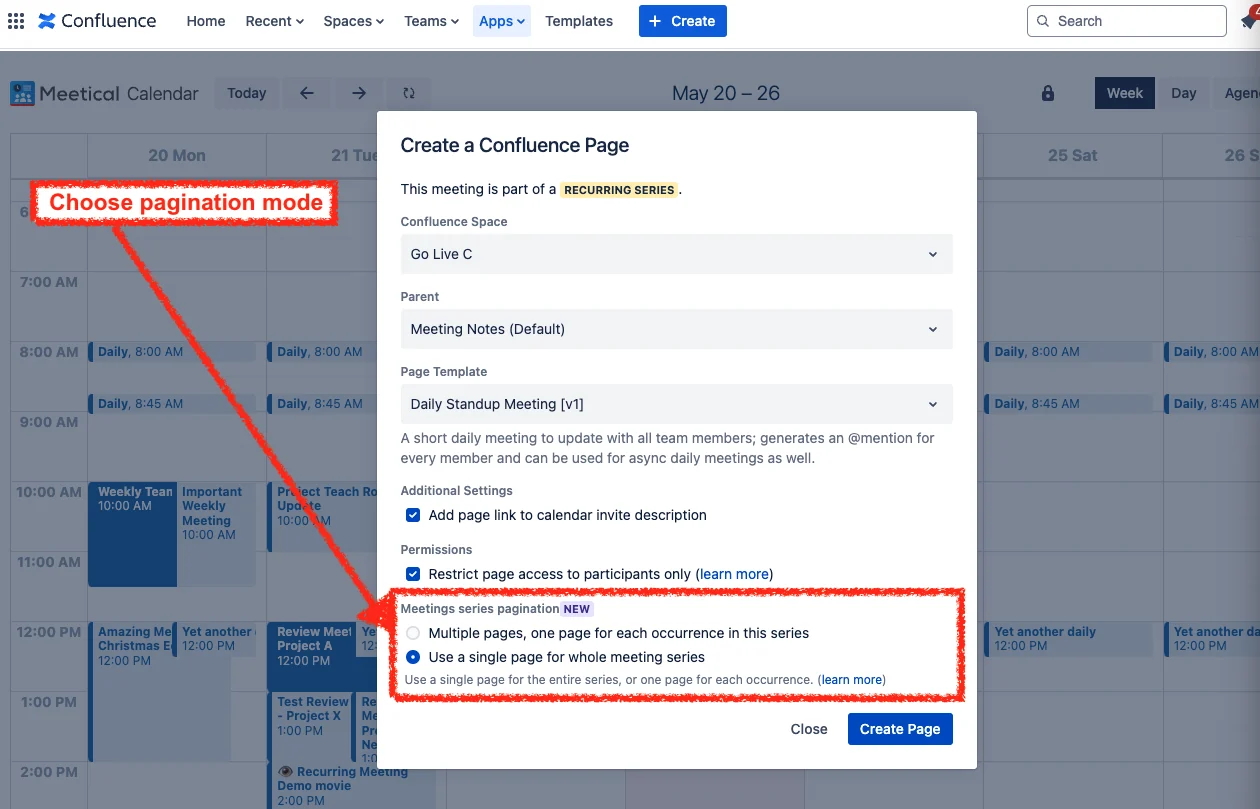
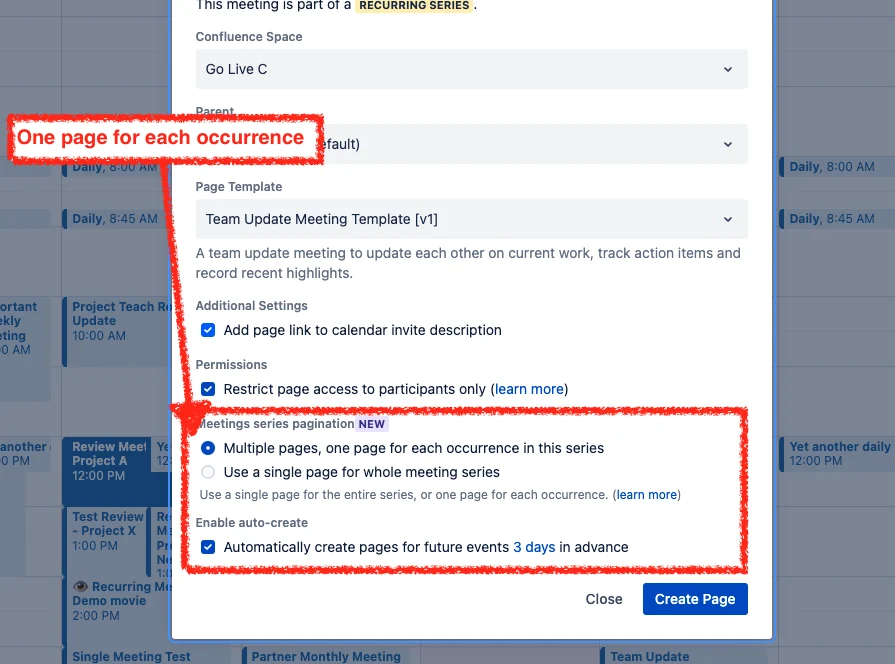
Multiple Page Option
Use cases for which multiple pages are a good option:
-
Weekly Meetings
-
Regular Team Meetings
-
Project Update Meetings
-
Status Meetings (also check our async meeting notes features)
-
Review Meetings
-
Meetings with Customers
-
All-Hands Meetings
The feature is available for new and existing recurring meetings.
Built-in automation keeps either setup running without manual upkeep, so you can pick whichever fits your workflow.
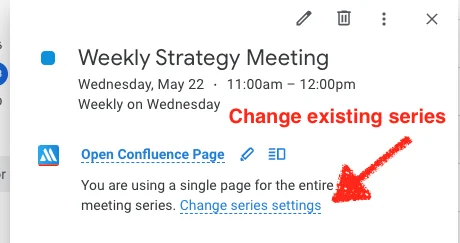
Change Pagination settings within your calendar
Using the Google Chrome extension:
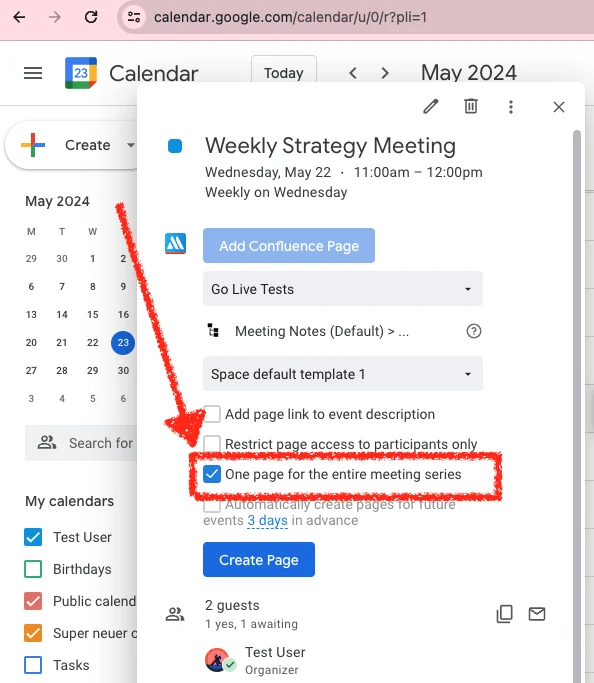
Using the Outlook Add-in:
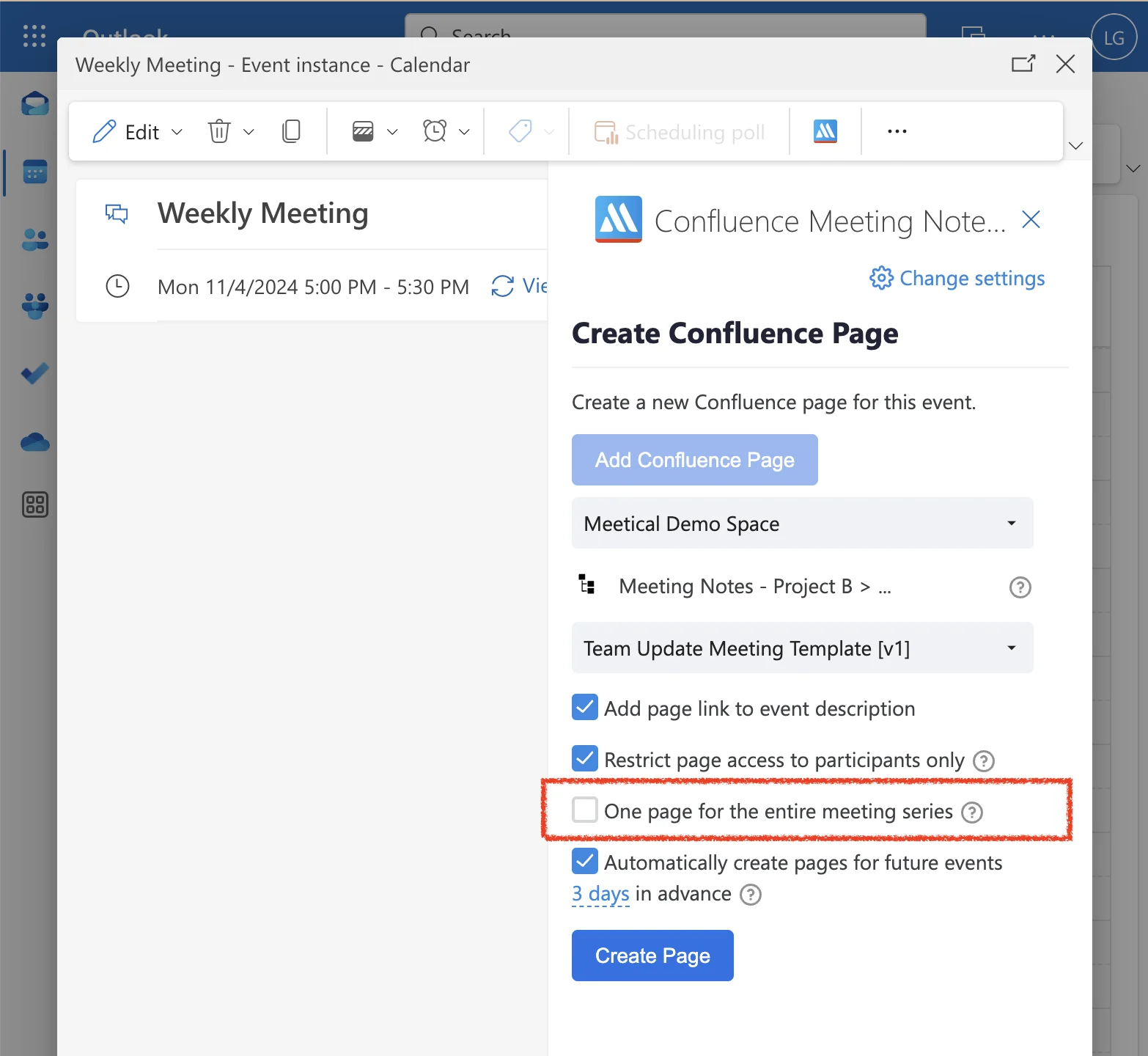
Check out the detailed guide on how to change automation settings in How to configure the automation settings.
FAQ
Can I switch between modes?
Yes, you can. Please note that currently there is a delay of about ~10 seconds for links to update properly!
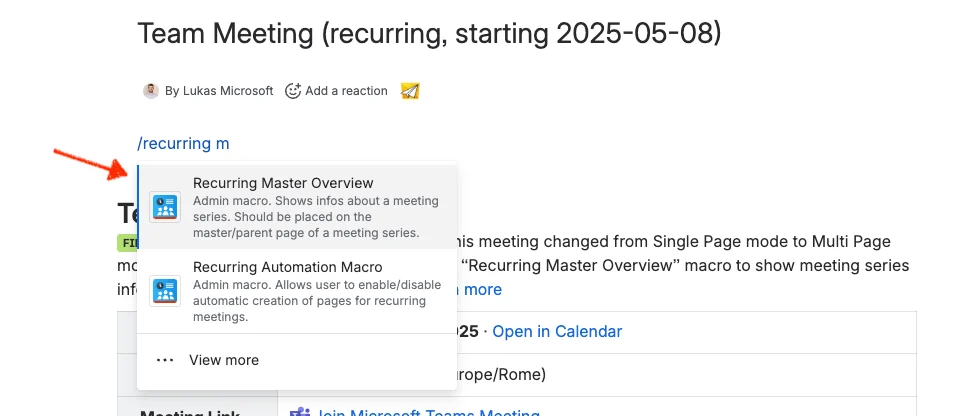
Also, place the Recurring Master Overview Template on that page to show recurring info and be able to change the template for sub-pages. See screenshot below:
Reach out to support for questions and your input.