
This quickstart follows one simple example: your team is starting a new project with a Project Kick-Off meeting. The goal is to create a Confluence page that is connected to a meeting in your personal calendar to quickly create agenda and meeting notes.
Before you start
-
Meetical Meetings is installed in Confluence.
-
You completed your first time setup.
1. Create the calendar event
-
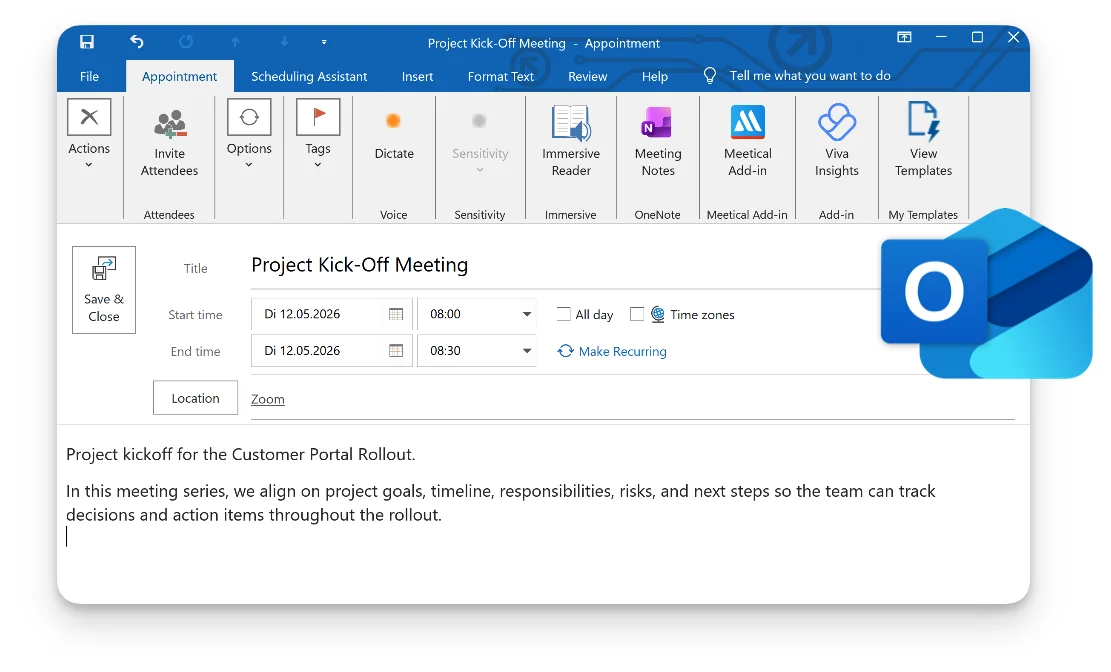
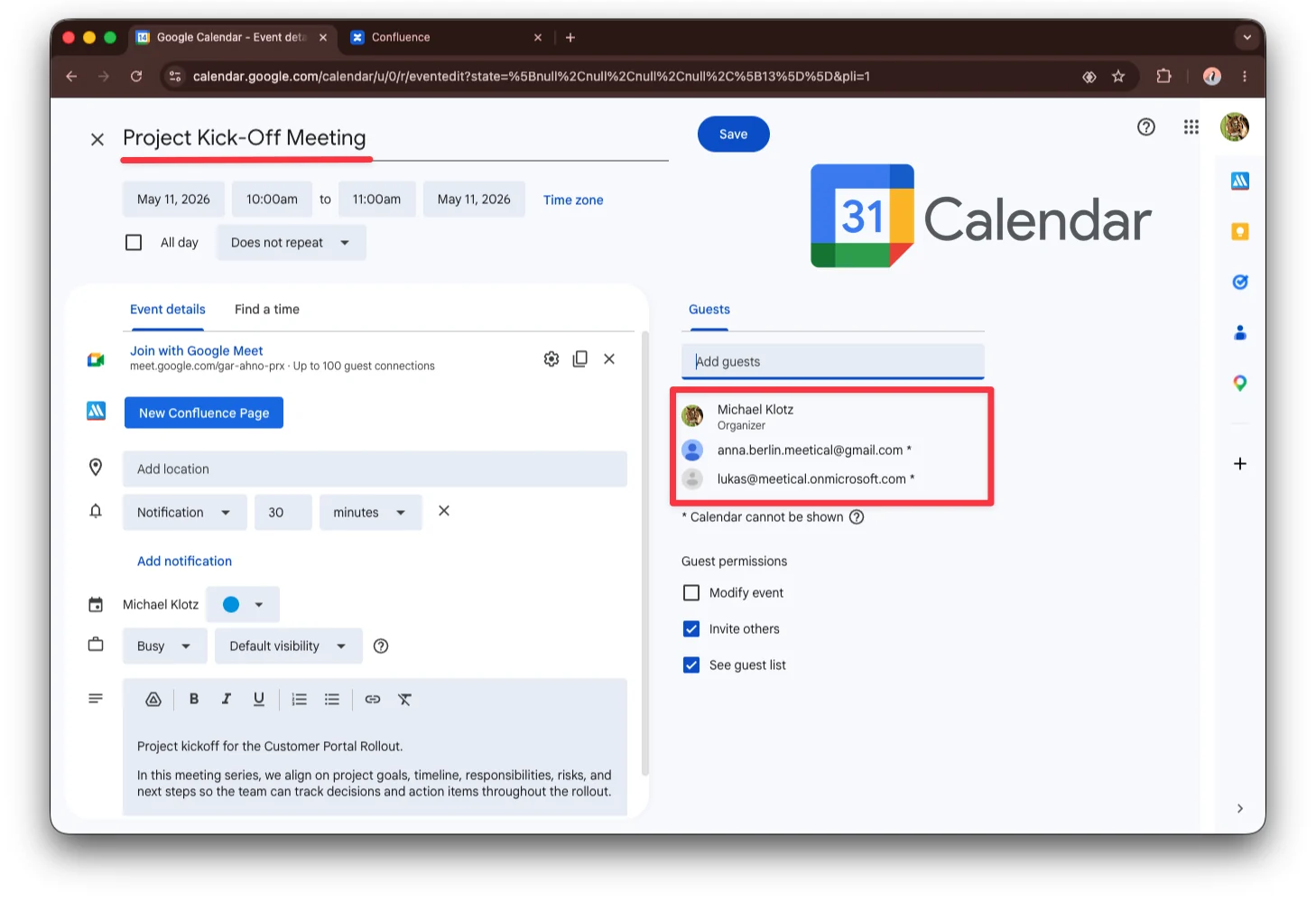
Create a new event called Project Kick-Off Meeting.
-
Optional: Add participants and a video meeting link from Google Meet, Zoom, or Microsoft Teams if you want to record the meeting later with Meetical AI and generate notes directly in your Confluence page.
2. Create the Confluence meeting page
You can also create the page from Google Calendar with the Chrome Extension or from Outlook with the Outlook Add-in. The result is the same: a Confluence page linked to the calendar event.
-
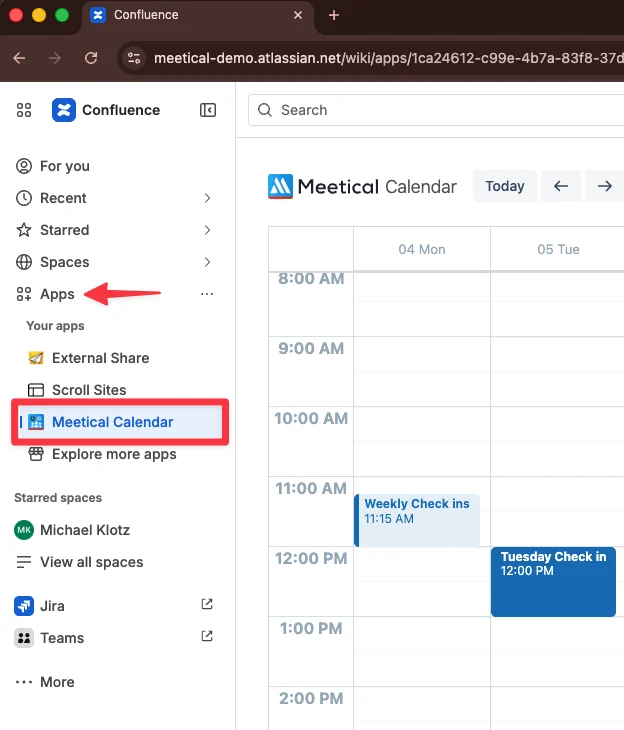
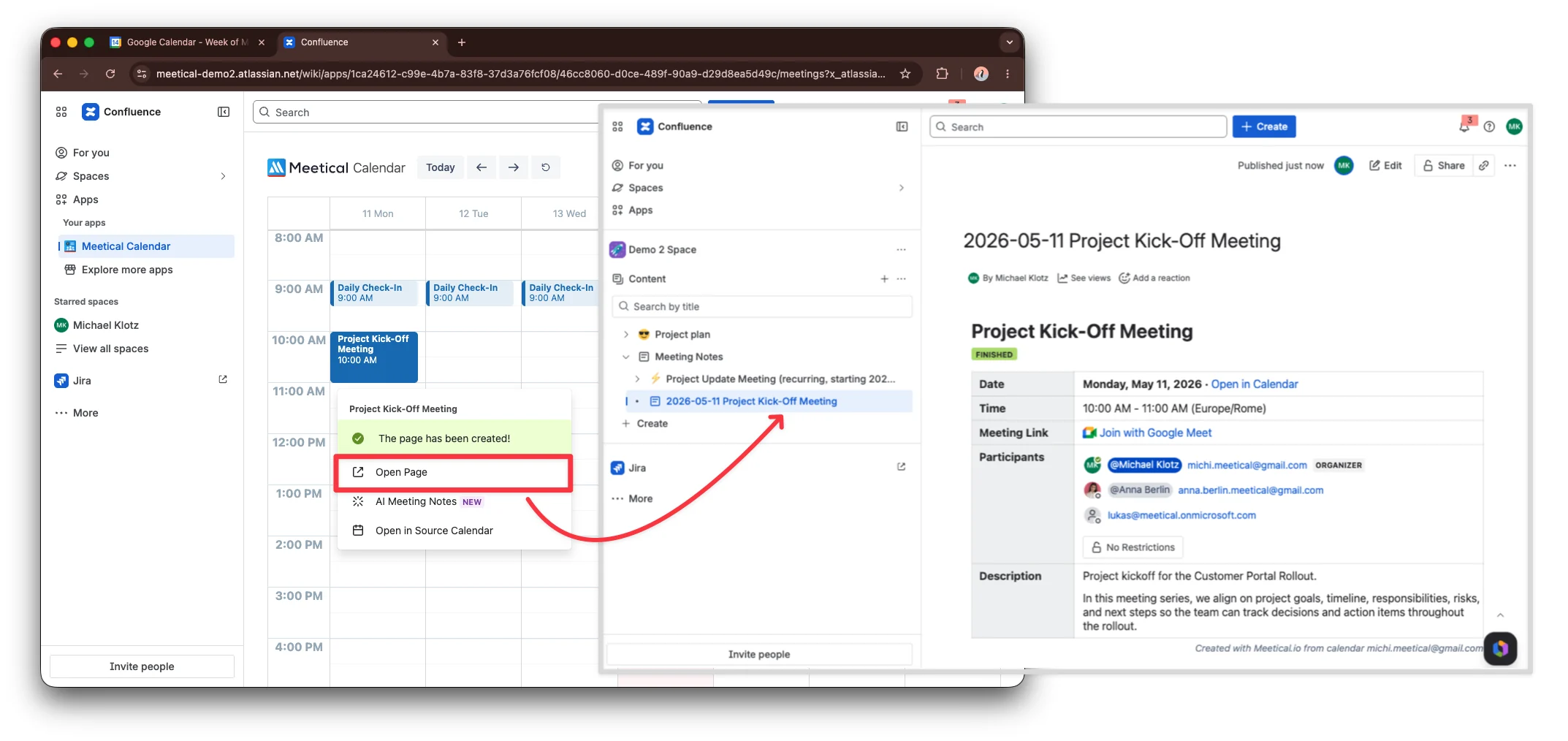
Open Meetical in Confluence: Left sidebar → Apps → Meetical Calendar.
-
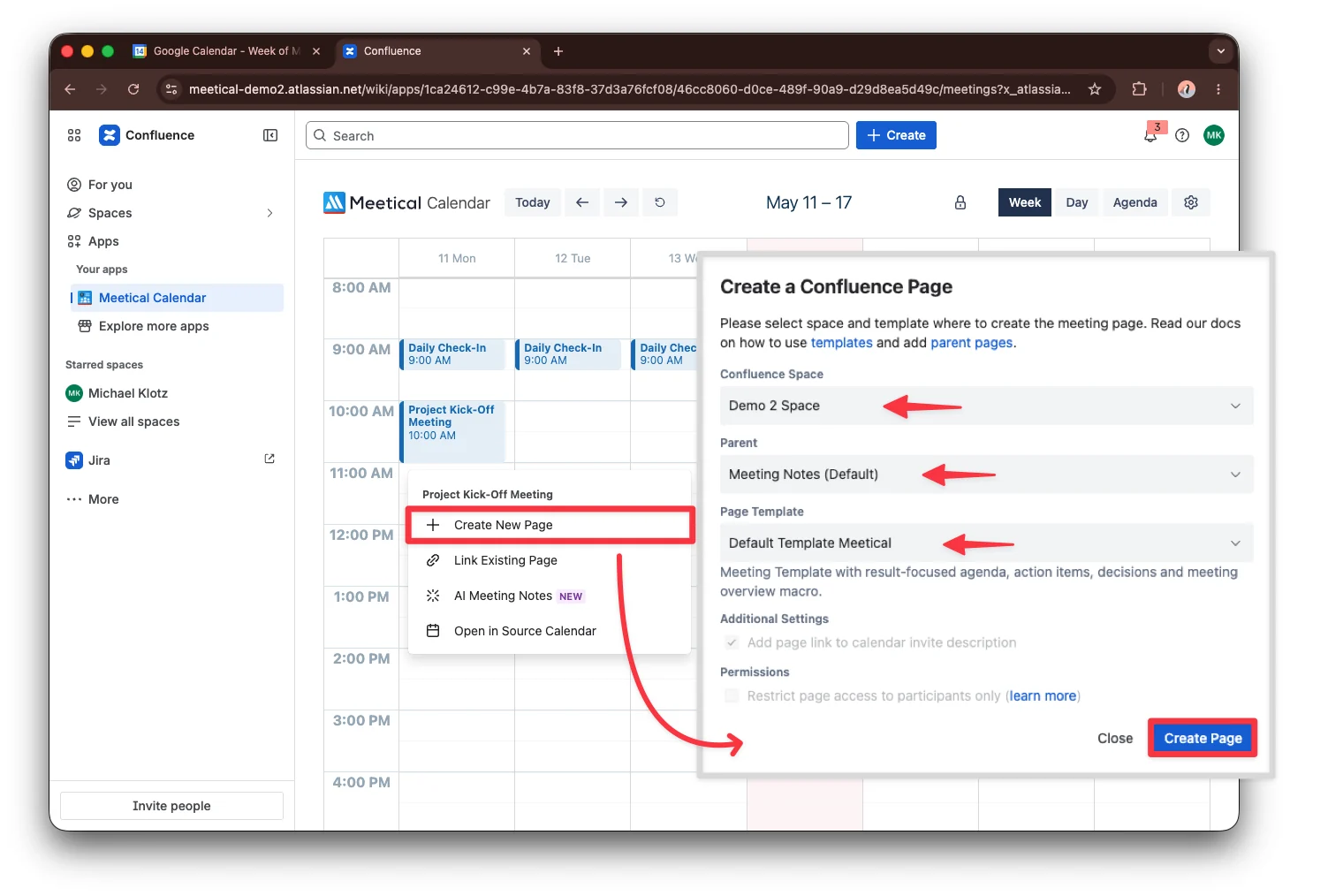
Click the Project Kick-Off Meeting event.
-
Choose the Confluence space where the meeting page should be created.
-
Optional: Choose a parent page and select a meeting template.
A parent page can be any Confluence page. You can use it to create a hierarchy for your meeting notes.
A meeting template is a Confluence page template for meetings. Meetical provides several meeting templates for different use cases. Learn more in Using templates for Meeting Notes.
-
Click Create Page.
For recurring meetings, see Automate recurring meeting pages.
A recurring meeting can be a jour fixe, a daily stand-up, or a monthly check-in meeting. Meetical will group meeting series under a parent page, can automatically create new pages, and will display an advanced task report on those pages.
3. Use the page for the meeting
-
Meetical copied the meeting details from the calendar event.
-
Add or refine the agenda before the meeting.
-
Capture notes, decisions, and action items during the meeting manually or with Meetical AI.
-
Open the linked Confluence page later from the calendar event whenever you need the meeting context.
Next step
Next, record the meeting with Meetical AI.
For recurring meetings, continue with Automate recurring meeting pages.
Meetical can automatically create and organize future meeting pages in a series.