
We’re excited to help you get started with Meetical for Confluence!
Meetical lets you create and connect Confluence pages for meetings in your Outlook or Google Calendar.
To complete this tutorial, you need:
-
A Confluence site with Meetical installed. Learn how to install Meetical.
-
A new or existing Confluence space. We recommend using your personal space for this tutorial.
Sign in for the first time
Let’s get started by signing in to the Meetical Calendar app for the first time.
Meetical Calendar opens inside Confluence and displays your personal Outlook or Google Calendar events, so you can create meeting pages directly from your calendar. In addition to the new internal calendar, the app includes an Outlook Add-in and a Google Calendar Extension to seamlessly integrate into your daily workflow.
-
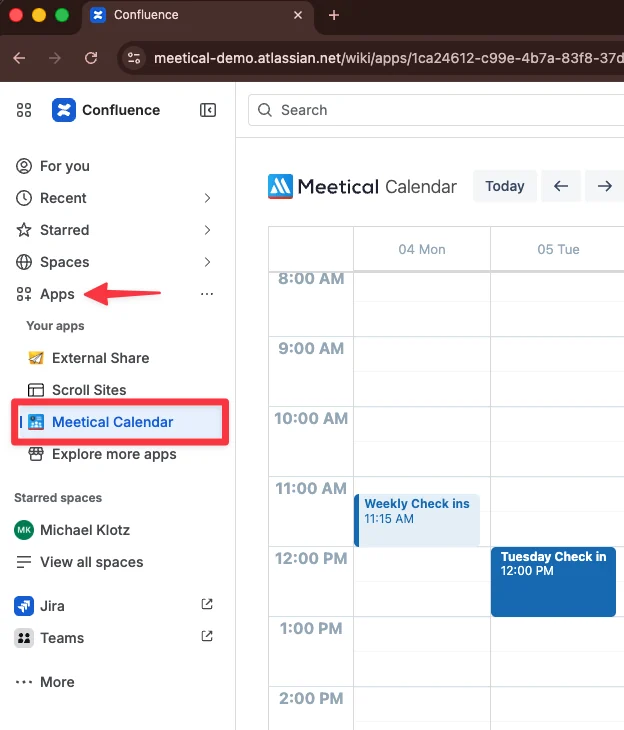
Open Confluence and go to Apps → Meetical Calendar.
-
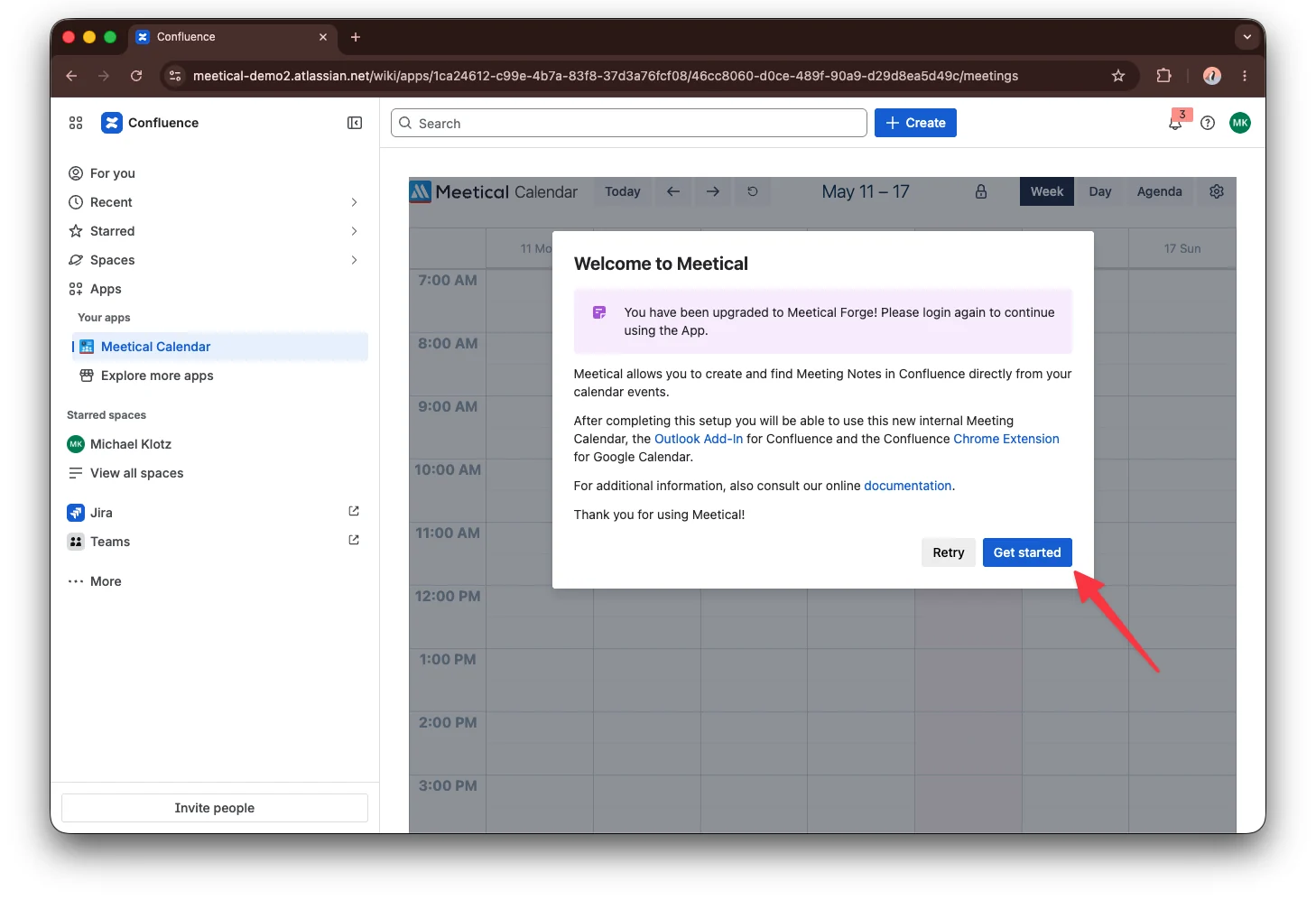
Click Get started. Meetical redirects you to the Atlassian login page.
-
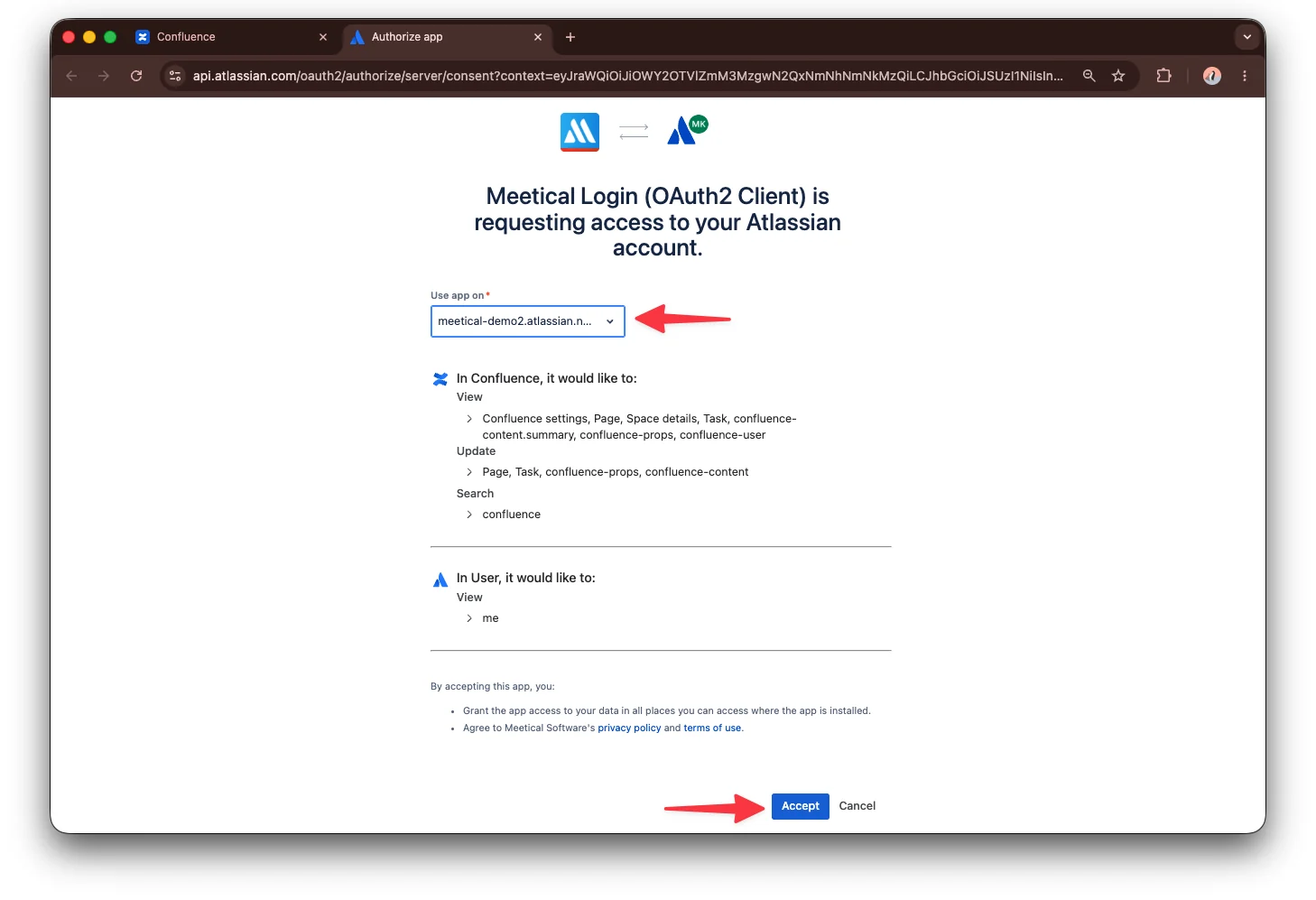
Choose the correct Confluence site where Meetical is installed.
If you have access to multiple Atlassian sites, Atlassian may ask you to choose where you want to connect Meetical. Select the Confluence site where Meetical is installed and where you want to create meeting pages.
-
Review the permission request and click Accept.
These permissions allow Meetical to connect your Atlassian account with Confluence, so Meetical can display meetings and create meeting pages in the correct site.
Connect your calendar
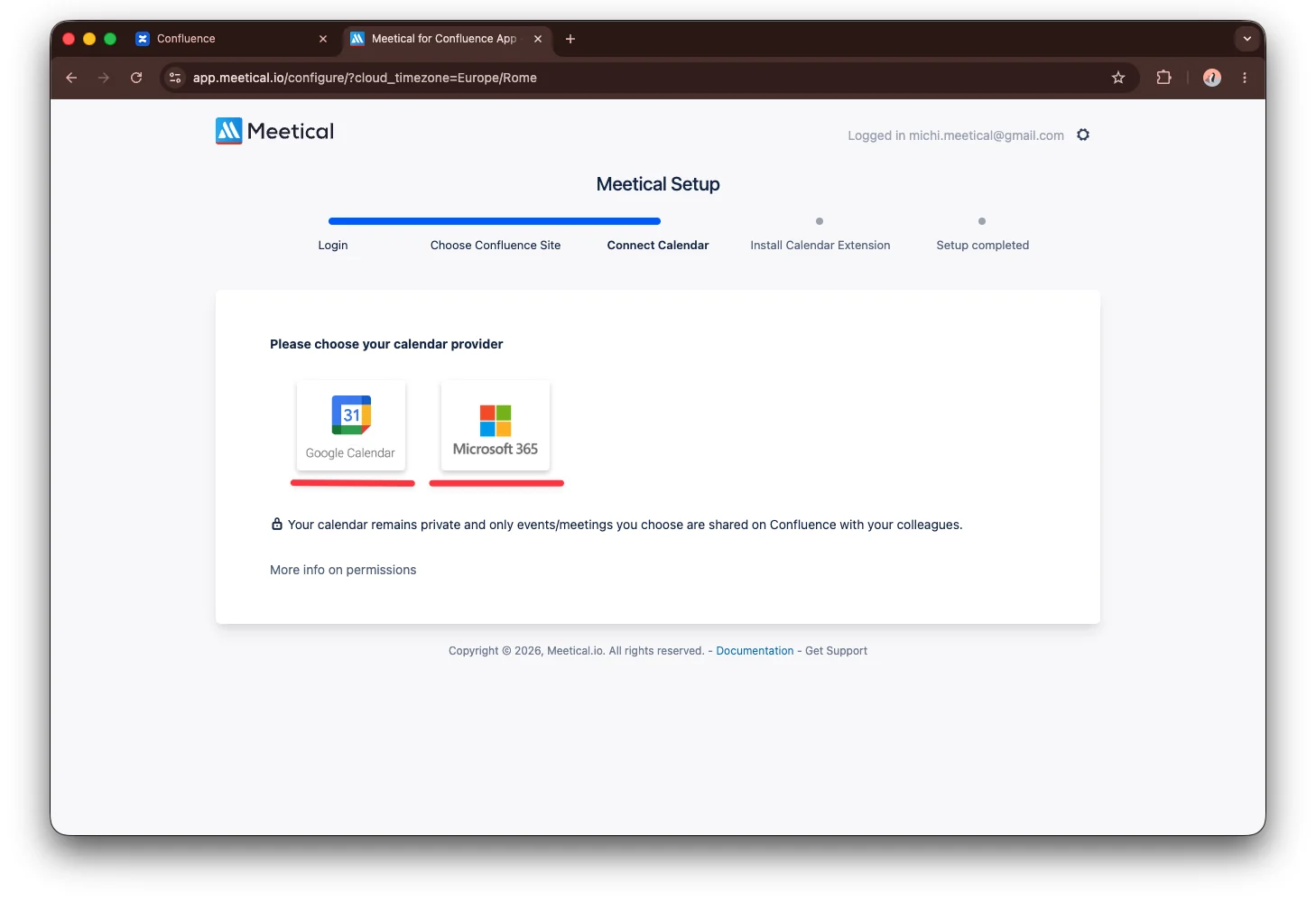
After you log in with Atlassian, Meetical asks you to connect your Google Calendar or Microsoft 365 calendar.
This is required so Meetical can show your meetings and create Confluence pages from calendar events.
Follow the connection process and allow access to continue.
To use Meetical directly inside your calendar, check out the guides for the Outlook Add-in and Chrome Extension.
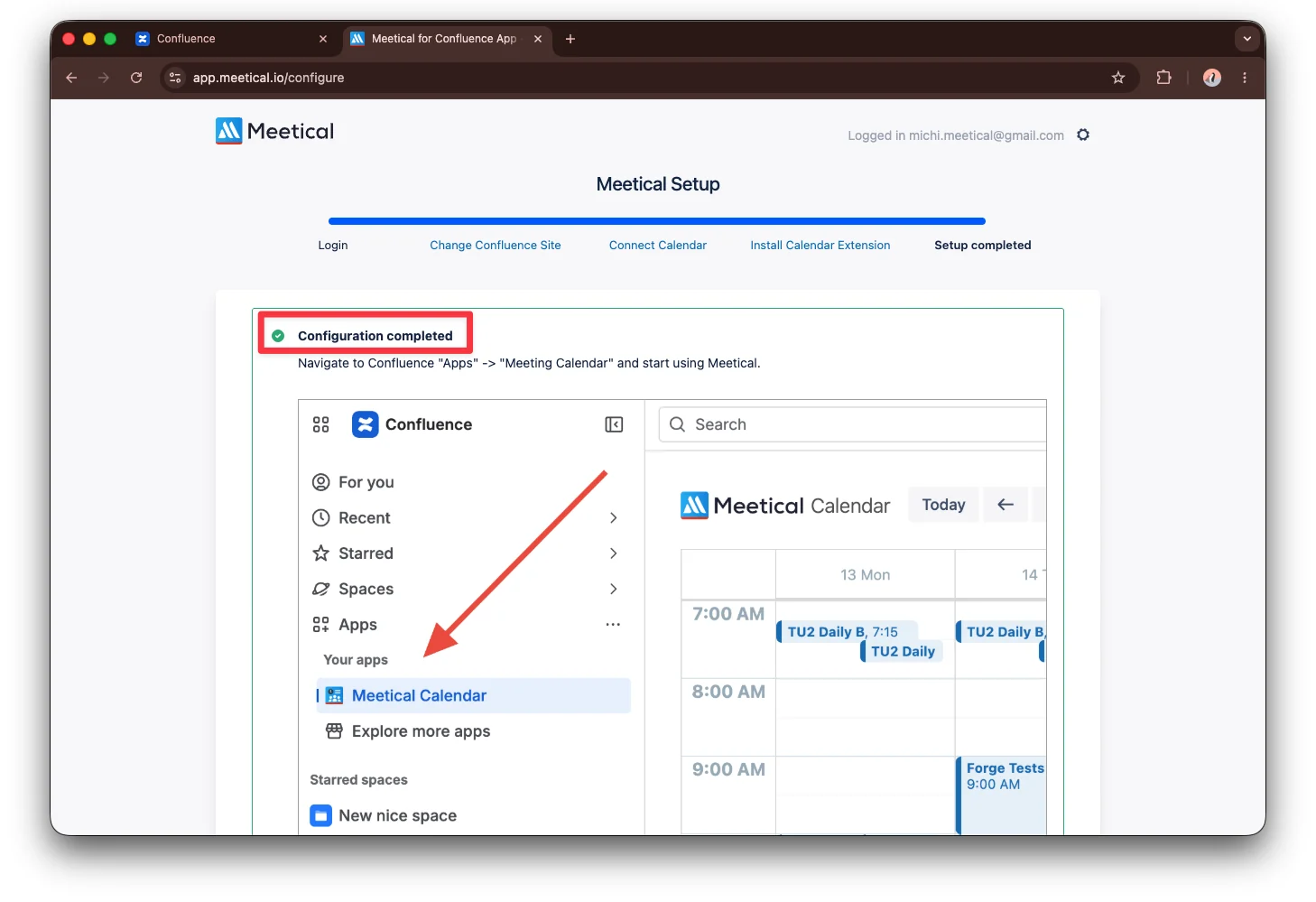
Configuration complete
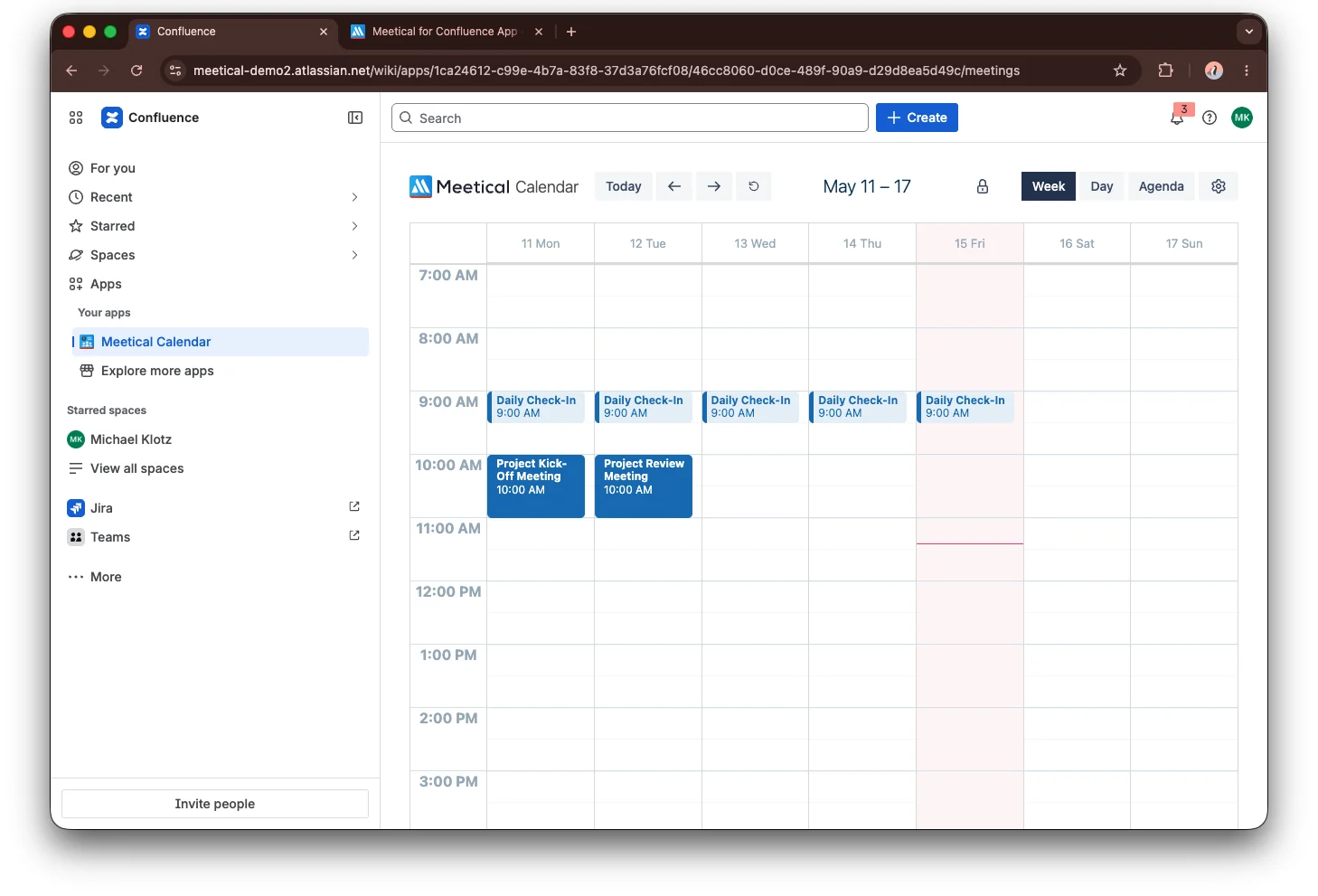
Congratulations! You are logged in to Meetical with your Atlassian account, and Meetical is connected to your calendar. You can now see your calendar events in the Meetical Calendar app in Confluence.
Next step
Once your calendar is connected, select a meeting and create your first Confluence meeting page. Continue with Creating your first page in Meetical Calendar.