10. June, 2026 - Cloud
Version: v3.12.2
-
Dark mode is now available in the Outlook add-in.
-
The Meetical AI Bot now shares the Confluence page link in the meeting chat. This works in Microsoft Teams, Zoom, and Google Meet.
-
You can now manually remove the Meetical AI Bot from a meeting. Use the “Remove the bot” button in the Meetical AI modal.
4. June, 2026 - Cloud
Version: v3.12.1
-
Fixed special characters in meeting transcripts. Umlauts and other special characters (ä, ö, ü, etc.) are now displayed correctly in AI-generated meeting transcripts.
-
Fixed event context when generating notes from a page. When using the Start AI Meeting Notes from Any Page, the calendar event context is now correctly included in the generated notes.
-
Fixed page permissions for mixed-case email addresses. Page restrictions are now applied correctly regardless of letter casing in attendee email addresses.
-
Fixed editor compatibility for generated content. Resolved an issue where some AI-generated content could not be edited in the Confluence editor.
21. May, 2026 - Cloud
Version: v3.12.0
-
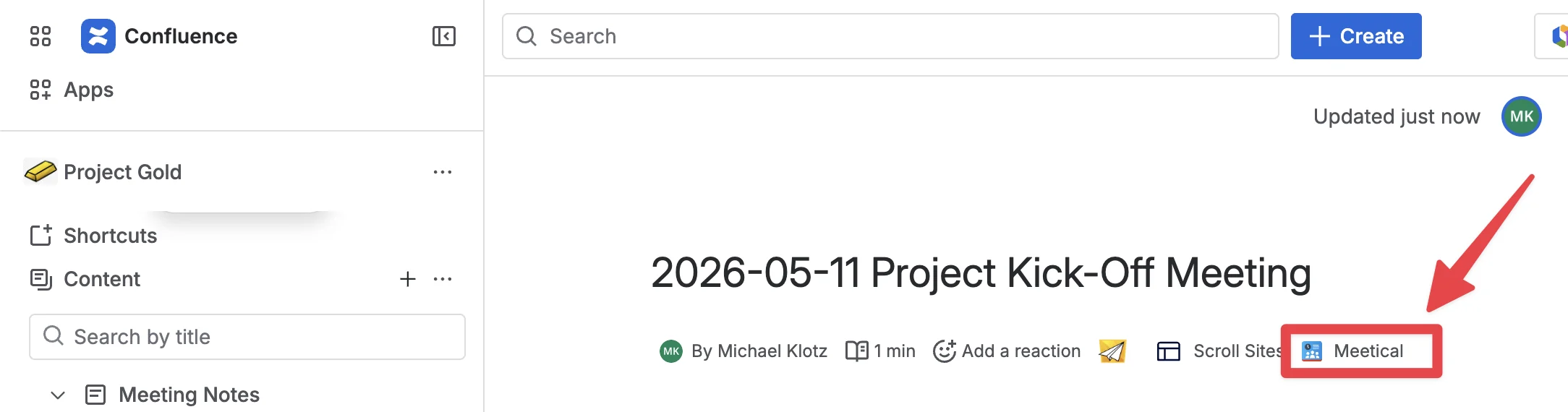
A menu item is available on every page to invite the Meetical AI Bot. Below the page title, a byline item lets users invite the Meetical Bot and generate notes directly from any page, even without a calendar event.
-
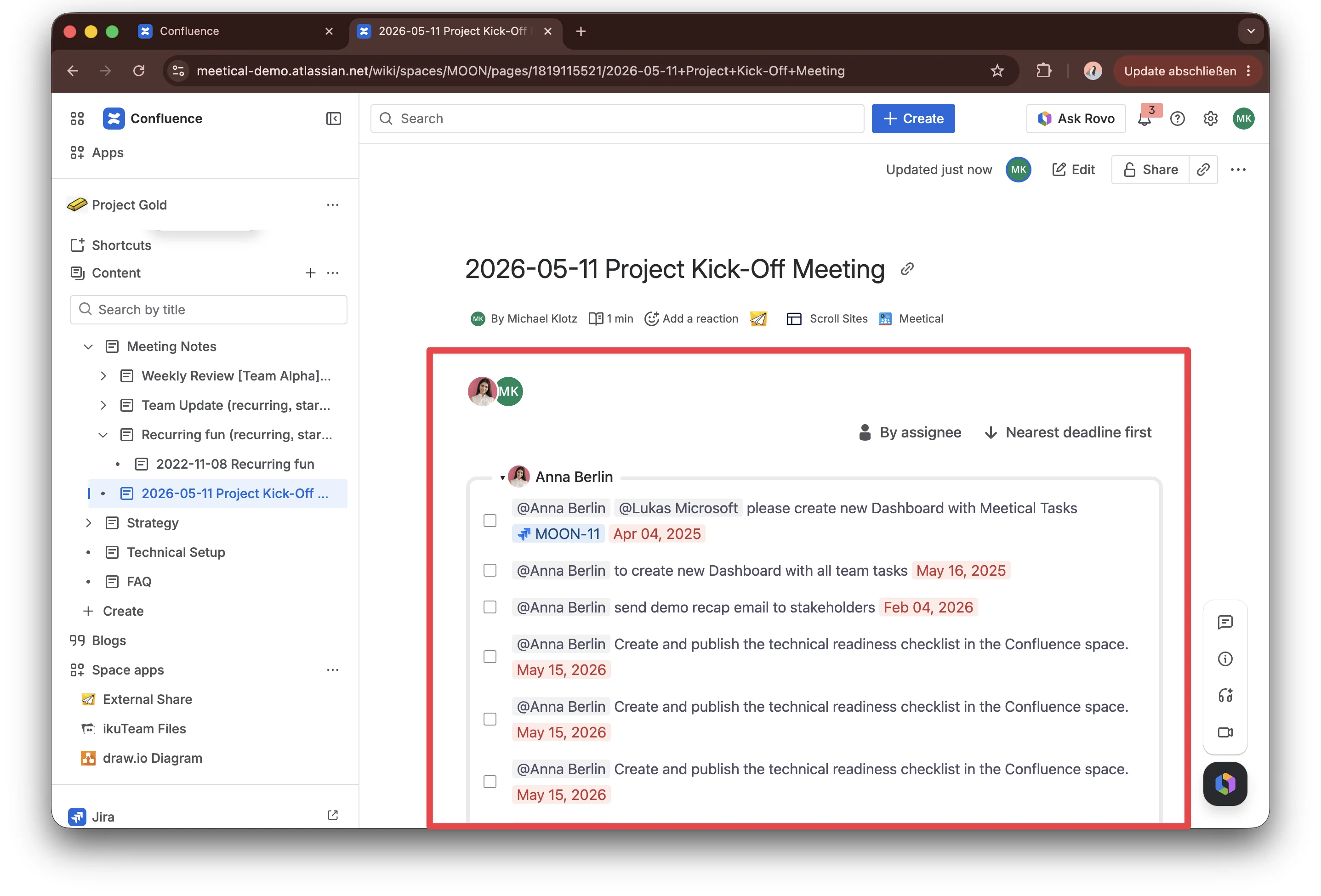
Advanced Task Report macro, bringing Task Report functionality directly into Confluence as a macro.
-
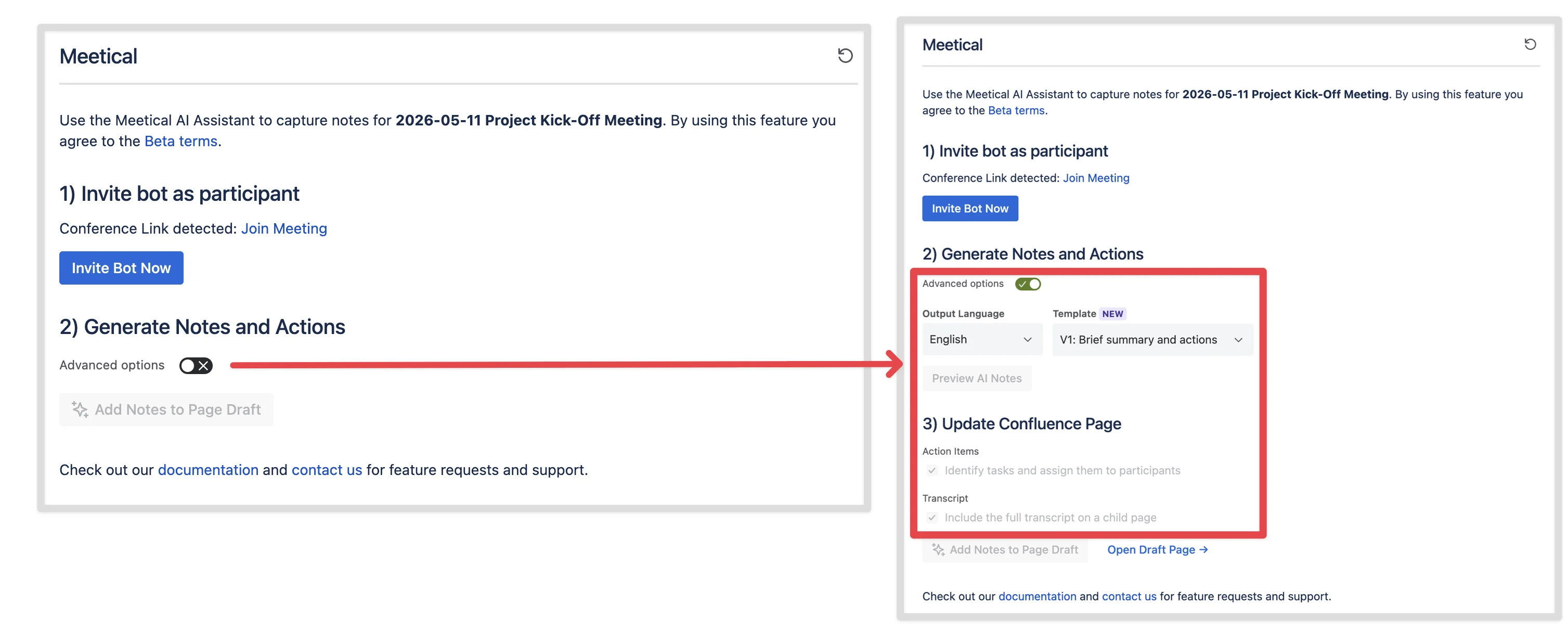
Simplified UI for AI Meeting Notes modal by hiding advanced options initially
-
Option to disable Action Item generation via a checkbox
-
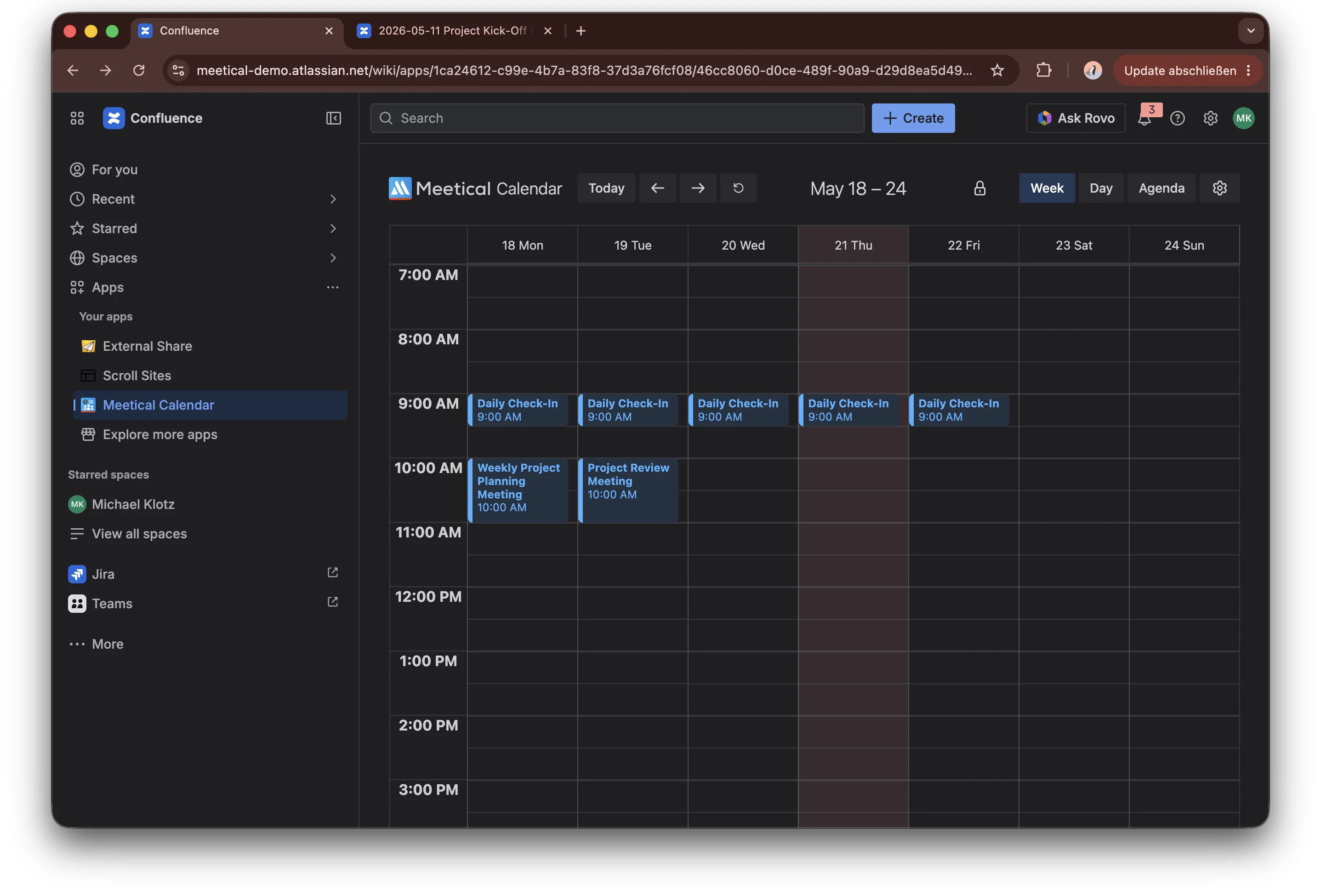
Dark mode in Meetical Calendar and for the AI Meeting Notes Modal
-
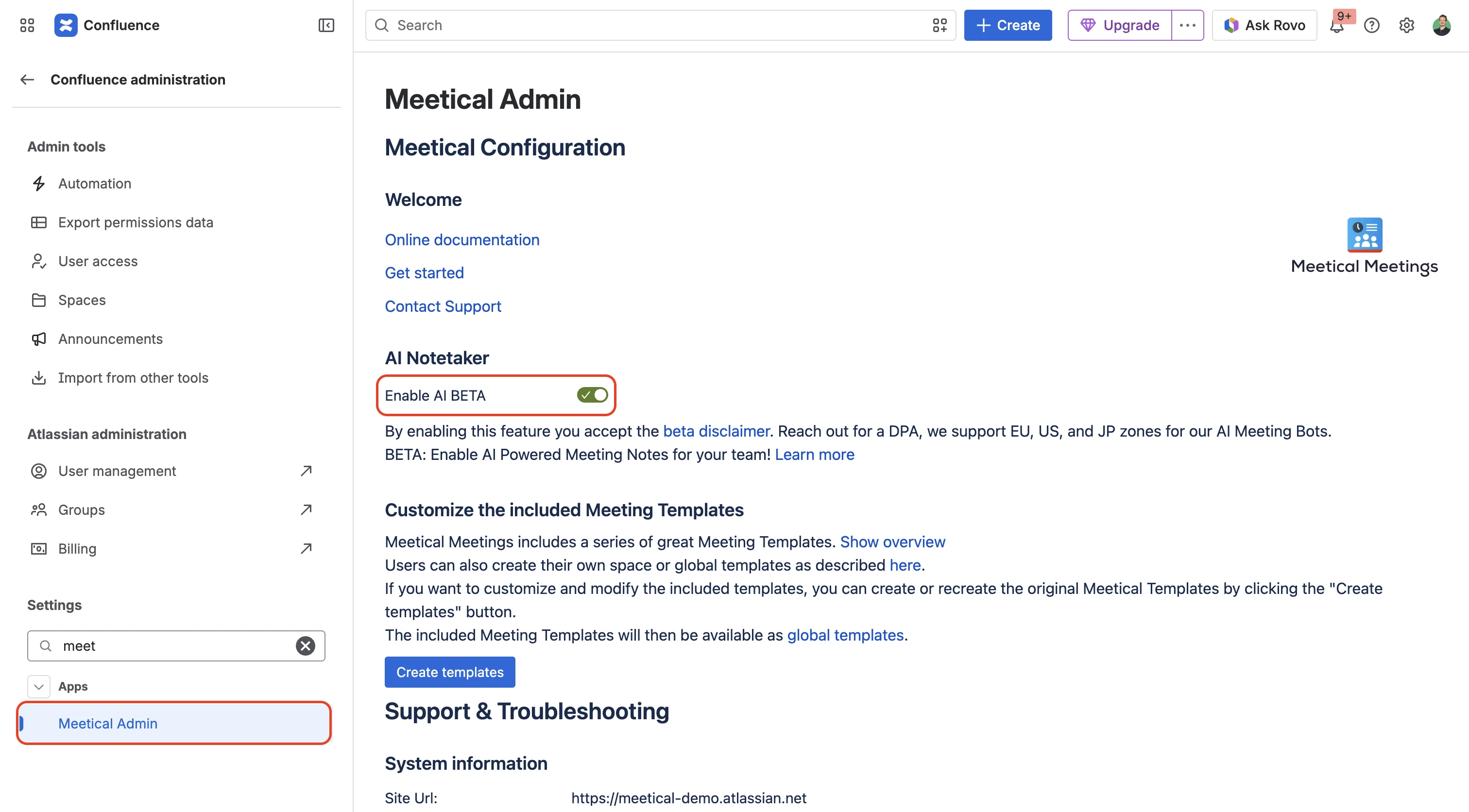
New Admin option to enable/disable Meetical AI for the instance.
5. May, 2026 - Cloud
Version: v3.11.0
-
Meetical AI Public Beta is available for STANDARD customers. Users can open Meetical Calendar in Confluence, accept the beta terms, and start generating AI-powered meeting notes directly from their calendar workflow. Read more
17. April, 2026 - Cloud
Version: v3.0.0
-
Meetical Calendar and Meetical AI migrated to Atlassian Forge. The migration improves platform security, future-readiness, and the native Atlassian product experience. Meetical reports up to 5× faster macro loading after the update. Read more
16. April, 2026 - Cloud
Version: v2.1.0
-
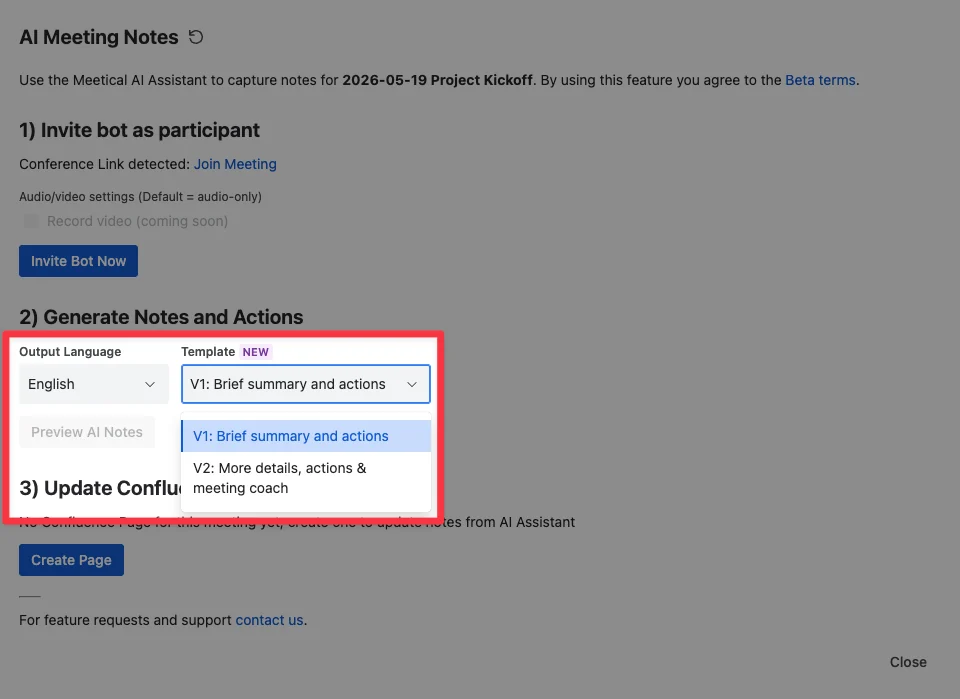
New AI note templates. Meetical AI includes two template styles: a compact, action-oriented meeting notes template and a more detailed chronological summary with a meeting coach section. Both use native Confluence macros. Read more
-
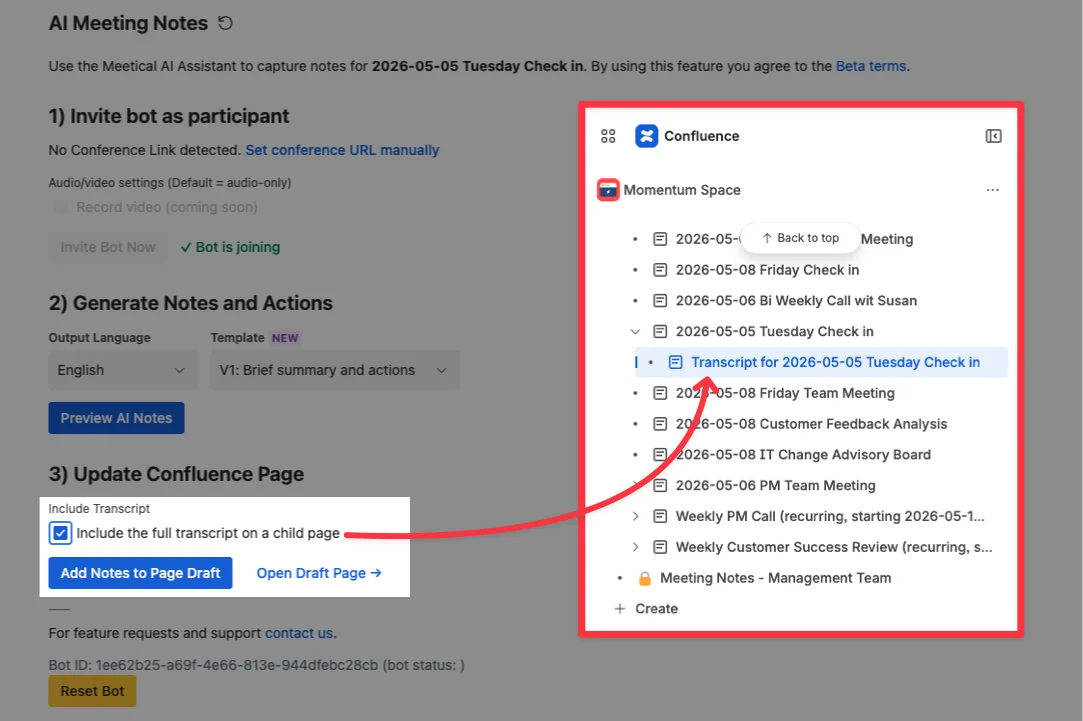
Transcript support for follow-up workflows. Users can add the full meeting transcript to the Confluence page and post-process it with tools such as Rovo or other workflows, for example to prepare follow-up emails or extract customer feedback. Read more
1. November, 2025 - Cloud
Version: v1.3.32
-
AI Meeting Bot for Confluence meeting notes. The Meetical AI bot can join online meetings, transcribe conversations, and generate structured Confluence pages with summaries, decisions, and action items. The bot supports common meeting platforms including Zoom, Microsoft Teams, Google Meet, and Webex. Read more
-
AI Meeting Notes can be started directly from Meetical Calendar. Users select a meeting in the Confluence Meetical Calendar, open the AI Meeting Notes dialog, and invite the bot to the meeting. If a conference link is available in the calendar event, Meetical AI can detect it automatically. Read more
-
Structured AI-generated meeting outcomes. Meetical AI now creates meeting summaries, identifies key decisions, extracts action items, and assigns them to the right people based on meeting context. Notes are added directly to the connected Confluence page for review, editing, and sharing. Read more