
In the Quickstarts you created your first page for a Project Kick-off Meeting. Now the project moved on and your team runs a recurring Project Review Meeting.
The goal is to create a recurring meeting structure with Meetical in Confluence so every review meeting is automatically organized in a parent page and notes are actionable and visible.
Before you start
-
Meetical Meetings is installed in Confluence.
-
Your Google Calendar or Microsoft 365 calendar is connected to Meetical.
-
You have a Confluence space where the Project Review Meeting notes should be created.
1. Create the recurring calendar event
-
Open your Google or Outlook Calendar.
-
Create a recurring event called Project Review Meeting.
-
Add the participants and a video meeting link.
-
Optional: Add a short agenda or description to the event.
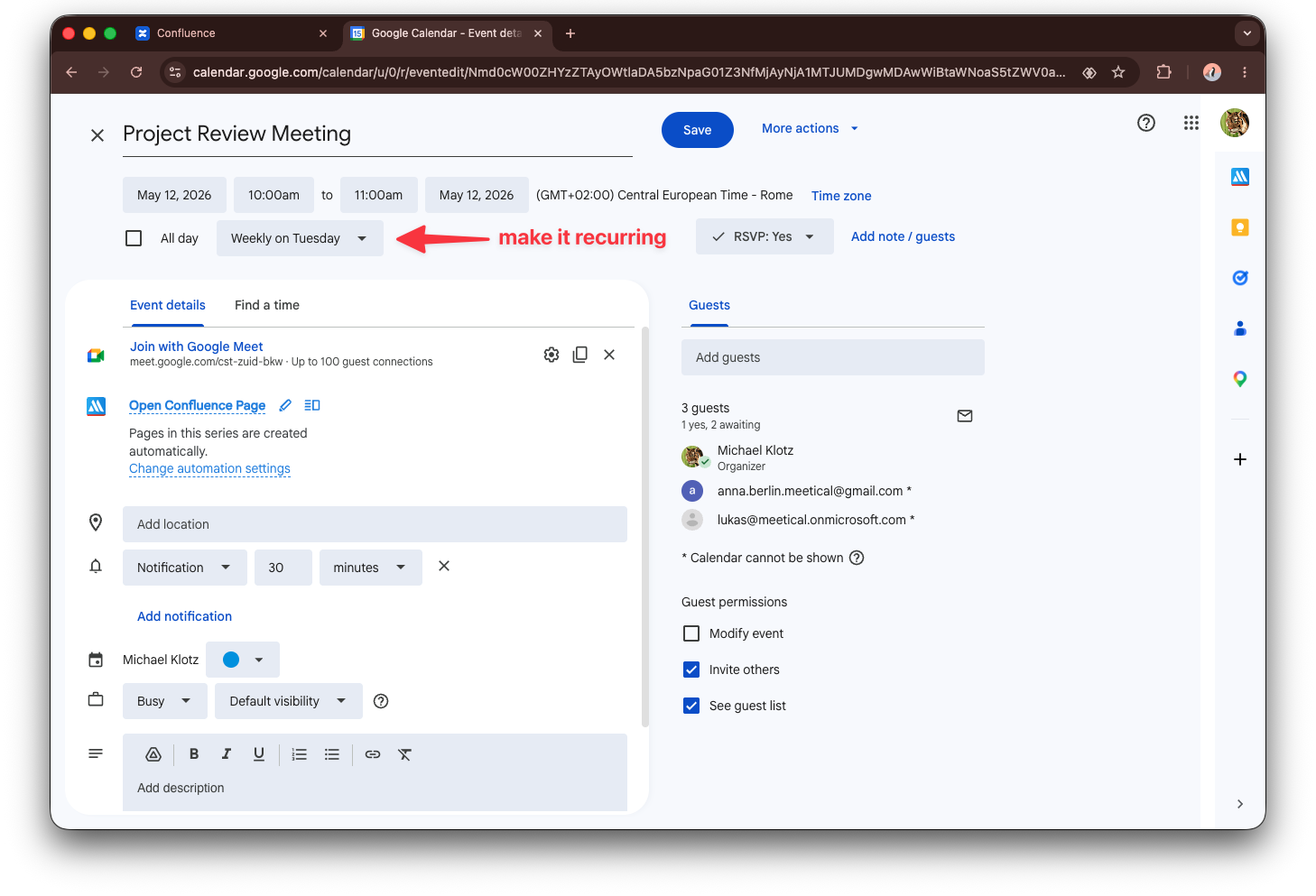
2. Create the Confluence meeting page structure
You can also create the page from Google Calendar with the Chrome Extension or from Outlook with the Outlook Add-in. The result is the same: a Confluence page linked to the calendar event.
-
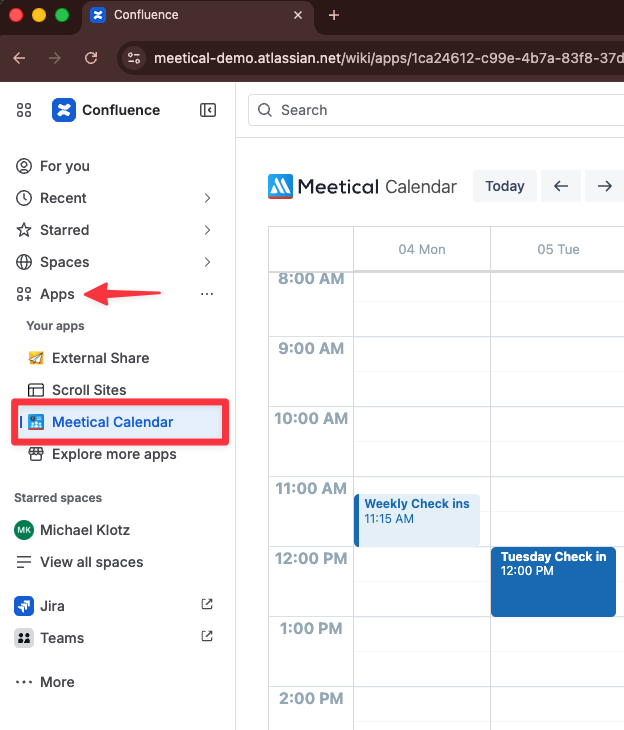
Go to the internal Meetical Calendar in Confluence: Left sidebar → Apps → Meetical Calendar.
-
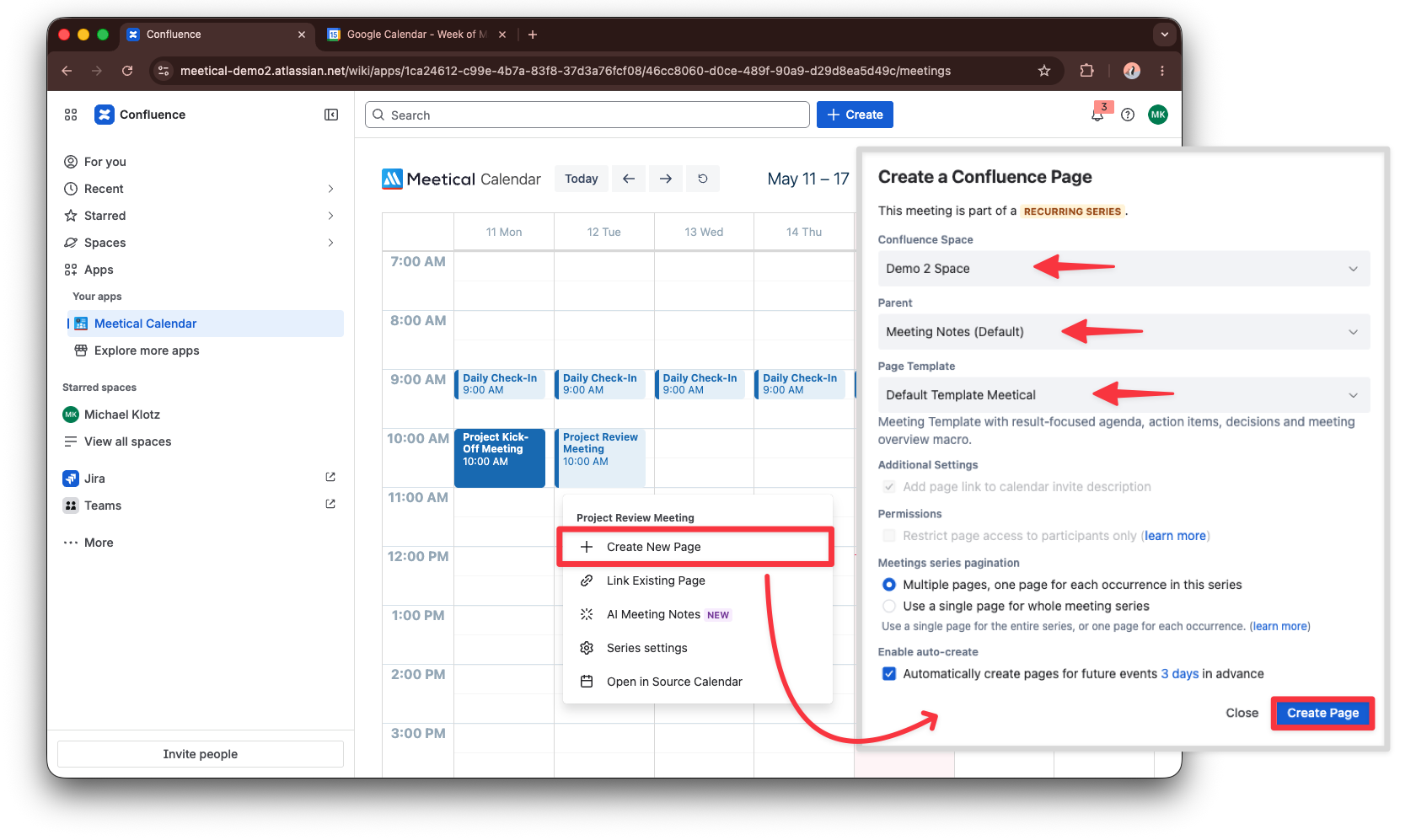
Open the Meetical action for one occurrence of the Project Review Meeting.
-
Choose the target Confluence space and parent page, select a meeting template.
-
Click Create Page.
3. Let Meetical organize the meeting series
Because the calendar event is recurring, Meetical can organize the meeting pages below a meeting-series parent page. This keeps every Project Review Meeting page in one place and makes it easy to navigate previous and upcoming reviews.
-
Use the parent page as the overview for the meeting series.
-
Keep the individual meeting pages below the parent page.
-
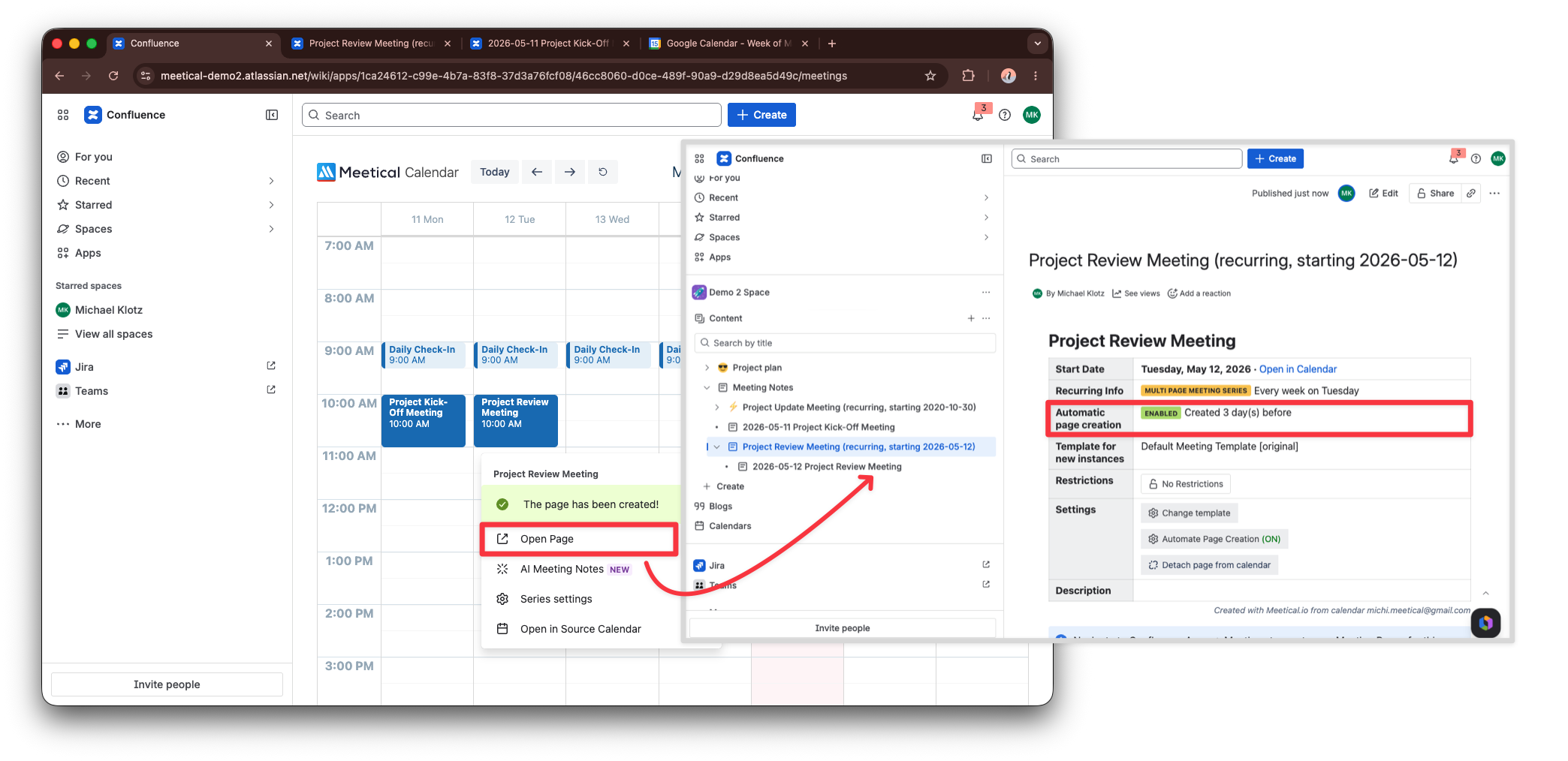
Enable automatic page creation if you want Meetical to prepare future review pages before each meeting.
4. The Automation is set
-
Meetical now creates meeting pages 3 days in advance by default, this can be changed in the Series Settings.
-
Every consecutive meeting page is chronologically ordered under the same Parent page.
-
Open previous meeting pages from the series overview whenever you need project context.
-
A Task Report for open tasks in this series is created under the Meetical Macro.
Next step
Continue to record the Project Review Meeting with Meetical AI, or learn how to automate page creation for recurring meetings.