
Use this page to show all open action items from the current recurring meeting series in one place.
Summary
The Open tasks in this series report is a Confluence Task Report placed below the Meetical recurring meeting page macro. It lists incomplete tasks from the meeting pages in the series, so carry-over action items stay visible without opening every single occurrence page.
When to use it
-
Use it on recurring meeting parent pages where every occurrence has its own meeting page.
-
Review open action items at the start or end of the meeting series.
-
Give meeting owners a quick view of task description, due date, assignee, and the page where the task appears.
Open tasks in this series
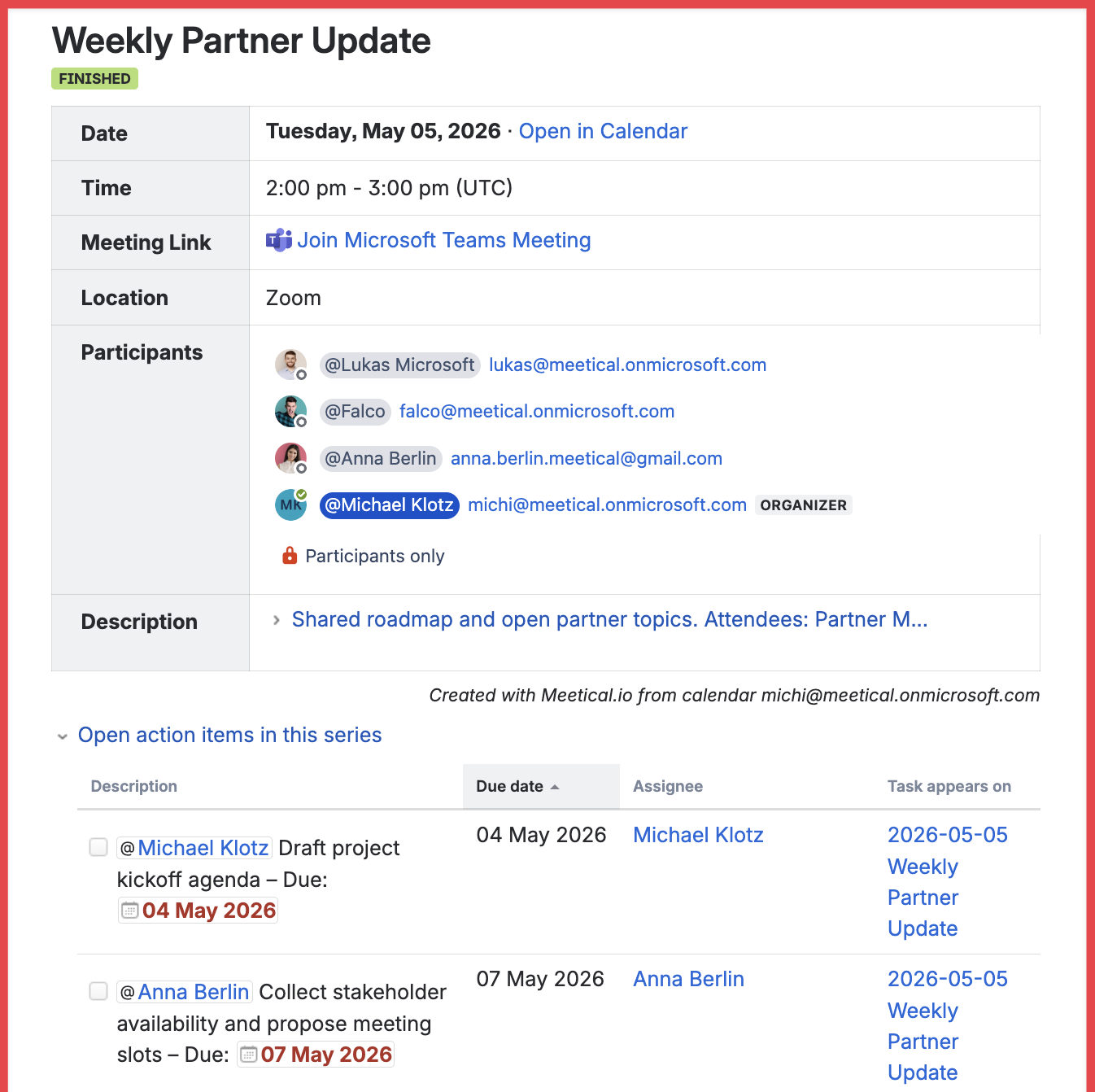
The report is placed below the Meetical meeting-series macro on the recurring meeting parent page. Configure the Task Report to show incomplete tasks from the current page tree, then display the columns that are useful for meeting follow-up, such as Description, Due date, Assignee, and Task appears on.
How it works
-
Create or open the recurring meeting parent page.
-
Keep the Meetical recurring meeting page macro at the top so participants can navigate the series.
-
Use the report during recurring meetings to follow up on unfinished action items.