
How to store your recurring meeting minutes in Confluence? Choose between a single page or multiple meeting pages for each occurrence with the series pagination feature.
The new Series Pagination feature allows you to store meeting series on one single page or on multiple pages. Automation for recurring pages will make both options a viable, seamless experience depending on your use case.
Use case for which a single page is a good option:
-
1-on-1 meeting minutes: You can keep one page for each year, for example.
-
Short Status Meetings: If you do not want to report extensively on the page, then only highlights can be recorded on a single page
-
Daily: Even if daily standups are primarily for developers to exchange in real life, sometimes you may want to track an additional action item or question arising during a daily.
Use cases for which multiple pages are a good option:
-
Weekly Meetings
-
Regular Team Meetings
-
Project Update Meetings
-
Status Meetings (also check our async meeting notes features)
-
Review Meetings
-
Meetings with Customers
-
All-Hands Meetings
The feature is available for new and existing recurring meetings.
Track Recurring Meetings with a Single Page

Track Recurring Meetings on Multiple Pages

Automate the creation of meeting occurrences

Also see Confluence meeting notes automation.
Using the Chrome Extension


Using the Outlook Add-in

FAQ
Can I switch between modes?
Yes, you can. Please note that currently there is a delay of about ~10 seconds for links to update properly!
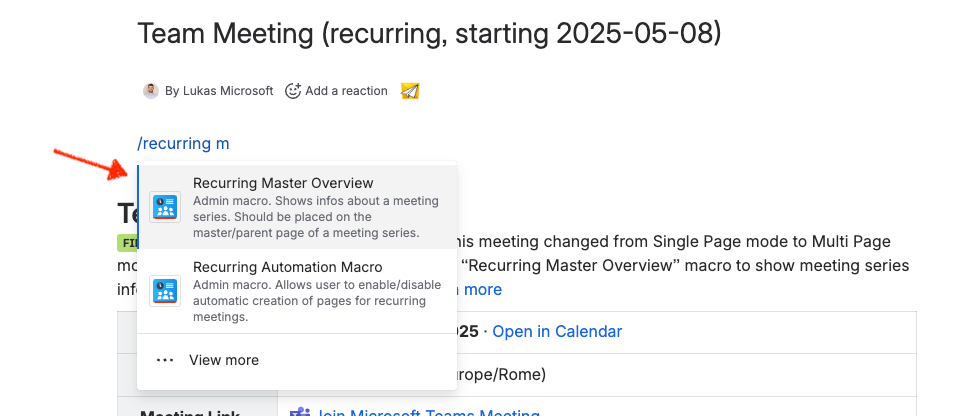
Also, place the Recurring Master Overview Template on that page to show recurring info and be able to change the template for sub-pages. See screenshot below:
Reach out to support for questions and your input.
Your Meetical Team 🙌