
5. May, 2026 - Cloud
Version: v3.11.0
-
Meetical AI is now available in Public Beta for STANDARD customers. Users can open Meetical Calendar in Confluence, accept the beta terms, and start generating AI-powered meeting notes directly from their calendar workflow. Read more
17. April, 2026 - Cloud
Version: v3.0.0
-
Meetical Calendar and Meetical AI migrated to Atlassian Forge. The migration improves platform security, future-readiness, and the native Atlassian product experience. Meetical reports up to 5× faster macro loading after the update. Read more
16. April, 2026 - Cloud
Version: v2.1.0
-
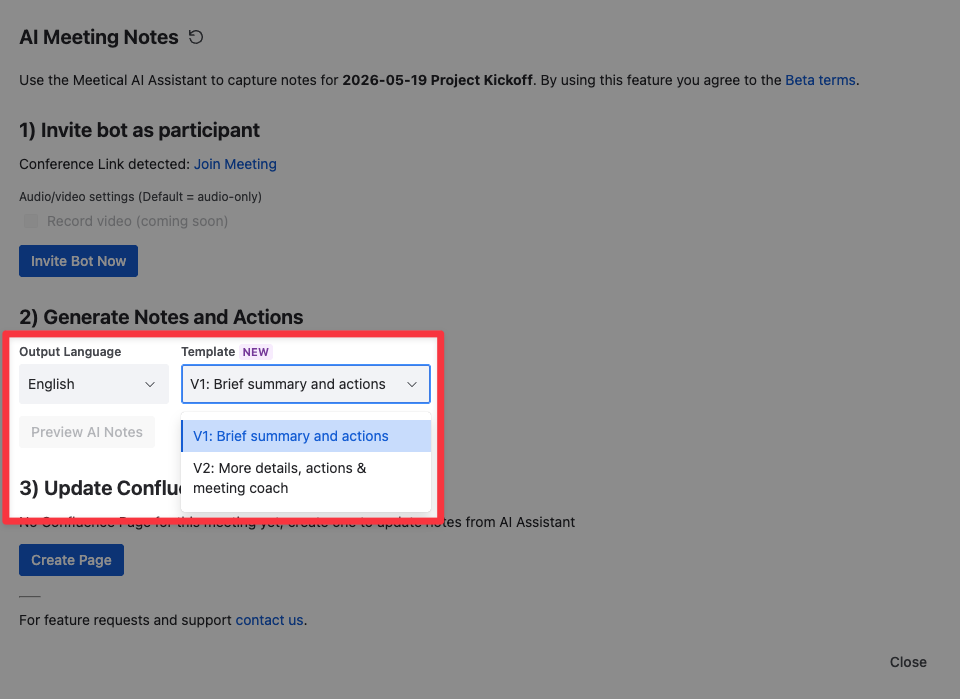
New AI note templates. Meetical AI includes two template styles: a compact, action-oriented meeting notes template and a more detailed chronological summary with a meeting coach section. Both use native Confluence macros. Read more
-
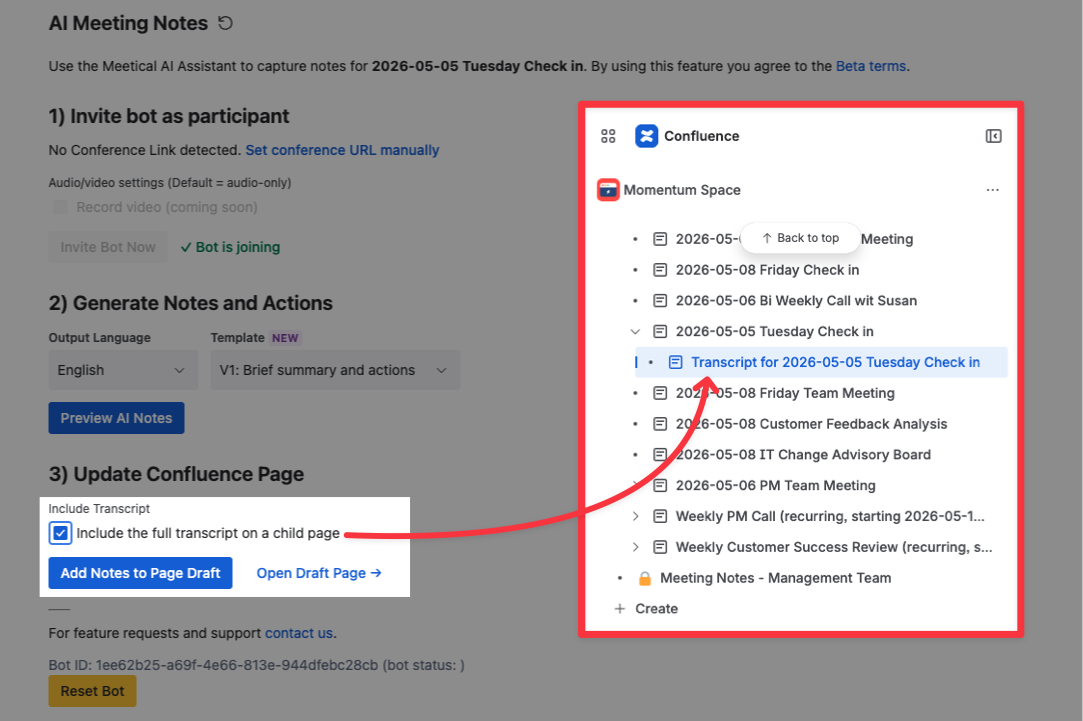
Transcript support for follow-up workflows. Users can add the full meeting transcript to the Confluence page and post-process it with tools such as Rovo or other workflows, for example to prepare follow-up emails or extract customer feedback. Read more
1. November, 2025 - Cloud
Version: v1.3.32
-
AI Meeting Bot for Confluence meeting notes. The Meetical AI bot can join online meetings, transcribe conversations, and generate structured Confluence pages with summaries, decisions, and action items. The bot supports common meeting platforms including Zoom, Microsoft Teams, Google Meet, and Webex. Read more
-
AI Meeting Notes can be started directly from Meetical Calendar. Users select a meeting in the Confluence Meetical Calendar, open the AI Meeting Notes dialog, and invite the bot to the meeting. If a conference link is available in the calendar event, Meetical AI can detect it automatically. Read more
-
Structured AI-generated meeting outcomes. Meetical AI now creates meeting summaries, identifies key decisions, extracts action items, and assigns them to the right people based on meeting context. Notes are added directly to the connected Confluence page for review, editing, and sharing. Read more