Meetical AI has been released as the early access version! Learn more
Easy Calendar for Jira

Shared Calendar Subscriptions

You can easily share Subscriptions with your colleagues with Shared Subscriptions!

This way, you only have to create one configuration and can change that configuration if you need to.

Let’s see an example:
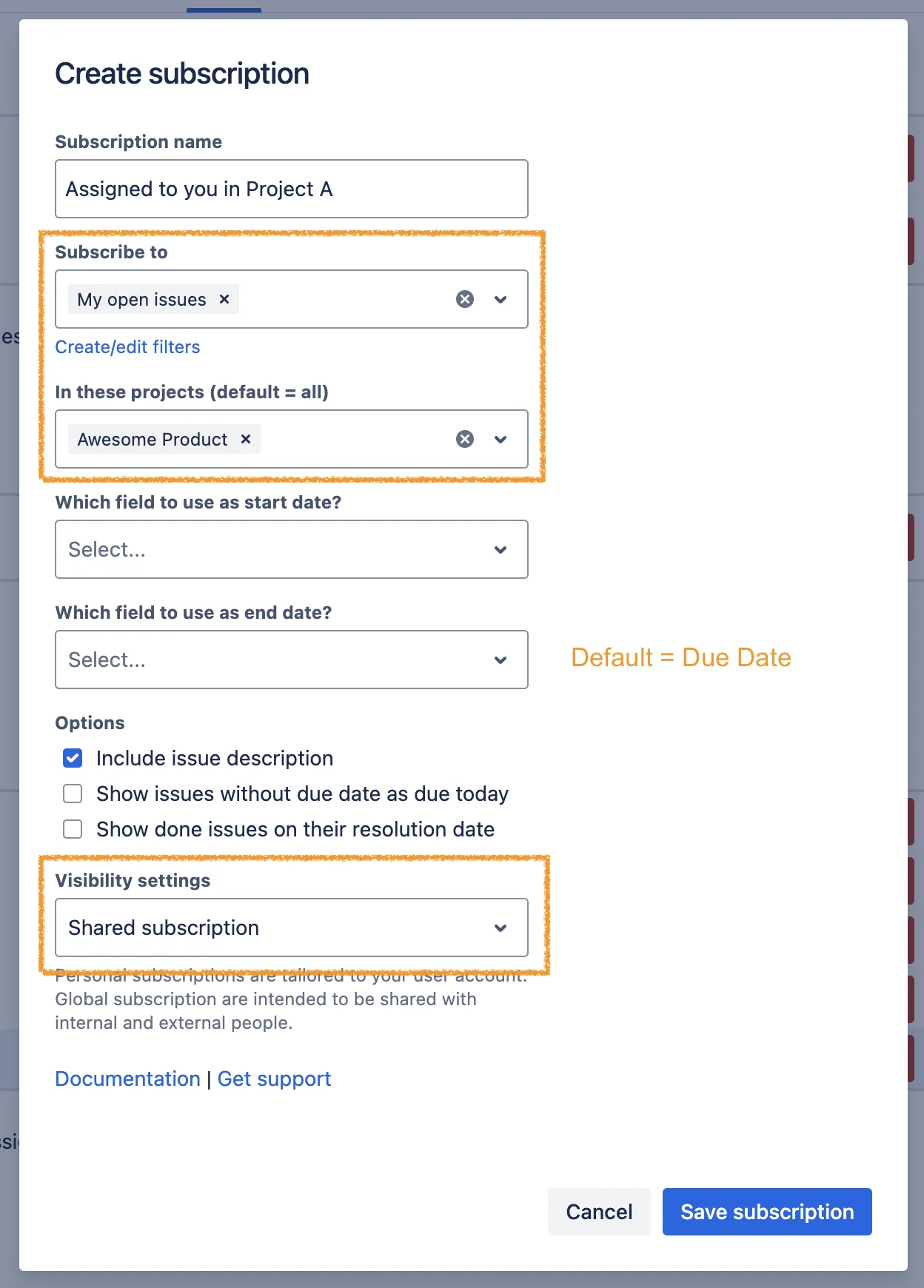

Screenshot 2024-10-11 at 10.59.28.png
Step 1 - Create shared subscription


Screenshot 2024-10-11 at 10.59.48.png
Step 2 - Subscription created
Screenshot 2024-10-11 at 11.00.11.png
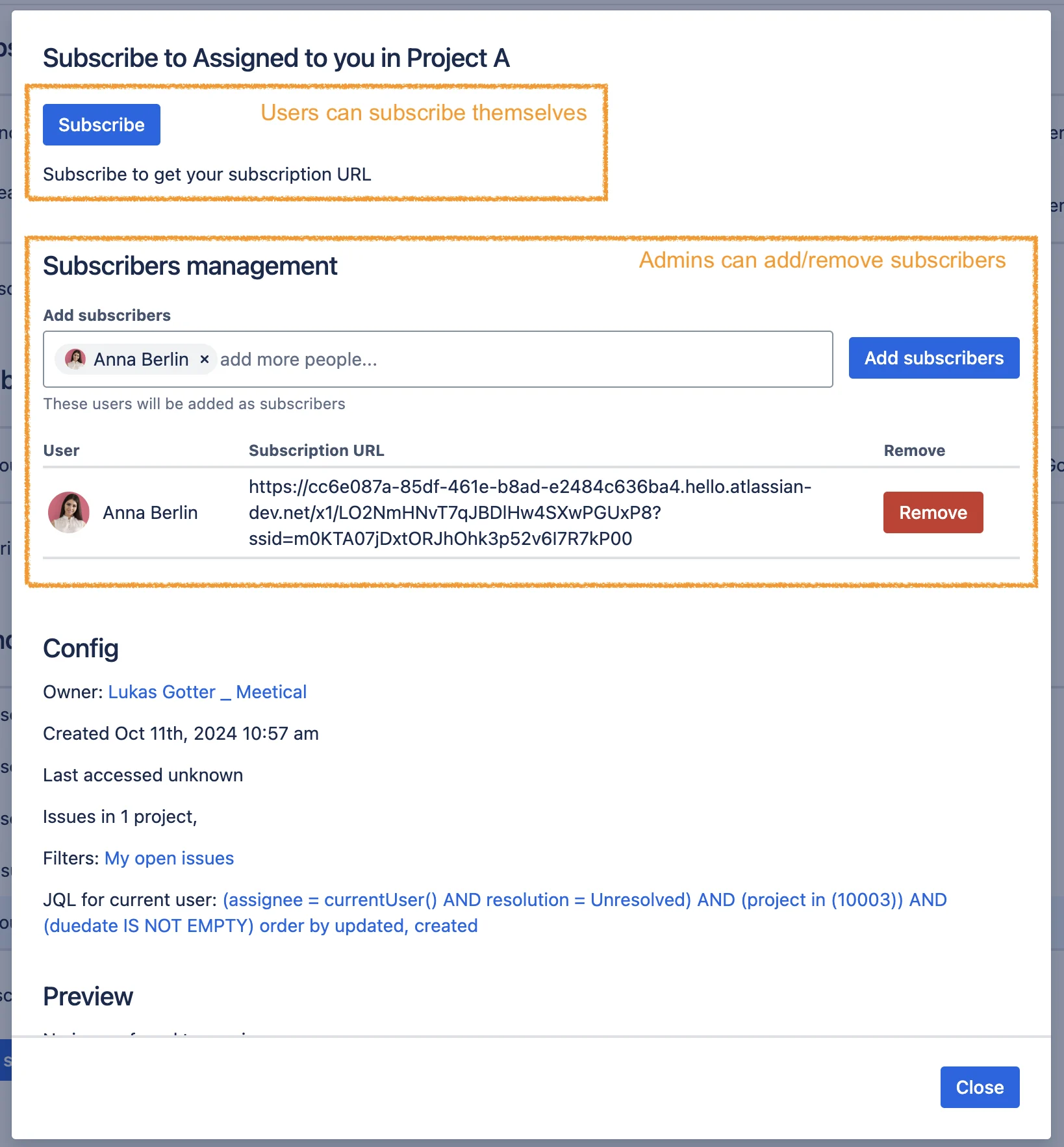
Step 3 - Manage subscribers
Screenshot 2024-10-11 at 11.04.08.png
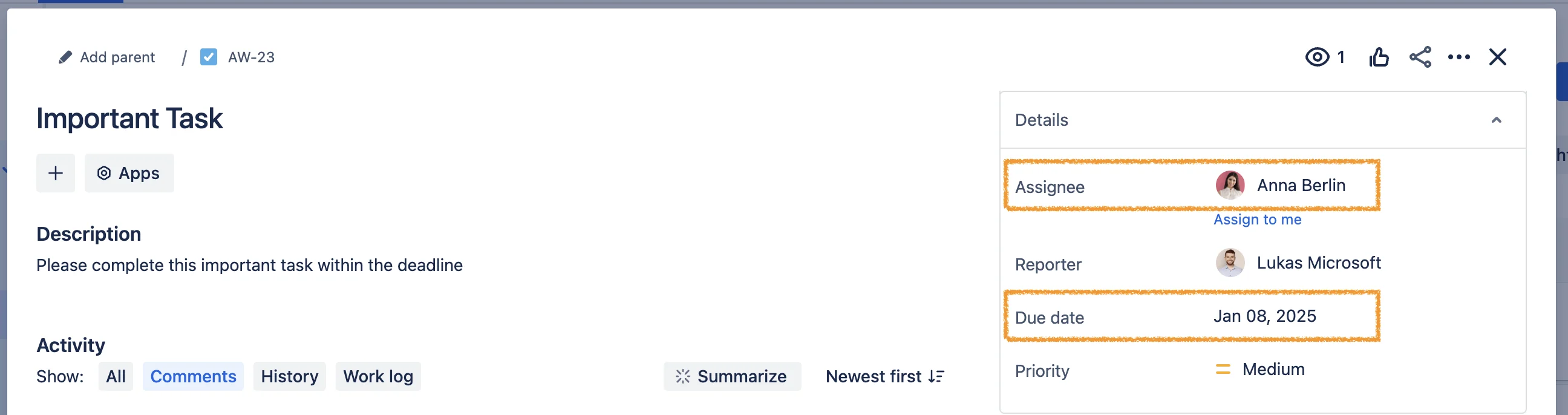
Step 4 - Assign task with due date


Screenshot 2024-10-11 at 11.09.02.png
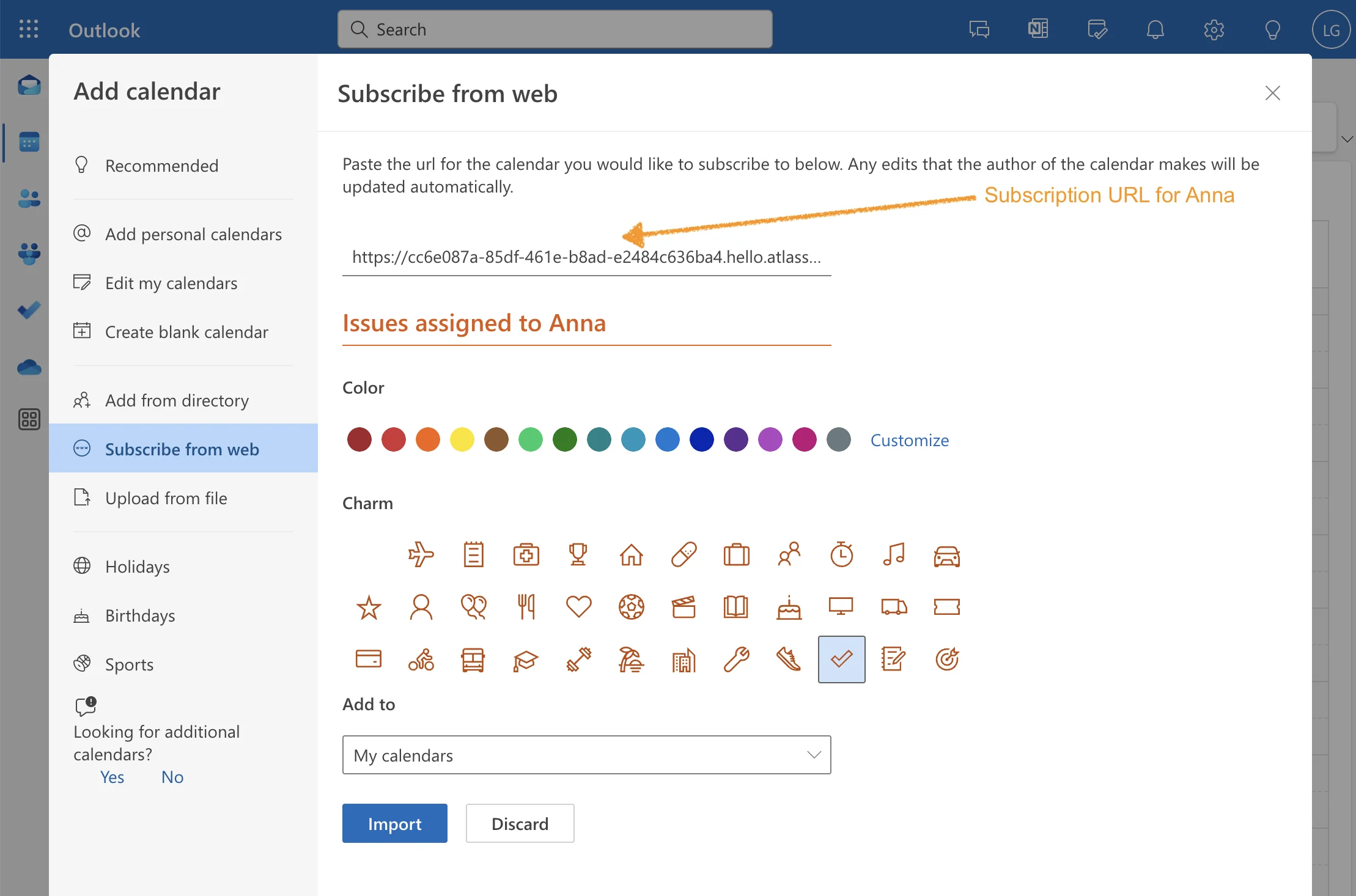
Step 5 - Add subscription URL


Screenshot 2024-10-11 at 11.12.11.png
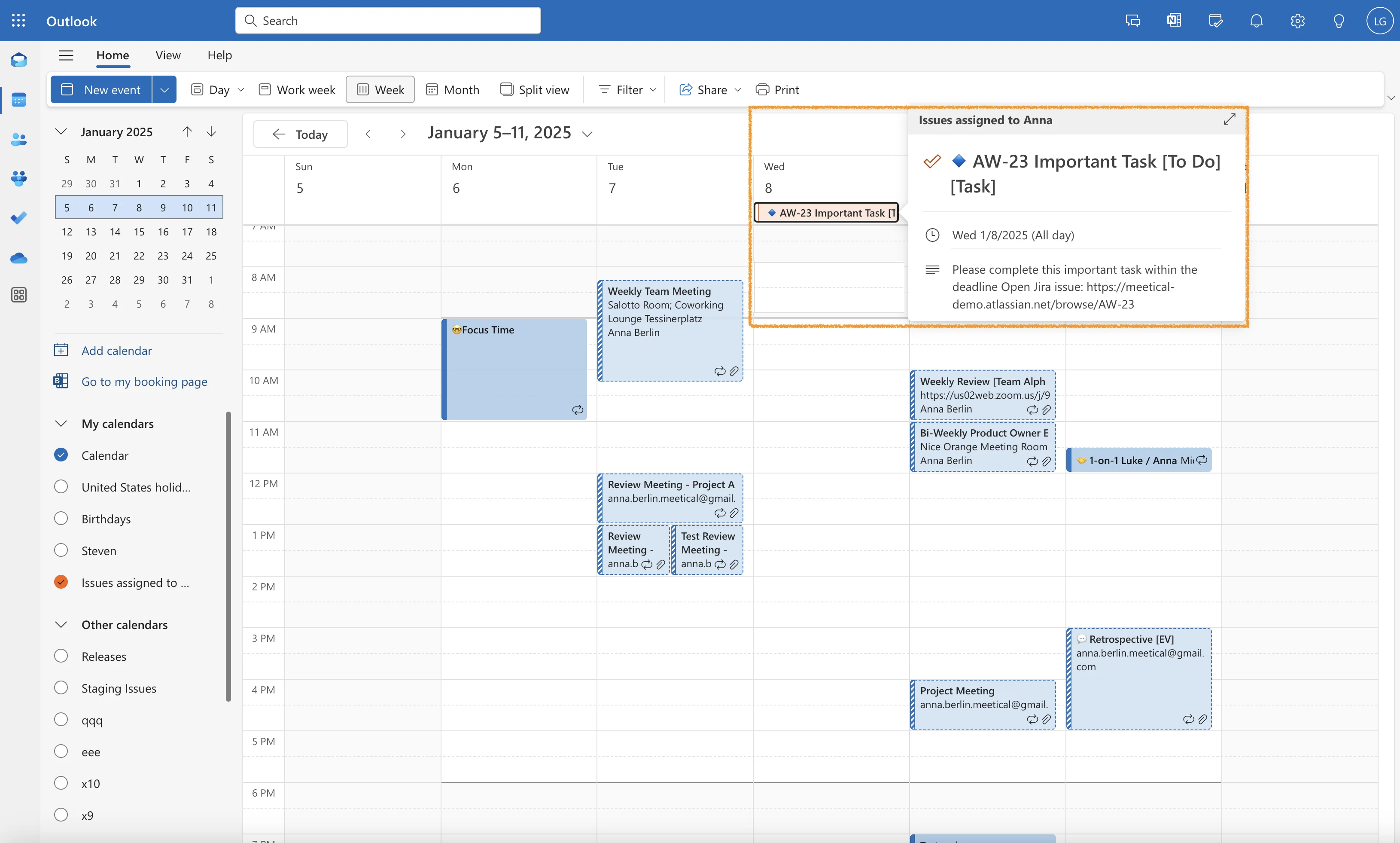
Step 6 - Task appears in calendar


Screenshot 2024-10-11 at 11.12.36.png
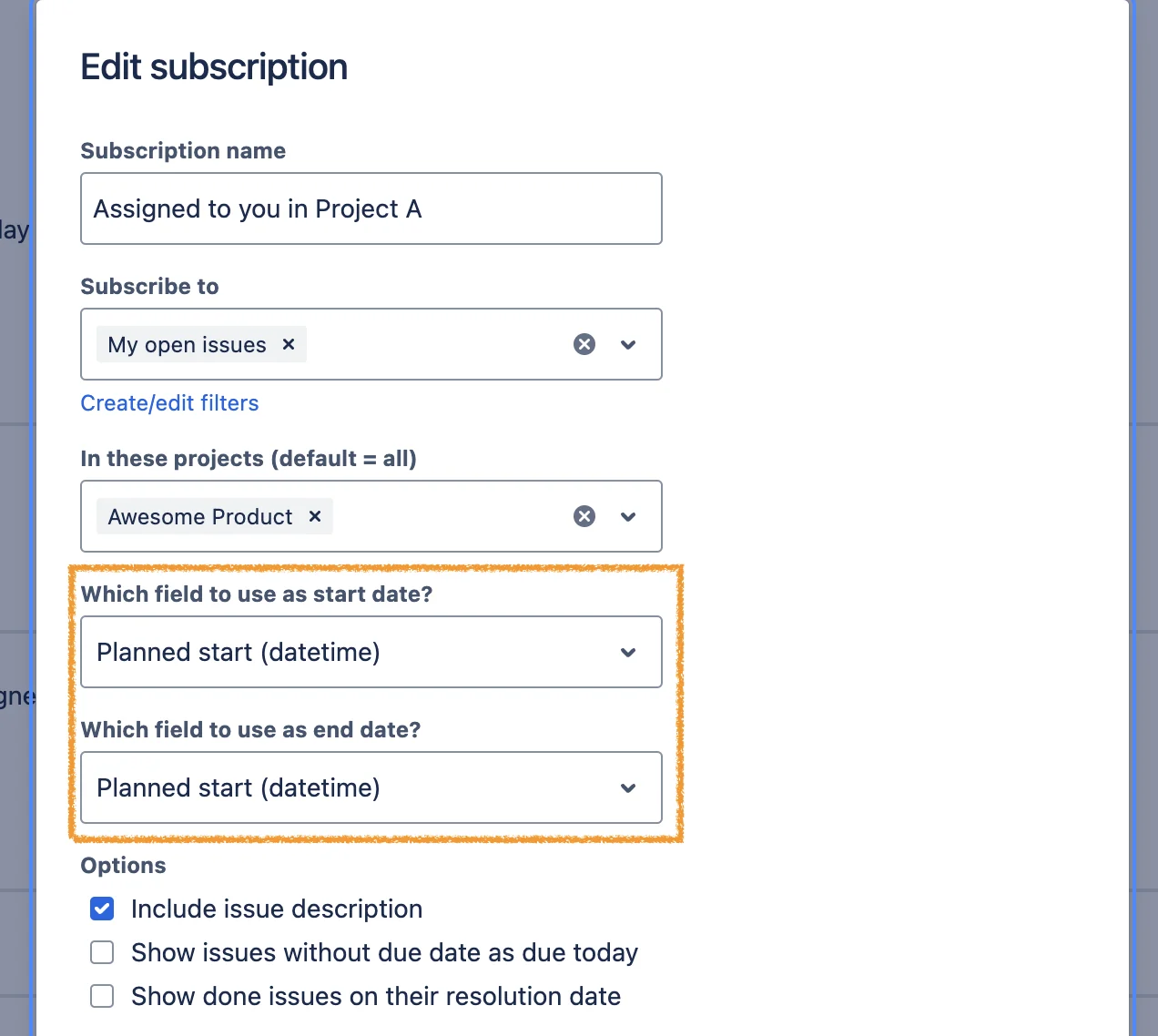
Step 7 - Test datetime field


Screenshot 2024-10-11 at 11.13.22.png
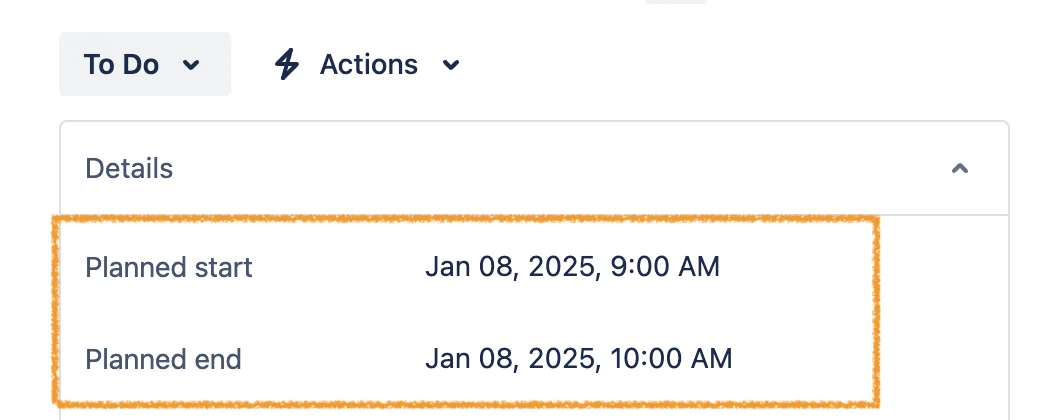
Step 8 - Set date and time


Screenshot 2024-10-11 at 11.25.07.png
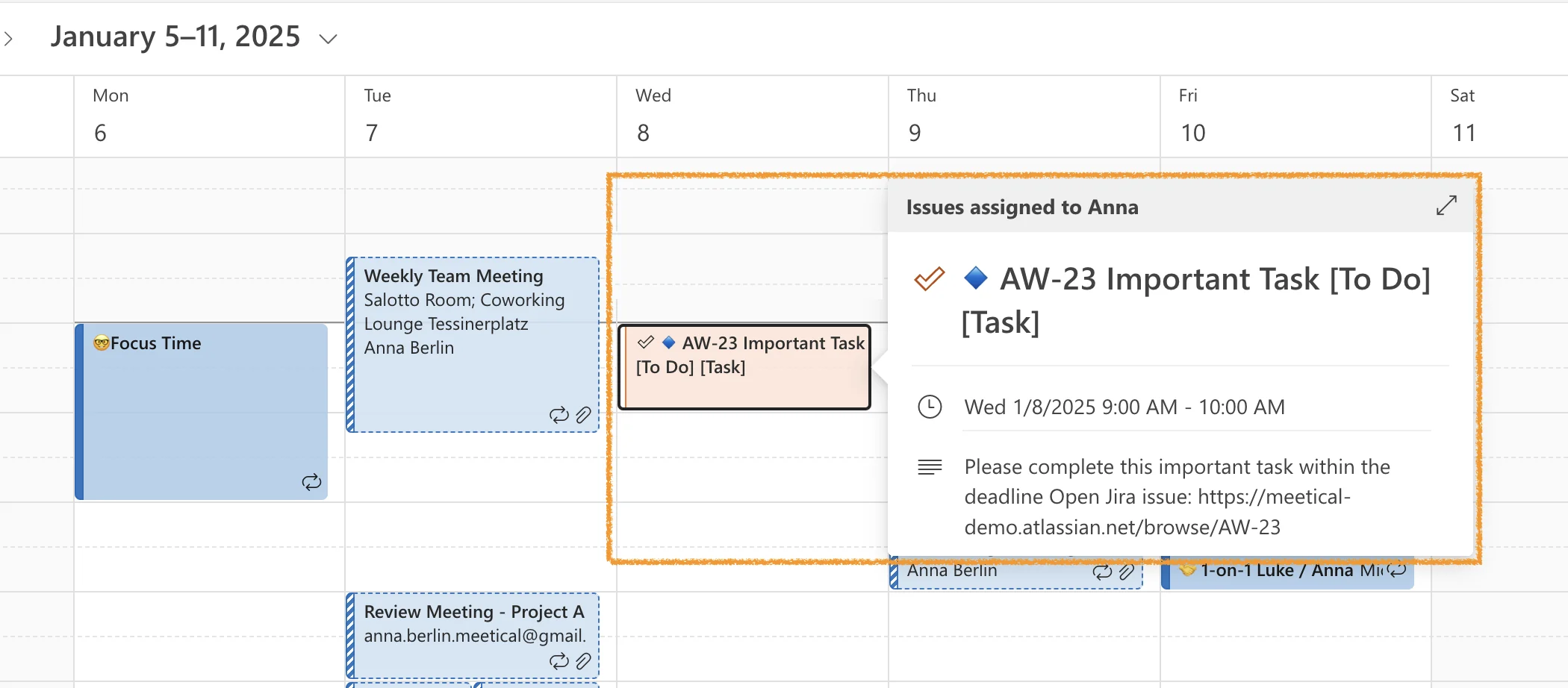
Step 9 - Issue appears on calendar

This is it for Shared Subscriptions.

Simply use the Generated ICS Link to add the Calendar or send users instructions to do so.

If you want to share Releases, or Subscriptions which will show the exact same issues for all users, then better use a Global Subscription.


Global Calendar Subscription

warning Documentation Update Coming Soon

Here is an example to create a global subscription:
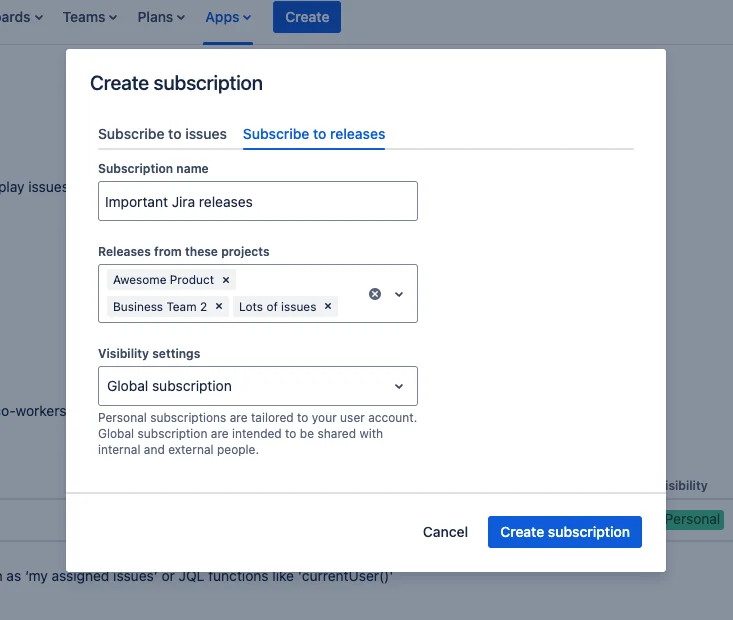

Screenshot 2024-04-24 at 09.53.14.png
Global release subscription

Check the main page on how to configure the subscription.